
CrazyCoderzzz
Participating Frequently
August 28, 2017
Question

Illustrator CC 3D Object To Vector Problem

  • August 28, 2017
  • 3 replies
  • 681 views

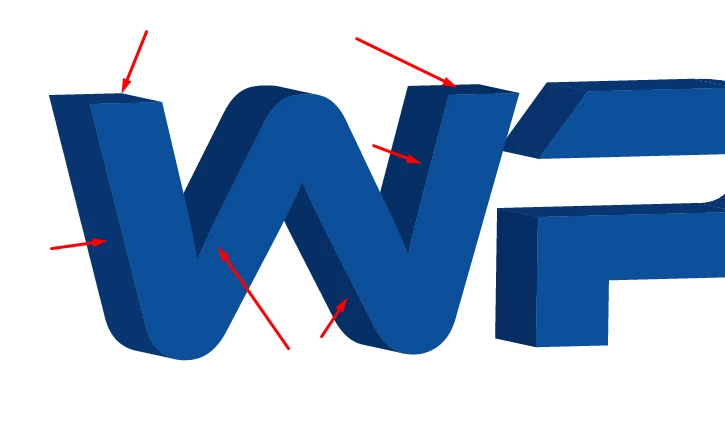
Hello,i am new to this forum and i would like someone to help me if can.I have a problem with 3D Object To Vector conversion.I have followed some youtube tutorials and in their case the conversion looks great,but in my case it has some problems with white lines.I have followed this tutorial:https://www.youtube.com/watch?v=rvgFN59-XAM Watch on 3:59 after he created the 3D Text,then he Expands it,and then he cuts the Top Text Layer(The Letter,not the 3D effect) and unites them all to get rid of the lines(i had that problem before i knew that),and when he goes to Paste In Front,it fits perfectly,and when i try that it has white lines as if the Letter is smaller.Please anyone who knows if he can to help me to fix this problem fast if possible,because im working on a Logo Project.Thanks!
This topic has been closed for replies.

3 replies

CrazyCoderzzz
Participating Frequently
August 29, 2017

I need this to be fixed fast if someone really knows how,please explain to me.I will post the .AI file here if someone take a look at it.

https://ufile.io/6gy26 Also this view in the pictures is from the .AI file.

CrazyCoderzzz
Participating Frequently
August 28, 2017

Yeah,it is gone but now look how my vector looks.How can i fix this altogether?

Monika Gause
Community Expert
Community Expert
August 28, 2017

The edges are not smooth, that's what antialiasing does.

DO you need this for printing or export to raster?

CrazyCoderzzz
Participating Frequently
August 29, 2017

I need it for printing,you know for my clients in source file AI,printing EPS and PNG.I've never encountered this i just started with 3D Logos.

Monika Gause
Community Expert
Community Expert
August 28, 2017

Most probably it's just a screen redraw issue.

Go to Preferences > General and turn off Smoothing/Antialias - are the white lines gone then?