

alexgsrubio_
Known Participant
January 5, 2024
Question

Illustrator changes colors when importing PNG

  • January 5, 2024
  • 2 replies
  • 1556 views

I am using version 27.5. For some reason, whn I am placeing PNG, even though the have the sRGB profile embeded, my illustrator document keeps changng colors every time I open the file. I've using color setting for several years, but this issue only happnes with this file. What's wrong with PNG?
This topic has been closed for replies.

2 replies

Ton Frederiks
Community Expert
Community Expert
January 5, 2024

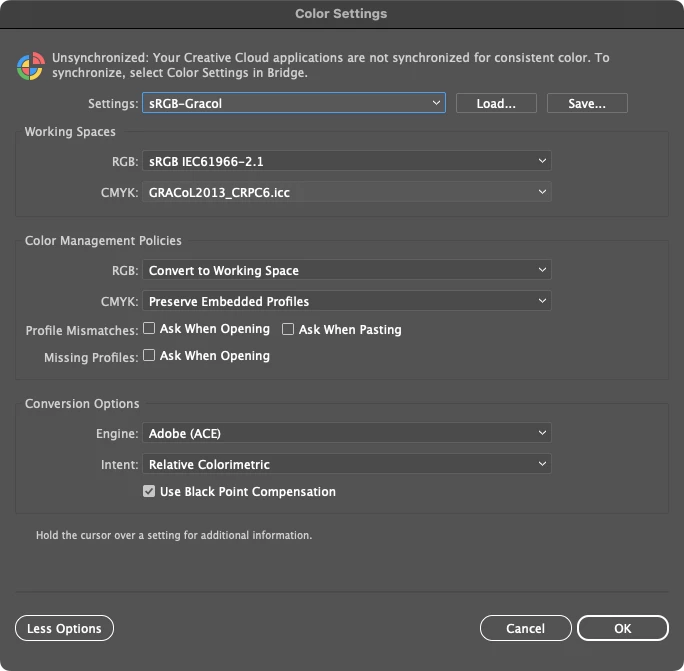
What do you get for messages when you turn on the checkboxes for missing/mismatched profiles?

Is it a specific PNG? Do you Place or drag & drop?

alexgsrubio_
Known Participant
January 6, 2024

All PNG have the same sRGB profile as well as jpg's in the document, so there is no mismatch. My work around (last night), was to convert and replace all png for jpgs. In the case I needed transparent background, I used PSD files instead. I use both methods: Place aswell as drag and drop.

alexgsrubio_
Known Participant
January 12, 2024

Good to hear you've got your color consistent now.

But it should work with your PNG files too.

Can you share such a problem PNG file?


Sure, I will upload both files. The wrong and the good one

Monika Gause
Community Expert
Community Expert
January 5, 2024

Exactly how are you placing them?

What is happening? The colors in the document look differently/have different numbers? Or the document gets a different color profile?

alexgsrubio_
Known Participant
January 6, 2024

Boths instances: the color look different and they actually change values. The document is still using the sRGB profile.


I have attached a comparison.