Inspiring
December 19, 2019
Question

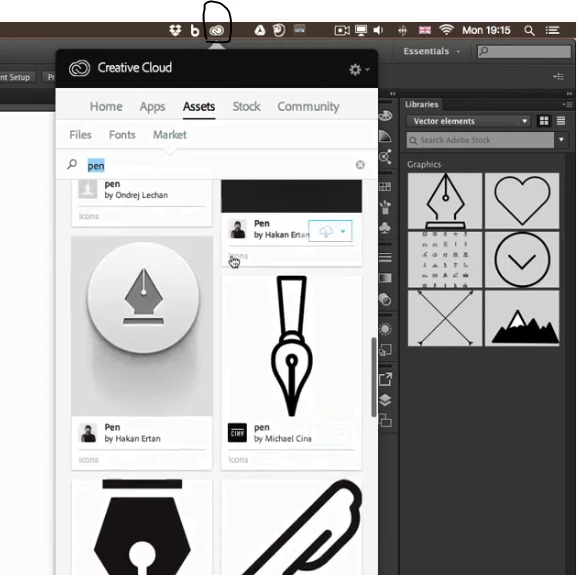
illustrator creative cloud icon missing on macOS

  • December 19, 2019
  • 3 replies
  • 339 views

Hello!
this is printscreen of tutorial im watching. i can see in my legal version of illustrator this icon.
can someone help me on this?


{Renamed By MOD}

This topic has been closed for replies.

3 replies

Rishabh_Tiwari
Legend
December 19, 2019

Hi there,


Thanks for reaching out. The screenshot captured above is for an older version of the Creative Cloud Desktop App. In order to access the current version of the app, if you haven't downloaded it yet, please download the app from this link: https://creativecloud.adobe.com/apps/download/creative-cloud 


If you have already download an Adobe app, please navigate to finder and search for Adobe Creative Cloud. For more information, you can refer to this help article:


https://helpx.adobe.com/in/creative-cloud/help/launch-start-app.html


Let us know if this helps or if you need any further assistance.


Regards

Rishabh

Ton Frederiks
Community Expert
Community Expert
December 19, 2019

It looks like an older tutorial. The Assets tab (and the Assets) have not been available for a while.

Ton Frederiks
Community Expert
Community Expert
December 19, 2019

What is your Illustrator version?