
Illustrator CS6: Batch to replace and align text doesn't work
Hello, I have a lot of PDF files where I want to change a text and then align it for all PDF files automatically.
But the problem with the batch is:
- If I start the batch, the alignment doesn't work at all
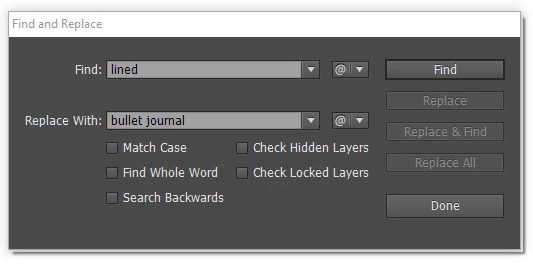
- For every PDF file a "Find and Replace" window opened where I have to click Find, Replace and Done
although I have Find and Replace in my script so I doesn't want to press three button to do it,
it should go without pressing any button.
I think the alignment problem is that the Action doesn't save the object I want to align to and so it doesn't align.
Manually it works: I mark the text ("120 pages lined") then I hold the shift key and click on my object in the layer
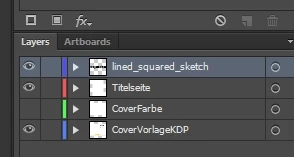
Titelseite and then I click a second time on the Titelseite layer object to mark it as the object I want to align my text to. The Titelseite layer object has now a border and after clicking on the symbol "Horizontal Align Center" it's aligned. Here you can see it before the alignment:
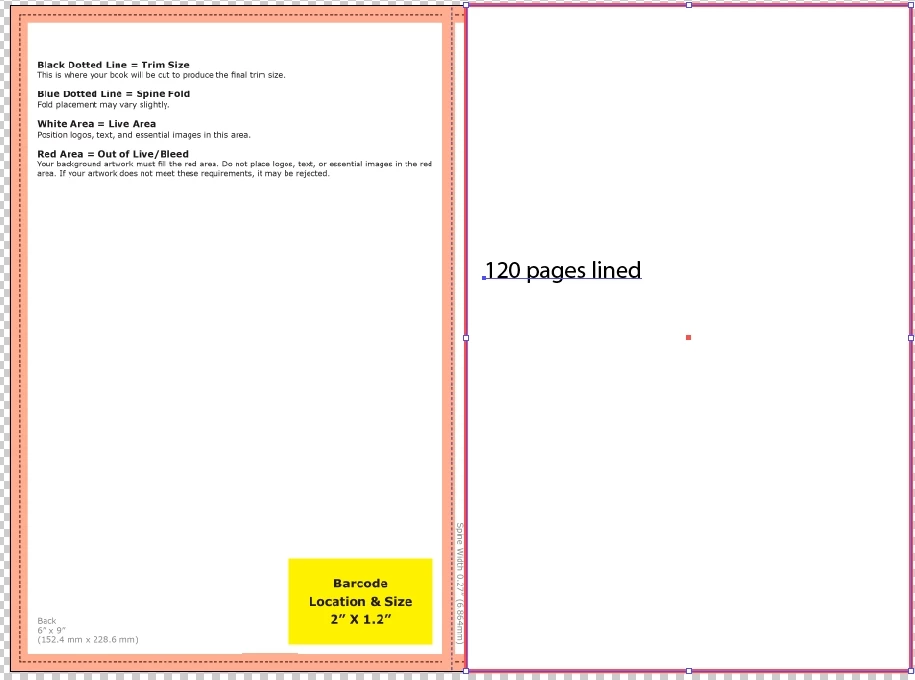
These are my layers:
Also the text replace works manually (Mark text object ("120 pages lined) Edit->Find and Replace...).
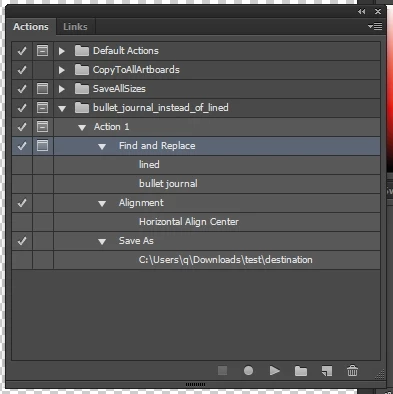
But in the Actions window you can see for Alignment there is only saved "Alignment->Horizontal Align Center"
but not the object I want to align to (Titelseite layer object). Is that the problem that the action doesn't
know to align to which object because it isn't saved in the action? How can I sove this problem?
This is the Actions window:
And this is the Batch window:
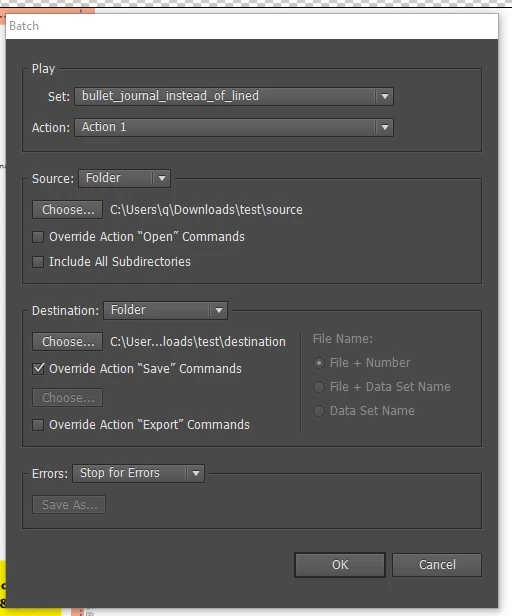
After clicking Ok the Find and Replace window opens for every PDF file, the Find and Replace fields
are filled automatically (Find: lined, Replace with: bullet journal) but I have to click Find,
Replace and Done for every file:
In the destination order then I find not aligned PDF files where lined is replaced with bullet journal.
What have I to do so that the Action aligns the text?
What have I to do that the replacement of text (lined replaced with bullet journal) works
automatically with my Action without to clicking three buttons for every PDF file?
 AdChoices