Inspiring
July 21, 2018
Answered

Illustrator CS6 width tool will not work

  • July 21, 2018
  • 3 replies
  • 855 views

OK, to start; I'm using CS6 local install

Windows 7

Intel I7 processor

with 16 GB of RAM.

The Width tool will not work except intermittently. No rhyme or reason.

I draw a straight line with the Pen tool, then switch to the Selection tool, "black arrow".

I then select the line and change to the Width tool and I am unable to do anything with it.

I get that weird little cursor but it will not recognize the line in any fashion at all.

I click and drag every way I can; with various modifier keys or just click and drag. Nothing I've tried will work.

I read several of the threads dealing with the same issue and I've tried all the suggestions like checking that I'm using the Basic brush, and making certain that the stroke is aligned center.Nothing works .

I've already burned up 3 or four hours.
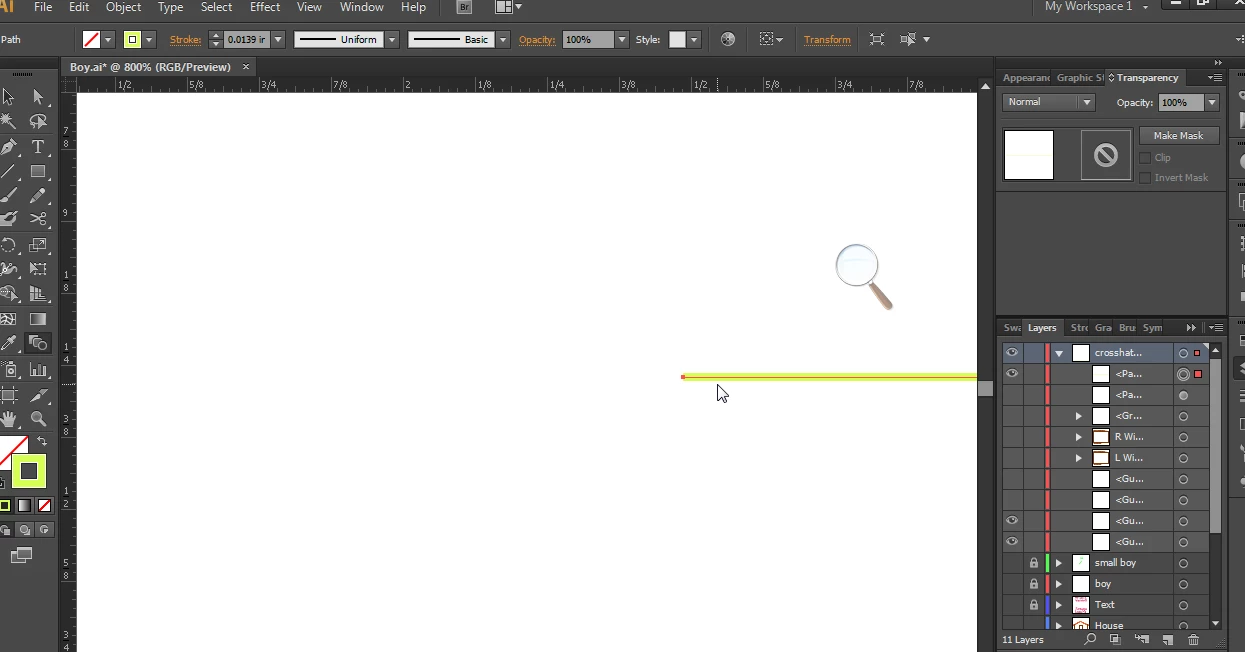
Sorry, I had the Width tool selected but when I try to capture it with Snagit it goes back to the Selection tool.

in any event, I was trying to show that the little white handles don't  show up when I hover over it.

    This topic has been closed for replies.
    Correct answer barbara_a7746676

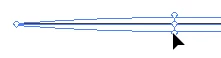
    When using the Width tool

    it doesn't matter if the line is selected or not.

    Get the tip of your cursor really close to the line. You should see a small plus symbol next to the cursor. when its in the right position.

    Then drag on the line. If the line is horizontal, like mine, press and drag down.

    If it is vertical, press and drag to the right.

    3 replies

    Participant
    September 16, 2018

    I posted to 2 threads.  No need for the call out.  I got it to work by restarting my computer.  Thanks.

    barbara_a7746676
    Community Expert
    barbara_a7746676Community ExpertCorrect answer
    Community Expert
    July 22, 2018

    When using the Width tool

    it doesn't matter if the line is selected or not.

    Get the tip of your cursor really close to the line. You should see a small plus symbol next to the cursor. when its in the right position.

    Then drag on the line. If the line is horizontal, like mine, press and drag down.

    If it is vertical, press and drag to the right.

    Participant
    September 16, 2018

    I am having this same problem and have used the stroke width tool extensively in the past, and now it will not work since updating my software.  I'm trying to use it the same way it has worked hundreds of times in the past.  There are no brushes applied to my line and when I try to use it I get an error sound and a circle with a line through it pops up next to the tool cursor.  I assume it's a glitch in the update?  I need to know how to get around this.

    Monika Gause
    Community Expert
    Community Expert
    September 16, 2018

      schrieb

    I am having this same problem and have used the stroke width tool extensively in the past, and now it will not work since updating my software.  I'm trying to use it the same way it has worked hundreds of times in the past.  There are no brushes applied to my line and when I try to use it I get an error sound and a circle with a line through it pops up next to the tool cursor.  I assume it's a glitch in the update?  I need to know how to get around this.

    Please don't post into every available thread.

    Monika Gause
    Community Expert
    Community Expert
    July 21, 2018

    Width tool is that one: