
Illustrator defaults to pasting on locked layers
I recently had to reinstall a previous version of Illustrator due to performance issues. As a result of this, now Illustrator is defaulting to trying to paste things on locked layers, which it has never done for me previously. This shows up in two ways:
1. Attempting to click and drag an image from my files (even while on the layer I wish to put the image on) will default to putting it on my bottom layer, and if that layer is locked it will ask to unlock and show the bottom layer to paste the image on there. If I click the dialogue box's option for "no", it opens my image up in a brand new file.
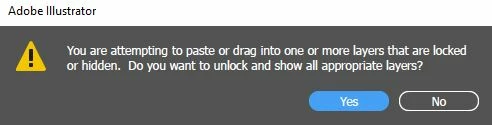
2. When I paste an asset from a locked later, instead of pasting it on my selected layer Illustrator will create a brand new layer called "Isolation Mode" (without actually activating isolation mode) .
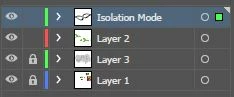
Both of these are extremely annoying! I don't know how to fix them. Does anyone know how to disable this, or make things paste only on the selected layer?
 AdChoices