



Illustrator does not understand SVG masks
Hello!
I am having issues with importing SVGs into illustrator. Essentially, it appears that illustrator tries to simplify the SVG into path components but does not properly account for masks upon doing so. Here is what my SVG looks like when opened in a browser:

Notice how the hair of the woman goes on top of the body and as such hides (masks) that part of the body. However, when I open this exact file in illustrator it looks like this:
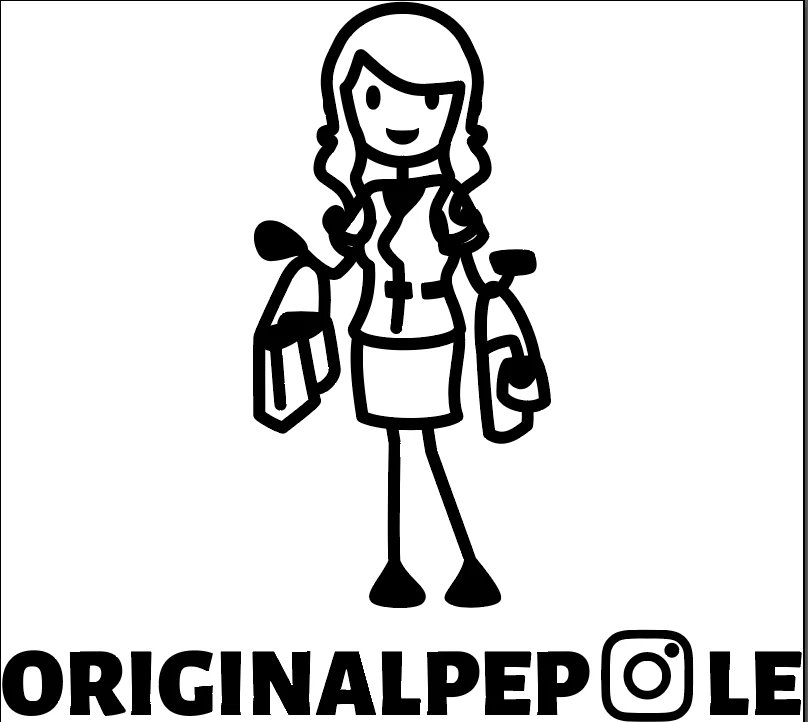
Notice how in this case the portions of the body behind the hair are visible, essentially the masks are not applied properly.
I have noticed that it seems like the "ClipMask" property of SVGs work better when importing into illustrator. However, I would very much appreciate if anyone could provide any insight. Basically my question is how I can make sure that illustrator regonizes these masks properly as all other tools do, or what I can replace the masks with so that Illustrator can interpret them properly.
It would also be great if Adobe could update Illustrator so as to include this functionality.
Find attached the SVG before and after importing into illustrator.
Thank you community!

 AdChoices