
bmessina
Participant
July 15, 2022
Answered

Illustrator effects overlapping

  • July 15, 2022
  • 3 replies
  • 1072 views

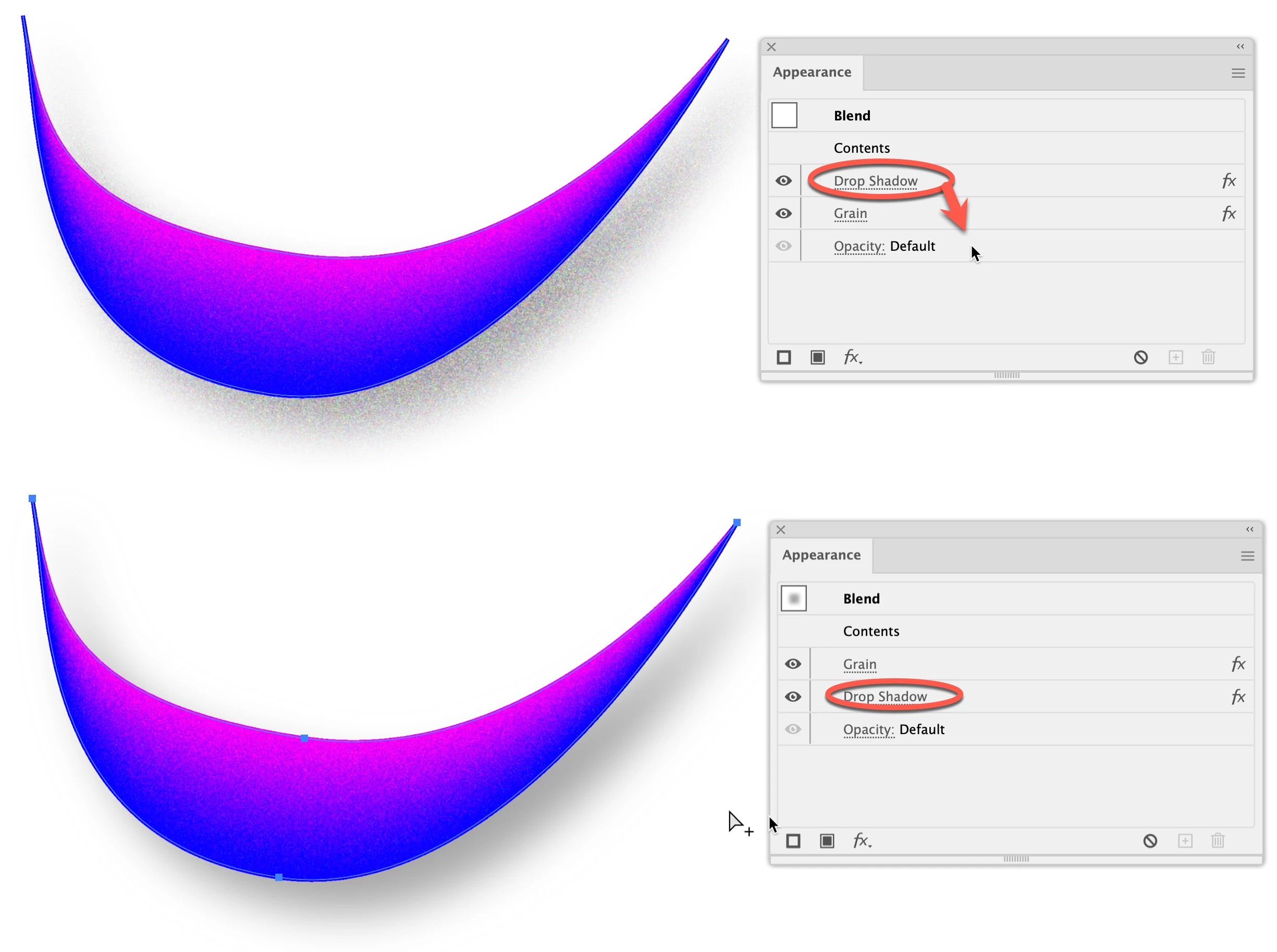
Hello, and thank you for reading! I am trying to learn how to make icons look isometric in Illustrator. I wanted this object to have grain texture, but when I add the grain, it affects/overlaps with the drop shadow effect already in place. How can I make it so that the grain is independent of the drop shadow? In other words, the drop shadow does what it is supposed to do and the grain only occurs within the shape? 
This topic has been closed for replies.
Correct answer tromboniator

Here's a visual in support of David's suggestion:

Peter


3 replies

tromboniator
Community Expert
tromboniatorCommunity ExpertCorrect answer
Community Expert
July 15, 2022

Here's a visual in support of David's suggestion:

Peter


bmessina
bmessinaAuthor
Participant
July 16, 2022

Thanks!!

Dave Creamer of IDEAS
Community Expert
Community Expert
July 15, 2022

What if you drag the Drop Shadow below the Grain effect in the Appearance panel?


David Creamer: Community Expert (ACI and ACE 1995-2023)
Met1
Legend
July 15, 2022

There's probably a (better?) way using the appearance panel, but I'd just duplicate that shape, send it to the back and put the drop shadow on that, and remove it from your grain item.

bmessina
bmessinaAuthor
Participant
July 15, 2022

Thanks, this is probably the fastest workaround. I dont like that the program does this, but I researched for quite some time and found no other answers. Thank you!

Monika Gause
Community Expert
Community Expert
July 16, 2022

Duplicating a blend with probably hundreds of steps (and probably not just one blend, but several) might affect the file size (depending on how exactly you save it).