Participant
September 14, 2023
Question

Illustrator exporting larger as PDF with only 3mm bleed

  • September 14, 2023
  • 4 replies
  • 857 views

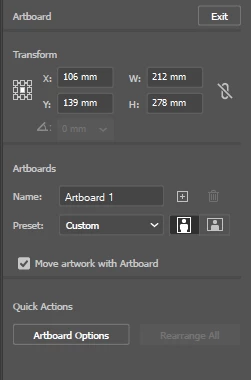
I am just getting very confused about this! I'm trying to create an advert for a printed magazine. The trim size is 212 x 278 mm, with a 3mm bleed on all sides. This is my doc set up: 
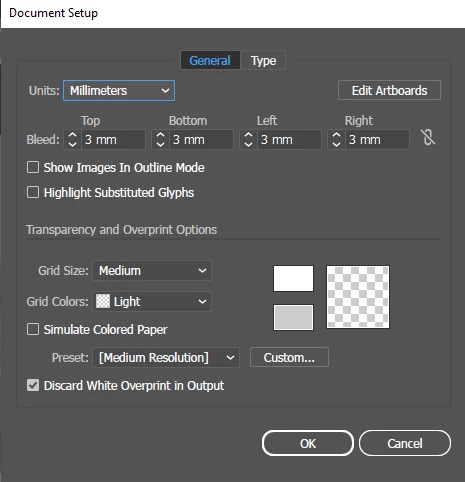
But when I export with my own imported joboptions, the size of the PDF in acrobat is 235,3 x 301,3mm! 


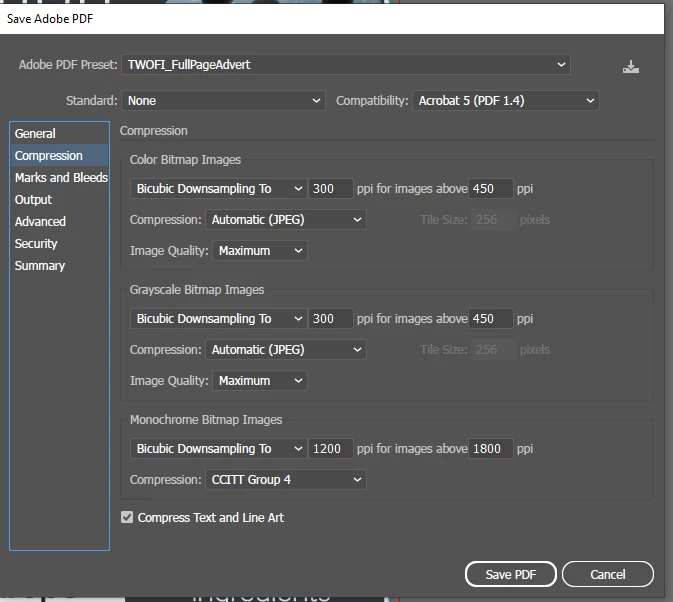
Doing the exact same thing in indesign with the same joboptions creates a file of 218 x 284 mm, which is how it should be... does anyone know where I am going wrong? Here are my export settings: 
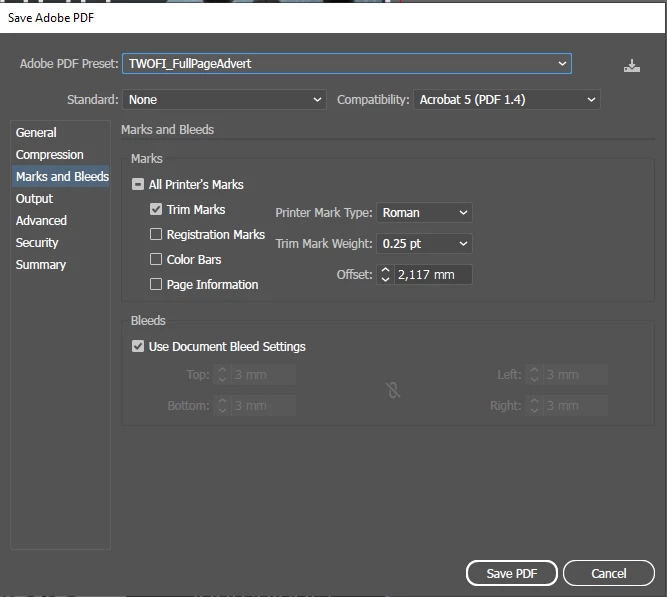
 

I've tried playing with the offset, but it still doesn't save in the correct size. I'm sure it's super easy and I'm just lost, but if anyone has an idea please let me know! 

This topic has been closed for replies.

4 replies

Ton Frederiks
Community Expert
Community Expert
October 3, 2023

You and your printer are looking at the Crop Box, which includes the space needed for the trim marks.

Ton Frederiks
Community Expert
Community Expert
October 3, 2023

Check in Acrobat > Print Production > Set Page Boxes


Ton Frederiks
Community Expert
Community Expert
September 15, 2023

Did you check the page boxes in Acrobat?

Monika Gause
Community Expert
Community Expert
September 14, 2023

Did you check out the dimensions of the boxes in Acrobat?

Participant
September 15, 2023

I did! I followed a tutorial and can set the page boxes to nearly the right size by changing the cropbox margin controls. Thanks for the tip! 🙂 But is there no way to avoid this step? My goal is to make working files eventually to help my team out, and I know a lot of people design on illustrator. Would be nice to not have to resize in acrobat after saving

Monika Gause
Community Expert
Community Expert
October 3, 2023

Sorry if my explanation is a bit confusing! I am creating the document at the output size I want, which is 212 x 278 mm with a 3mm bleed on each side, so the final size should be 218 x 284 mm. My question is not about acrobat, that’s just the tool I am using to see the size of the exported document, which is 235,3 x 301,3mm (the wrong size). Since this is print, it needs to be exactly 218 x 284 mm, and I'd like to know what I'm doing wrong when exporting that leads to the file being 235,3 x 301,3mm. 


When I repeat this process in InDesign, I get a file the right size. So confused! 


Are you sure you are not looking at the Media size in Acrobat?