
Participant
July 16, 2024
Question

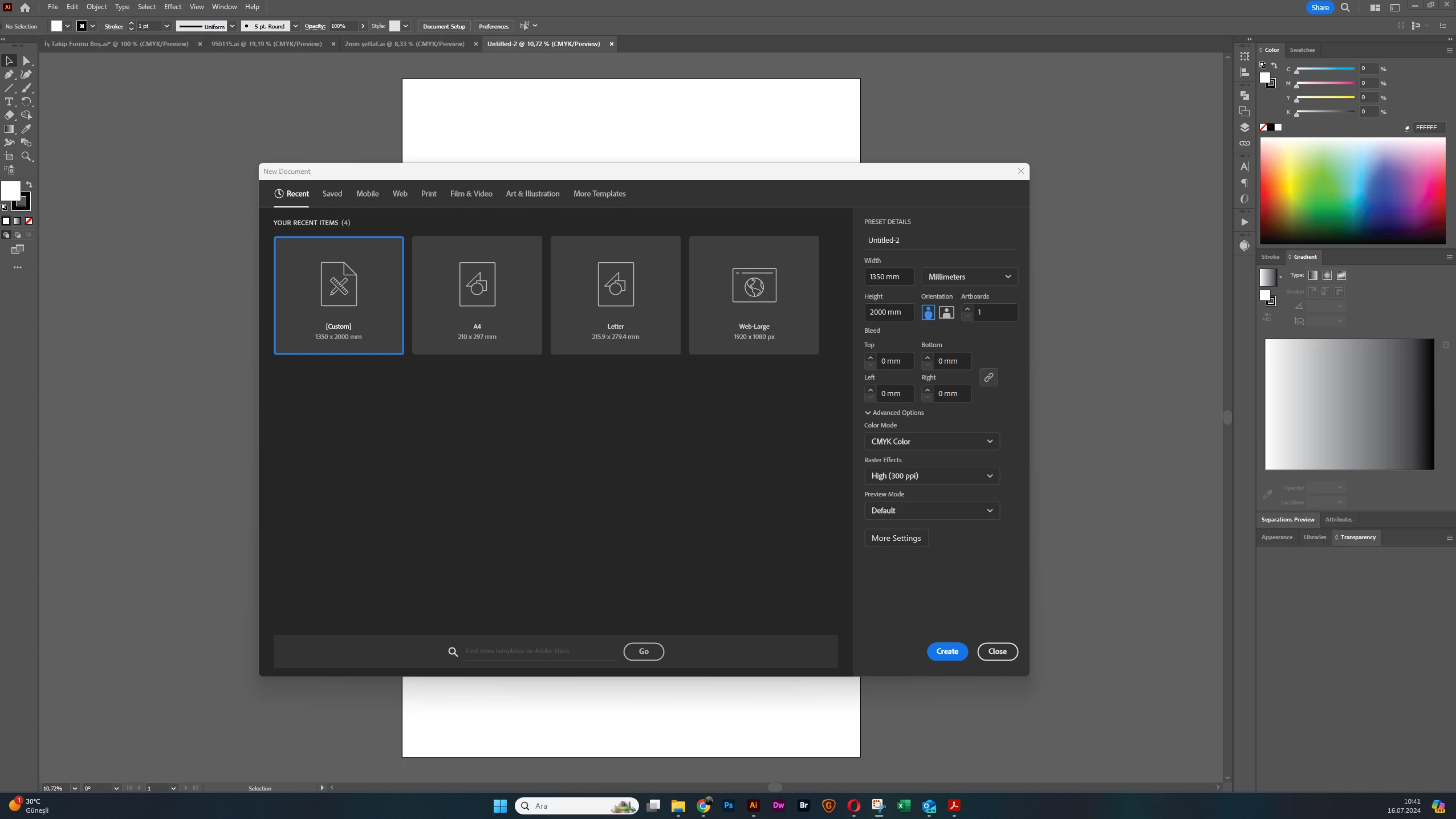
Illustrator freezing while creating a new file.

  • July 16, 2024
  • 3 replies
  • 753 views

Hello Everyone 🙂


Illustrator is freezing when i am trying to create a new file. I cant create a new document also i cant close the new document screen.  And also i cant click any recent item. I resetted the preferences many times but it didnt solve my problem. 


Thanks.


This topic has been closed for replies.

3 replies

Anshul_Saini
Community Manager
Community Manager
July 26, 2024

Hi @Serka Reklam,


I hope the issue is resolved. If not, would you mind confirming if you have tried the steps suggested by Anubhav above? If not, you may want to try turning off GPU performance from Illustrator preferences or turning off the internet to see if you're able to create a new file. There was a similar issue a couple of years back, and this workaround helped some users.


Please let us know if this helps or if you need further assistance.


Best regards,

Anshul Saini

creative explorer
Community Expert
Community Expert
July 16, 2024

@Serka Reklam Please refer to the comment from Monika Gause and  @Srishti Bali with regards to the opening screen, which sounds like a huge issue for PC users: https://community.adobe.com/t5/illustrator-discussions/illustrator-landing-page-problem/m-p/14739612#M413104 


Scroll down to read both comments from Monika Gause and  @Srishti Bali (Srishti may have the work-around). @Anubhav M 

m
Srishti Bali
Community Manager
Community Manager
July 16, 2024

Hi @creative explorer 


I hope you're doing well. It seems that the issue mentioned in the thread you shared is different from the one @Serka Reklam is facing. I recommend trying the suggestions provided by Anubhav and then letting us know your observations. We're here to help!


Regards,

Srishti

Bill Silbert
Community Expert
Community Expert
July 16, 2024

Please provide the exact version of Illustrator and Windows that you are using.

Anubhav M
Community Manager
Community Manager
July 16, 2024

Hello @Serka Reklam,

I'm sorry to hear about your experience. Would you mind trying to update Illustrator/Windows to the latest version and checking if it helps? Also, try resetting Illustrator's preferences as described in this article (https://adobe.ly/3y2KFc7) and sharing your observations.


Disclaimer: Please note that renaming preferences folders will remove all the custom settings, and Illustrator will launch with default settings. You can also save a backup of the folders, the location of which is mentioned above.

Looking forward to hearing from you.


Thanks,

Anubhav

Participant
July 17, 2024

Hello @Anubhav M 


It is looking updated and also i resetted the preferences many times but nothing changed. 😞