
Exit
  • Global community
    • Language:
      • Deutsch
      • English
      • Español
      • Français
      • Português
  • 日本語コミュニティ
  • 한국 커뮤니티
0

Illustrator graphics rendering issue in GPU preview

Explorer ,
Apr 15, 2020 Apr 15, 2020

Hi all, 

I came across a "glitch" probably in GPU preview. In some unexpected moments the workplace (not menus or panels) glitches like crazy. See the screenshot. I guess it's some graphics card driver incompatibility. I'm only using Nvidia GeForce MX150 on laptop using latest driver (445.75). Anyone else came across this error? Do you have any suggestions how to avoid it (apart from turning off GPU preview)?

Thanks for advice.
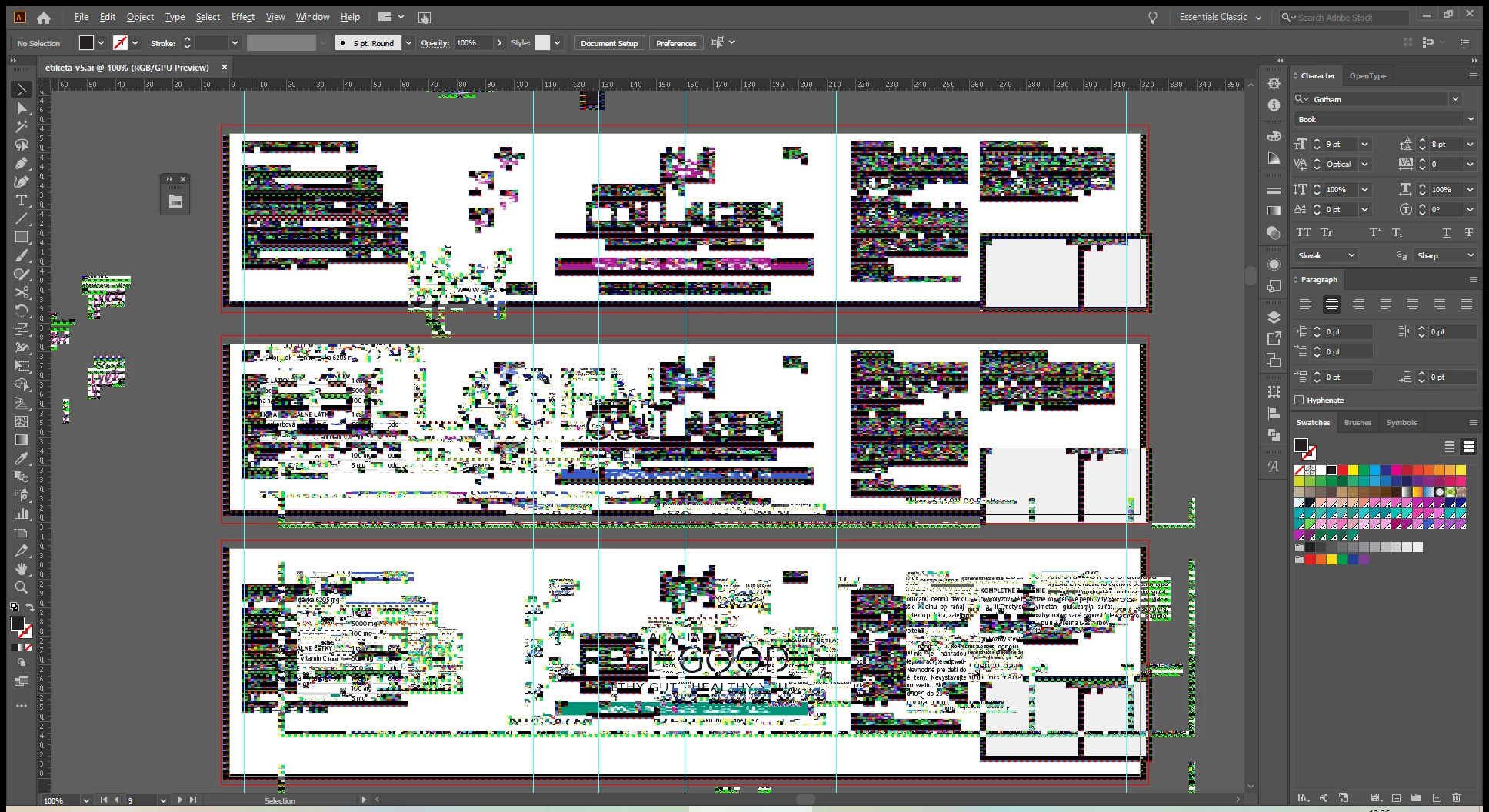
 

2020-04-15.png

TOPICS
Bug , Performance
178
Translate
Report
Community guidelines
Be kind and respectful, give credit to the original source of content, and search for duplicates before posting. Learn more
community guidelines
Adobe
Community Expert ,
Apr 15, 2020 Apr 15, 2020
LATEST

Ivan,


Apart from an inadequate card, the issue can be caused by lack of driver updating, lack of proper recognition of the card by the computer, and whatnot (including rifts in the space time,

moon, weather, and the fact that Illy sometimes moves in mysterious ways).


Here are a few more pages about GPU troubleshooting:
https://helpx.adobe.com/illustrator/kb/gpu-performance-errors-troubleshooting-workarounds.html
https://helpx.adobe.com/illustrator/kb/illustrator-gpu-performance-driver-update.html

Translate
Report
Community guidelines
Be kind and respectful, give credit to the original source of content, and search for duplicates before posting. Learn more
community guidelines