Exit
  • Global community
    • Language:
      • Deutsch
      • English
      • Español
      • Français
      • Português
  • 日本語コミュニティ
  • 한국 커뮤니티
0

Illustrator grid not aligned in default

New Here ,
Jan 03, 2021 Jan 03, 2021

When opening new document and showing grid the grid is 1degree off, not aligned so everything else is the same when creating the document. Anyone had this problem? I have 2021 version. Grid not straight basically. 
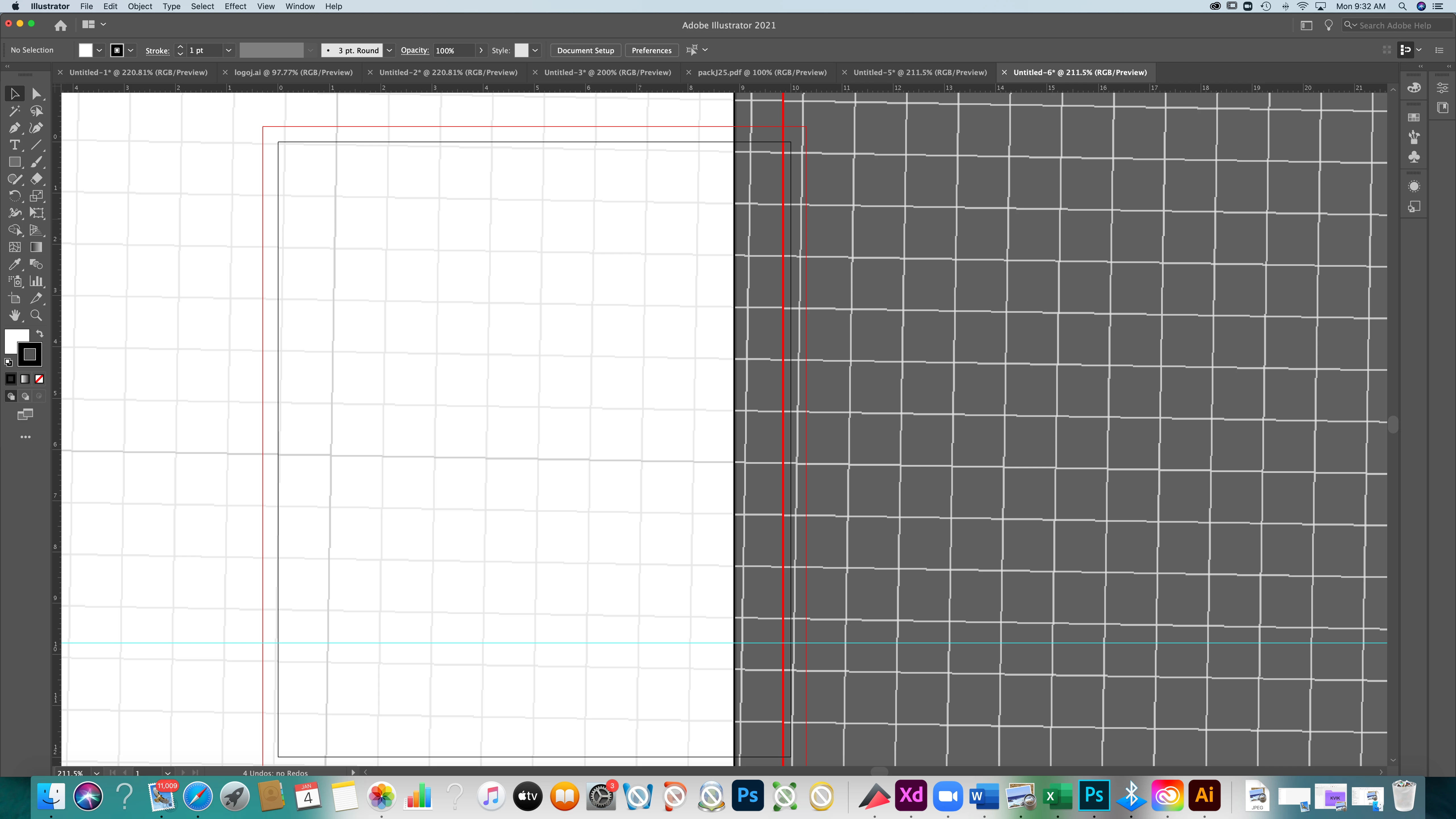
 

Screen Shot 2021-01-04 at 9.32.06 AM.png


[ attachment inserted as inline image by moderator ]

TOPICS
Bug , Performance
941
Translate
Report
Community guidelines
Be kind and respectful, give credit to the original source of content, and search for duplicates before posting. Learn more
community guidelines

correct answers 1 Correct answer

Community Expert , Jan 03, 2021 Jan 03, 2021

Go to Preferences > General and check the Constrain Angle field. Set it to 0° if it has any other value showing.


Peter

Translate
Adobe
Community Expert ,
Jan 03, 2021 Jan 03, 2021

Go to Preferences > General and check the Constrain Angle field. Set it to 0° if it has any other value showing.


Peter

Translate
Report
Community guidelines
Be kind and respectful, give credit to the original source of content, and search for duplicates before posting. Learn more
community guidelines
New Here ,
Jan 03, 2021 Jan 03, 2021

Peter I would hug you now..:) Thank you from Dubai.

Translate
Report
Community guidelines
Be kind and respectful, give credit to the original source of content, and search for duplicates before posting. Learn more
community guidelines
Community Expert ,
Jan 04, 2021 Jan 04, 2021
LATEST

Thanks from Alaska for the hug! You're welcome.

Translate
Report
Community guidelines
Be kind and respectful, give credit to the original source of content, and search for duplicates before posting. Learn more
community guidelines