
Joel Cherney
Community Expert
Community Expert
January 15, 2023
Answered

Illustrator has a font cache?

  • January 15, 2023
  • 2 replies
  • 2380 views

I have a project where my client wants me to use Source Sans Pro. If I delete all of my Source Sans Pro fonts from my Win11 fonts folder and only use Adobe Fonts, then I get font warnings for Source Sans Pro Semibold, as well as a few others, and when I try to use Find Font, I see that my system seems to have five installs of Source Sans Pro Semibold, as well as four dropped font-warning entries. If I deactivate all Adobe fonts and install .ttf back into my Windows Fonts folder, then I get all twelve fonts I'd expect, as well as a second semibold face with an asterisk indicating that it is missing. 


It doesn't seem to matter if I am working in InDesign or Word or whatever, Source Sans Pro seems to work just fine, with no missing fonts or errors or doubled (or quadrupled?) fonts.
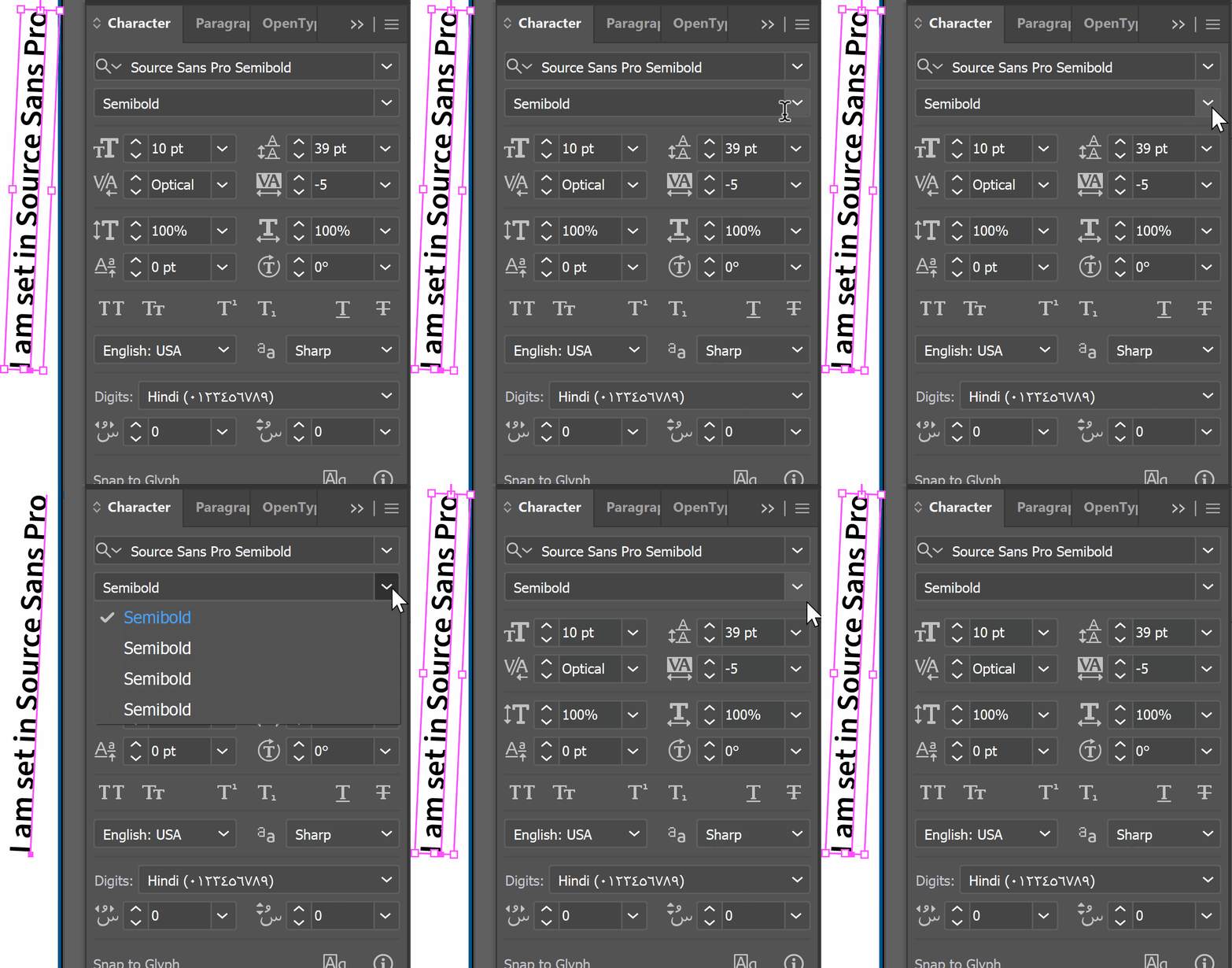


I have tried quite a few permutations of uninstalling fonts, deleting Windows font caches & stopping the font cache service, signing into and out of CC, activating and deactivating fonts on fonts.adobe.com, with no real change in behavior. 
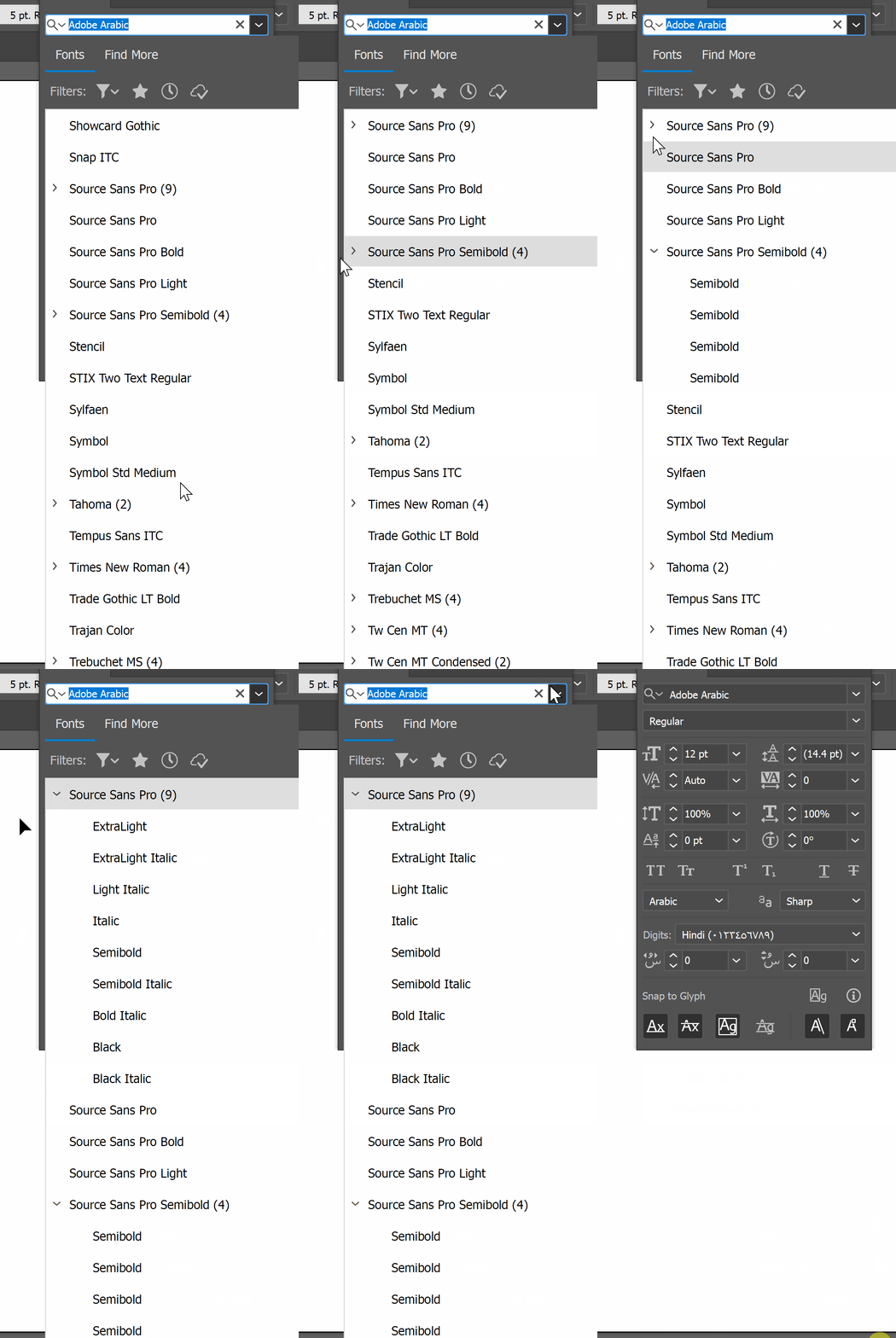


So, each time I open a file (twelve languages, twenty files per language) I have to do a font-replacement rigamarole that has to be redone every time I save and reopen the file. Can any of you folks suggest some kind of troubleshooting or font-cache-clearing that I maybe haven't done yet? 

This topic has been closed for replies.
Correct answer Bobby Henderson

Are you using other non-Adobe graphics applications while Illustrator is running? I'm only mentioning this because if I have Adobe Illustrator and CorelDRAW running at the same time a decent number of type families will come up with one or more fonts missing in Illustrator's fonts menu. Certain existing AI documents will have missing fonts when opened. If I close both applications and then re-launch Illustrator all of my fonts return in the font menu.

2 replies

Bobby HendersonCommunity ExpertCorrect answer
Community Expert
January 15, 2023

Are you using other non-Adobe graphics applications while Illustrator is running? I'm only mentioning this because if I have Adobe Illustrator and CorelDRAW running at the same time a decent number of type families will come up with one or more fonts missing in Illustrator's fonts menu. Certain existing AI documents will have missing fonts when opened. If I close both applications and then re-launch Illustrator all of my fonts return in the font menu.

Joel Cherney
Community Expert
Community Expert
January 15, 2023

It's not another graphics app, but it has to be something along those lines. I have "Auto-activate Adobe fonts" turned off in the Preferences, but if I shut down one of the utilities in my system tray with a problem PDF open in Illustrator, I'll get a dialog informing me that Source Sans was successfully activated. (The utility in question is PureText, which lets me turn any formatted text on the clipboard into raw text.) 


What I find most odd about this is that it's really just one PDF that causes the problem. It's the first numerically in the folder, and if I open it in Illustrator while PureText is running, it seems to "poison the well" for Source Sans for all other documents in Illustrator going forth, even after reboots. If I sign out of CC and clear font caches, and I shut off PureText after reboot, then I can open that document and work on it. 

Community Expert
January 16, 2023

The people who actually put these documents together knew what they were doing; this is clear from their assets, and snippy commentary, to be found off on the pasteboard. I bet that if they were using PDF as a storage format, they would have used that "preserve Illustrator editing capability" settings. But the project managers who handed 'em off to other project managers who handed 'em off to me Did Something, and now they're no longer easily editable within Illustrator, and look like somebody printed to PDF with "High Quality Print" joboptions. 


I don't do enough Illustrator work to merit a subscription (I typically only mess with the artwork if I need to move something to fit e.g. an obscenely long Russian translation), but if I did actual artwork, I would subscribe to that plugin bundle without hesitation.  


Yes, if other people in-between you and the original artwork creator are adding notes or any other details to a PDF it's very likely any such changes would strip the Illustrator-friendly nature out of that PDF. There is a lot of PDF generating software that only creates a big heaping mess. Regarding Source Sans Pro, the typeface is available from multiple sources (Google Fonts, Adobe Fonts, Font Squirrel, etc). I haven't tested this, but it's possible the file names or internal "guts" of the files themselves could be slightly different from one vendor to the next. And there's the issue of the font files being revised from time to time to add more glyphs, fix bugs, etc. 

Monika Gause
Community Expert
Community Expert
January 15, 2023

Do you have any font manager installed? Illustrator might not like it.

Joel Cherney
Community Expert
Community Expert
January 15, 2023

Nope, I have rejected all font management apps since Suitcase once got in my way in Mac OS 7.5. Thanks for the idea, though.