Participant
August 4, 2020
Answered

Illustrator- how to create poking out fabric effect like this?

  • August 4, 2020
  • 1 reply
  • 566 views

Dear fellow illustrators,


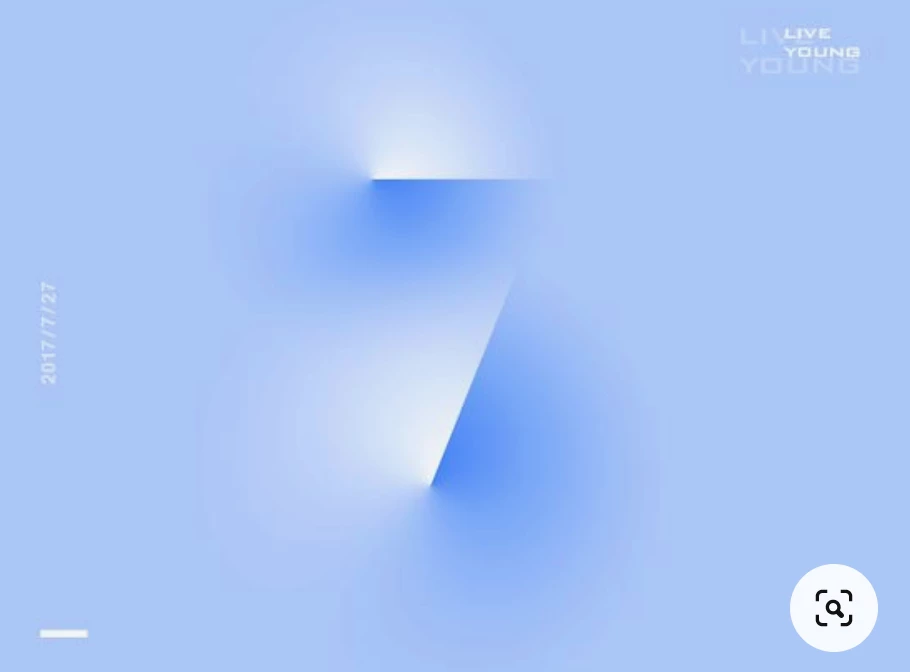
I found this beautiful picture online and I assume this is made with AI. I think the designer used a gradient tool for this but I couldn't make it happen. Can someone help?


Best 

V
 

This topic has been closed for replies.
Correct answer Doug A Roberts

This is the first thing that comes to mind:

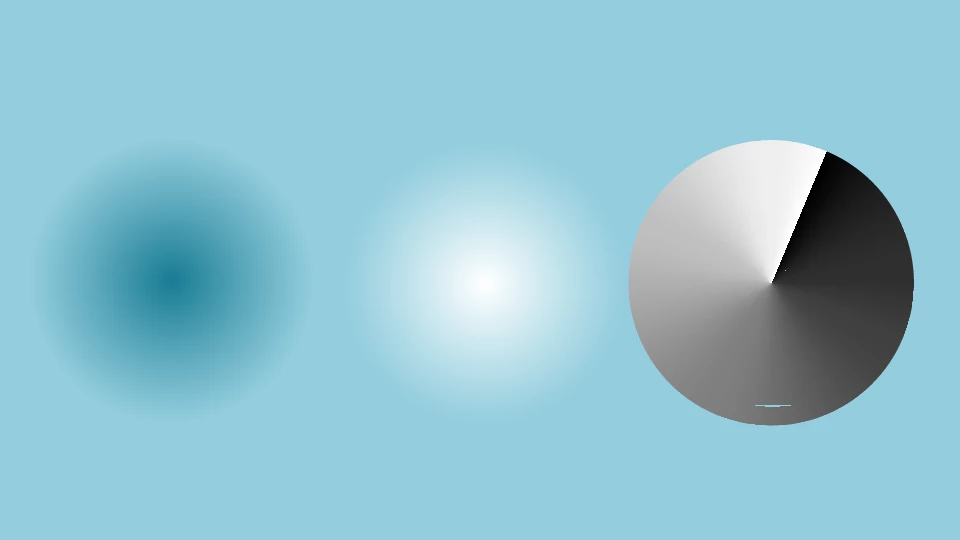
The top image is composed of the bottom three objects: a radial gradient from a darker colour to the background colour, one of a light colour to the background colour, and a gradient on a stroke from RGB black to RGB white (the same size or larger than the other gradient ellipses.


Place the stroke gradient over the light one, select both and create an opacity mask (button in the Transparency panel). Then place the resulting group over the dark gradient ellipse.

1 reply

Doug A Roberts
Community Expert
Doug A RobertsCommunity ExpertCorrect answer
Community Expert
August 4, 2020

This is the first thing that comes to mind:

The top image is composed of the bottom three objects: a radial gradient from a darker colour to the background colour, one of a light colour to the background colour, and a gradient on a stroke from RGB black to RGB white (the same size or larger than the other gradient ellipses.


Place the stroke gradient over the light one, select both and create an opacity mask (button in the Transparency panel). Then place the resulting group over the dark gradient ellipse.

Participant
August 4, 2020

wow Doug thank you very much!! I think it is very promising.


Have a nice one:)