
Inspiring
May 26, 2023
Answered

Illustrator / Indesign - overprint show true color

  • May 26, 2023
  • 5 replies
  • 1048 views

Hello, 

I have this problem of not showing true color.

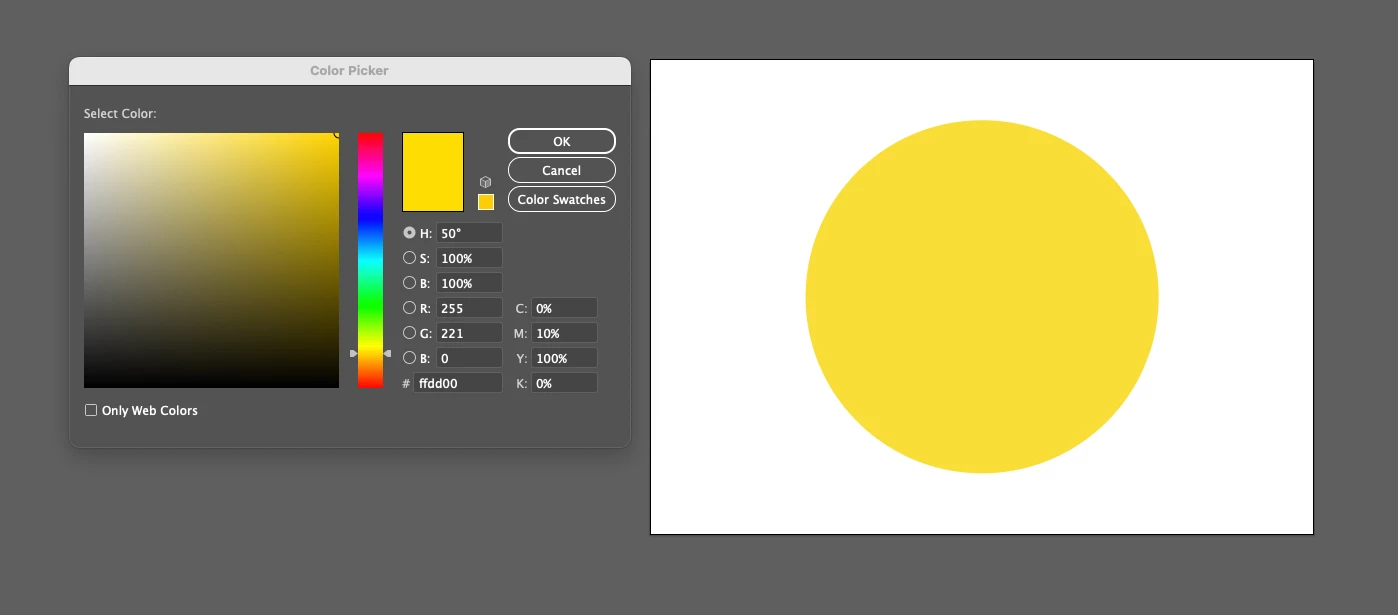
Here is how the yellow looks in normal view
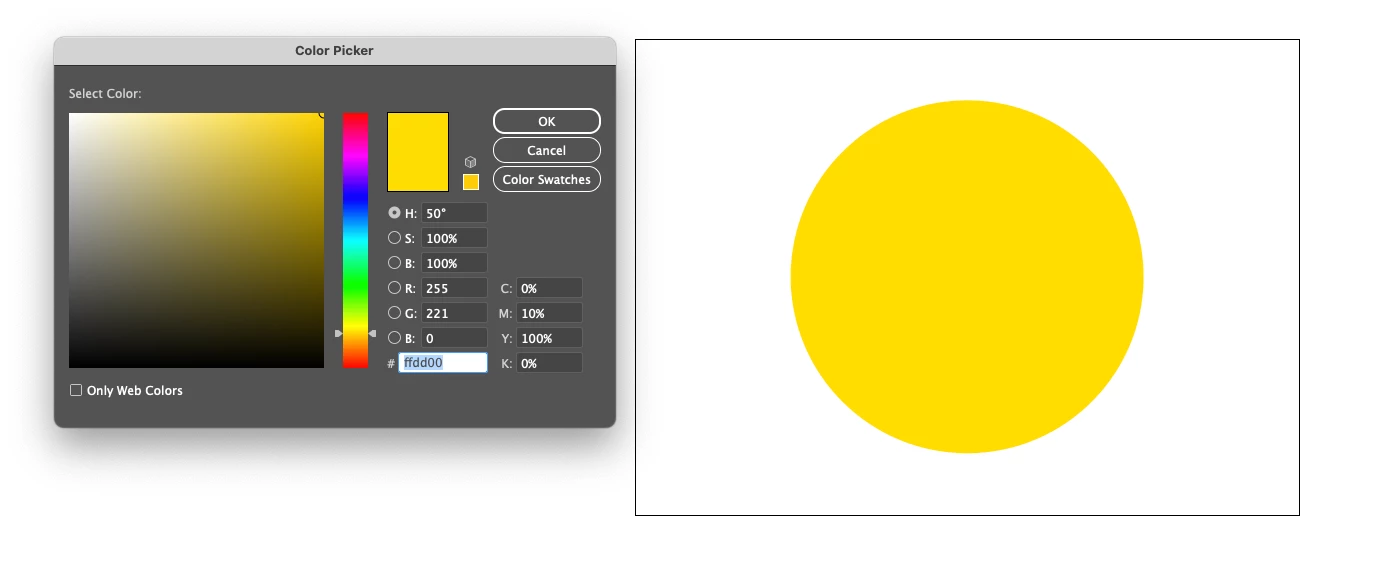
Here is how the yellow looks in overprint preview
 

I went from Windows to MacOS and on win never had this weird behaviour. Colors always looked like in Overprint preview.

It seems that Color Profiles and spaces doesn’t have any impact on it.


Thank you guys, for guesses.

Tomas


This topic has been closed for replies.
Correct answer tomass97065223

I found solution:

View > View using CPU

instead of "View using GPU"


Now, colors are displayed correctly.

5 replies

Inspiring
May 26, 2023

And there is a thing, when I open Illustrator the Intel version from Creative Cloud, there is no problem with displaying correct colors via GPU preview.

I think there is problem with Apple Sillicion version.

Ton Frederiks
Community Expert
Community Expert
May 26, 2023

It may be time to post a bug report here (that is where the engineers look for reported problems):

https://illustrator.uservoice.com/

Inspiring
May 26, 2023

I did thank you.

tomass97065223AuthorCorrect answer
Inspiring
May 26, 2023

I found solution:

View > View using CPU

instead of "View using GPU"


Now, colors are displayed correctly.

Ton Frederiks
Community Expert
Community Expert
May 26, 2023

Do you have multiple monitors? If so does it look the same on both?

Inspiring
May 26, 2023

Yeah it does.

Ton Frederiks
Community Expert
Community Expert
May 26, 2023

Is it a spot color? Does it have Overprint assigned?

Inspiring
May 26, 2023

It is not, look at the screenshot from InDesign, it does the same. In normal view everything seems desaturated. After i hit Overprint view, everything looks normal as original images.

Monika Gause
Community Expert
Community Expert
May 26, 2023

And when you compare it to a printed sample, which one is closer?


I can't see a difference in your screenshots. 

Inspiring
May 26, 2023

I actually can’t compare to prints right now.. 

In Indesign I have same problem

In normal view, colors seems desatured


In overprint looks normal


Monika Gause
Community Expert
Community Expert
May 26, 2023

And you have a CMYK or an RGB document? Did you set up this color as HEX?

Is your color management set up correctly? How exavtly is it set up?

Which version of Illustrator?


Inspiring
May 26, 2023

I have: 

CMYK Color space

I did not setup it as HEX, I setup it as CMYK, filled the percentage in.

Here is Color settings

Version is 27.5


Thank you