
Copy link to clipboard
Copied
Hi there,
I have downloaded the new version of illustrator but when i double click on the installer (on Mac laptop), it doesn't open/run properly. I tried deinstalling the older version (2014) that carried across when i loaded my old backup onto my new laptop. But i get error messages saying the following:
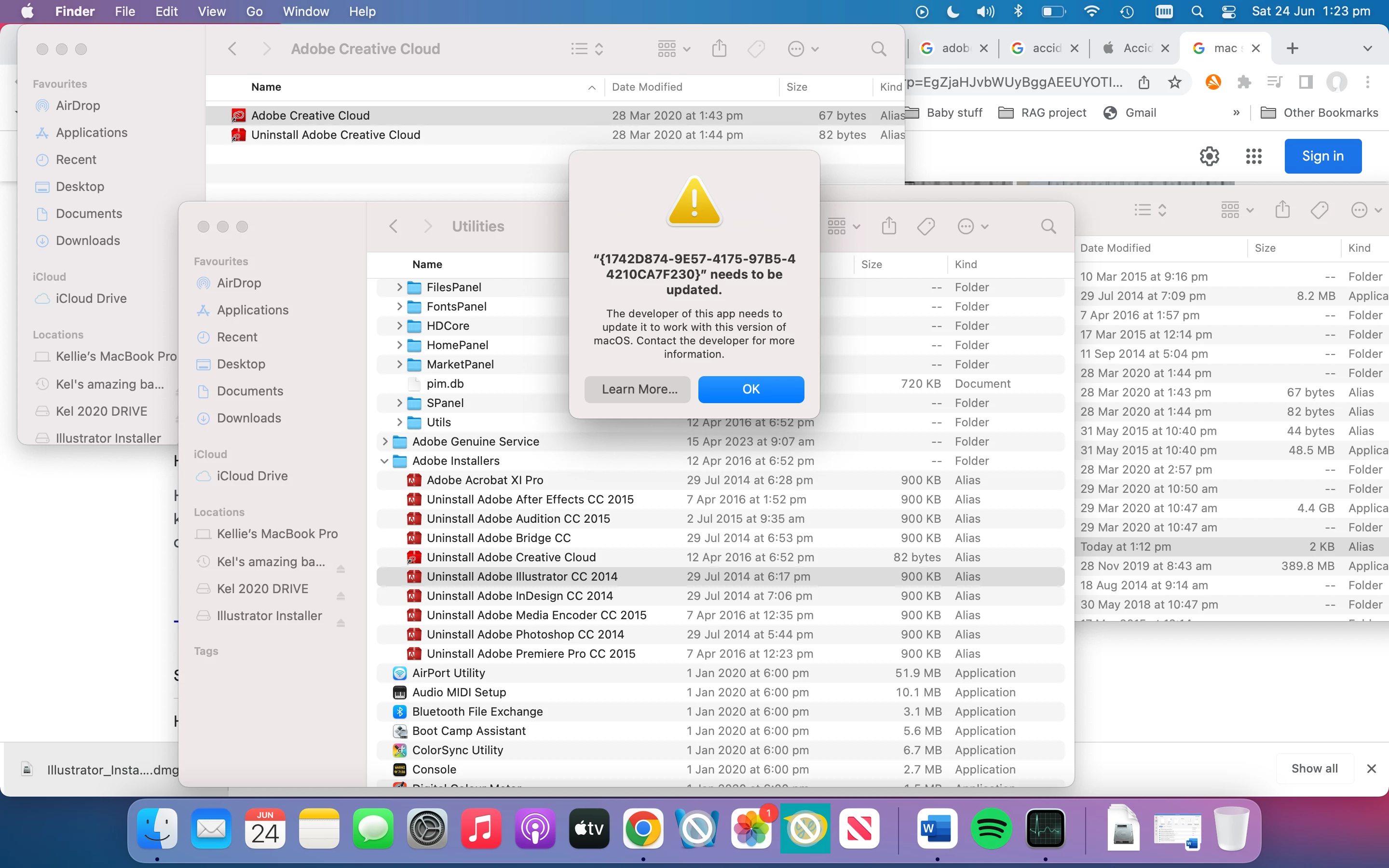
I also deleted the Adobe files from my applications folder to trash, then emptied trash. I didn't realise that this would stop me from being able to deinstall the old apps?
I would be most grateful for any tips.
Thankyou!
Yes, older version do not run on newer Mac systems.
You may want to try the cleaner tool:
https://helpx.adobe.com/creative-cloud/kb/cc-cleaner-tool-installation-problems.html
Copy link to clipboard
Copied
Yes, older version do not run on newer Mac systems.
You may want to try the cleaner tool:
https://helpx.adobe.com/creative-cloud/kb/cc-cleaner-tool-installation-problems.html
Copy link to clipboard
Copied
Never manually drag apps to trash to delete on Mac. Use the uninstallers, there are items in your library & preferences folders that need to be deleted.
You can also use Adobe Cloud instead to uninstall versions.
What version of OS & Illustrator are you using? Make sure they are compatible with each other.
Find more inspiration, events, and resources on the new Adobe Community
Explore Now