
Participating Frequently
April 3, 2023
Answered

Illustrator Is de-saturating my imported images

  • April 3, 2023
  • 1 reply
  • 2332 views

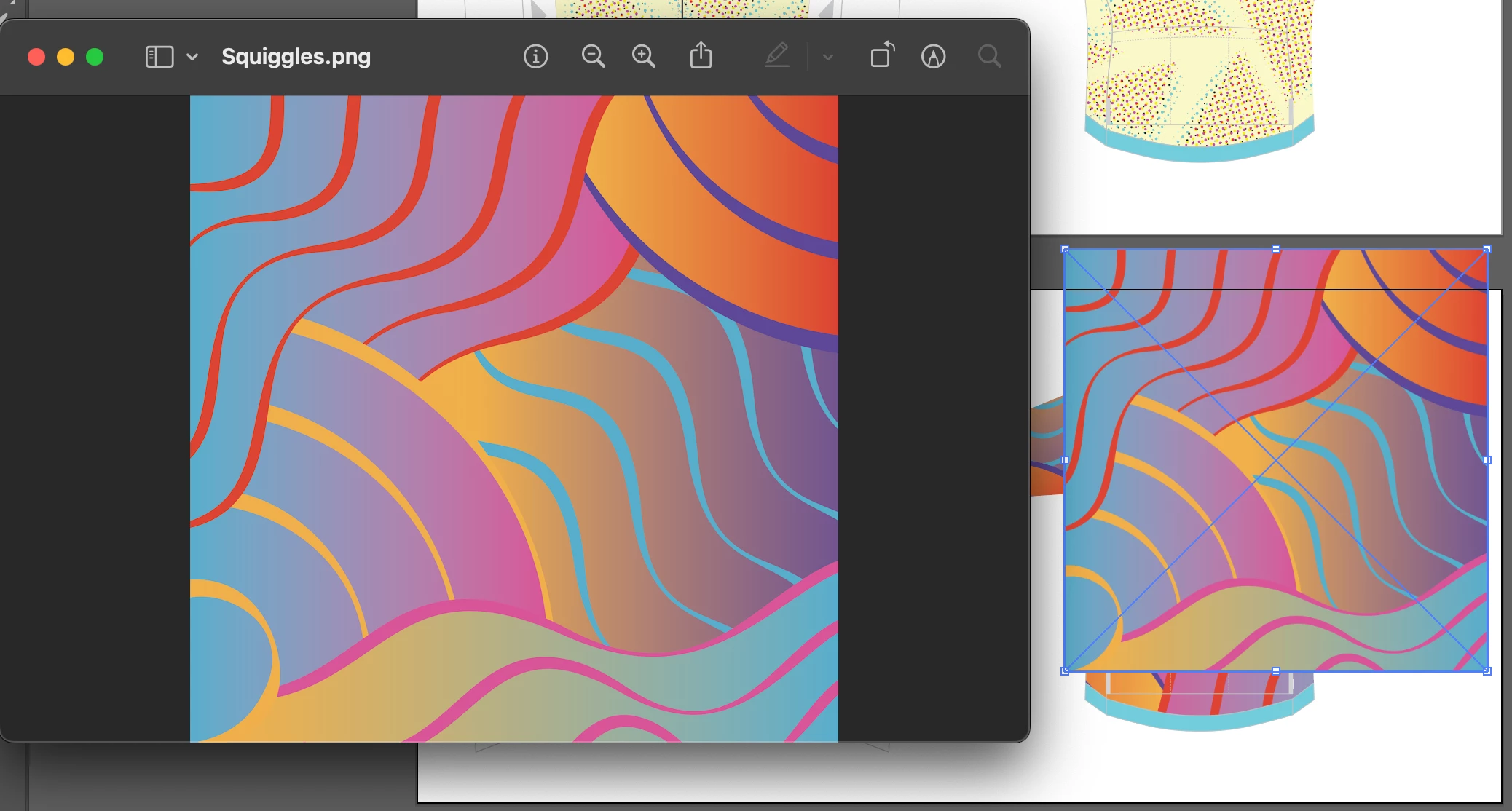
Hello, I've been working on a project for a client, and I've been importing png images into this document without issues from procreate, in PNG format. Then on my latest image, the PNG file was desaturated, in JPG too, I havnt changed any export setting on Procreate or changed anything on the document on Illustrator. My previous images still look the same if I import them now.
This topic has been closed for replies.
Correct answer Ton Frederiks

So here is the same document, and a image that has remained the same colour. Why has this one not changed? Also how can I prevent this from happening? do I need to change my export settings? or the document setting of the Illustratior document I'm importing to? 


This one has not changed because it does not contain those bright RGB colors you had in your other image.

All (or most) of the colors in this image can be reproduced in CMYK and that's why you won't see a color shift when you place this RGB image in a CMYK document. It gets converted, but the beauty of color management keeps the color impression consistent.

1 reply

Ton Frederiks
Community Expert
Community Expert
April 3, 2023

Probably because your Illustrator document is CMYK and PNG files are RGB.

jake5C5CAuthor
Participating Frequently
April 3, 2023

Hi Tom, But why have not of my other images done the same thing? I added 3 PMG files, 2 from procreate, one from Photoshop, and the came out fine, then on the same Illustrator document, this latest file from Procreate is desaturated. But the other images have not changed. I havnt changed anything (That I'm aware of).

I also tried to rexport the Procreate file in photoshop and the same thing happened.

Ton Frederiks
Community Expert
Ton FrederiksCommunity ExpertCorrect answer
Community Expert
April 4, 2023

So here is the same document, and a image that has remained the same colour. Why has this one not changed? Also how can I prevent this from happening? do I need to change my export settings? or the document setting of the Illustratior document I'm importing to? 


This one has not changed because it does not contain those bright RGB colors you had in your other image.

All (or most) of the colors in this image can be reproduced in CMYK and that's why you won't see a color shift when you place this RGB image in a CMYK document. It gets converted, but the beauty of color management keeps the color impression consistent.