
DrStrik9
Inspiring
September 12, 2017
Answered

Illustrator is suddenly SLOW!

  • September 12, 2017
  • 3 replies
  • 5149 views

All of a sudden, AI 21.1.0 (CC) -- 2017.1.0 Release -- is incredibly S-L-O-W. It takes several MINUTES to open or save a file - files that formerly opened and saved VERY quickly.

What is happening? This is a serious problem here.

2013 MacPro OSX 10.12.6 3.5 GHz 6-Core Intel Xeon E5

32 BG RAM

1TB SSD

Thanks for any insight.
    This topic has been closed for replies.
    Correct answer Kendindenadam

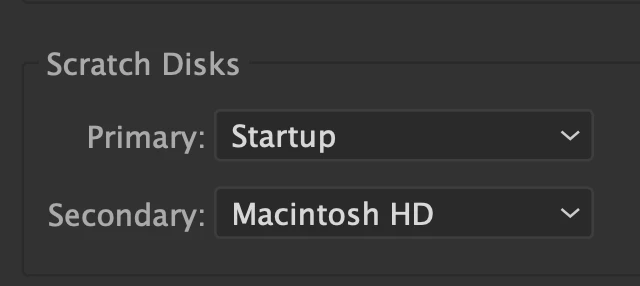
    I had same issues and I think i've solved it. I select secondary scratch disk and the problem is gone. 

    3 replies

    Kendindenadam
    KendindenadamCorrect answer
    Inspiring
    August 17, 2022

    I had same issues and I think i've solved it. I select secondary scratch disk and the problem is gone. 

    Inspiring
    September 13, 2017

    If you have serious problems with a slow Ai. You can always install an older version with the Creative Cloud application manager. Check before doing that if you'll not missing certain functionality.

    Bill Silbert
    Community Expert
    Community Expert
    September 12, 2017

    Try resetting your preferences.

    DrStrik9
    DrStrik9Author
    Inspiring
    September 12, 2017

    Thanks for the suggestion. No prefs have been changed prior to this major slow-down.

    Monika Gause
    Community Expert
    Community Expert
    September 13, 2017

    Running DiskWarrior on all drives seems to have corrected this problem. No prefs needed to be changed.


    DrStrik9  schrieb

    Running DiskWarrior on all drives seems to have corrected this problem. No prefs needed to be changed.

    I'm wondering how DiskWarrior has been set up to correct this?

    Did it defragment the drive (which Apple claims is unnecessary because mac OS does that job), did it repair the user privileges, or did it do something else? Could you please share this information, DrStrik, as that might help others?