
Answered
Illustrator Layer Styles Missing
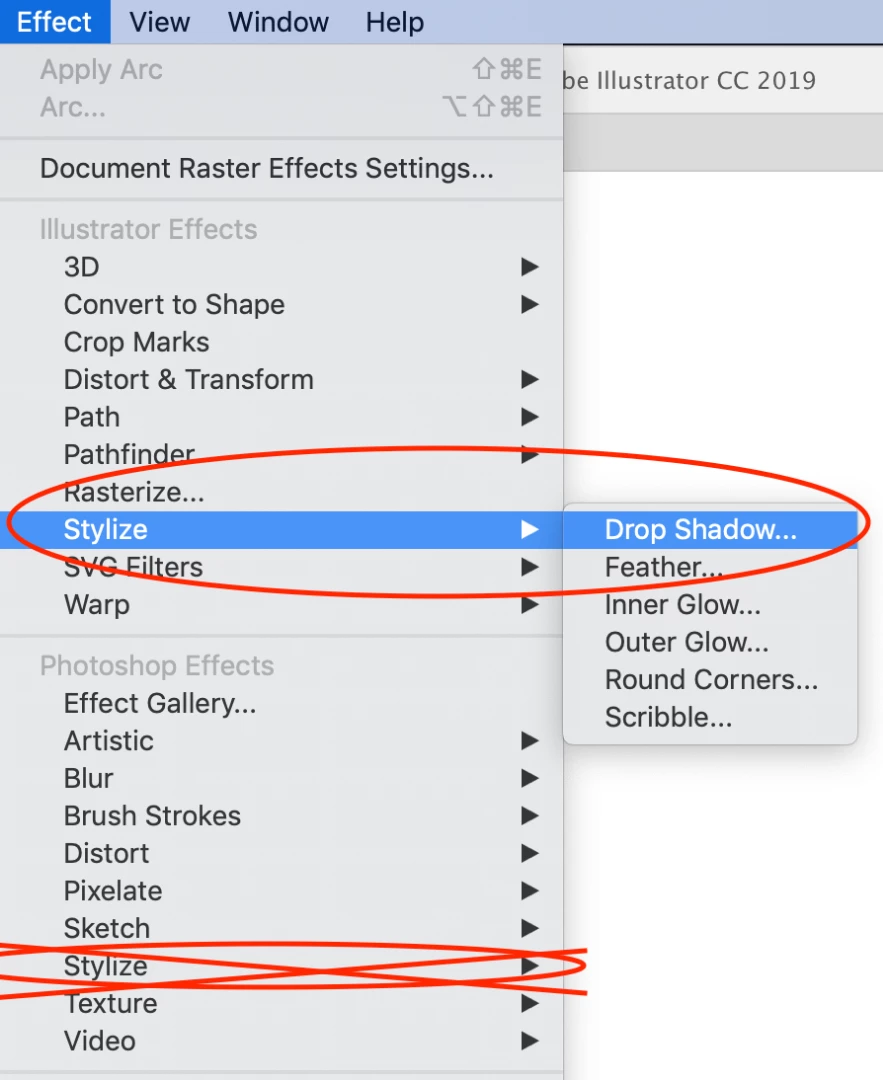
I'm trying to add a drop shadow to an object in Illustrator CC. Most of the forums I've read say to select the object/layer and go to the layer styles button that looks like an FX at the top of the layer panel. My layer panel does not have this button. I was also told to go to effect > stylize > drop shadow, but there is no drop shadow option.
Either how to do I add a drop shadow without either of these options or how do I find my layer styles button.
Thanks!

 AdChoices