enineci
Participating Frequently
December 18, 2018
Question

Illustrator layers expand when I expand or collapse other layers

  • December 18, 2018
  • 1 reply
  • 468 views

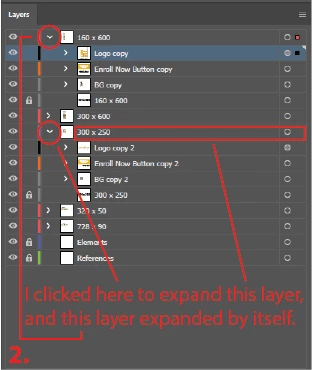
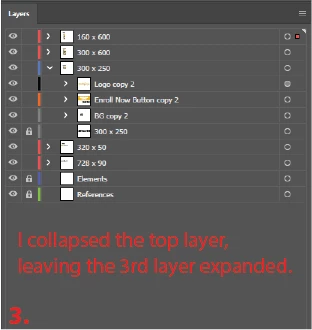
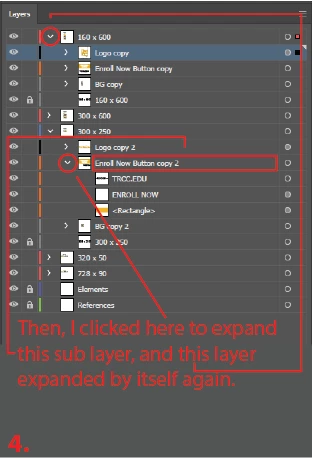
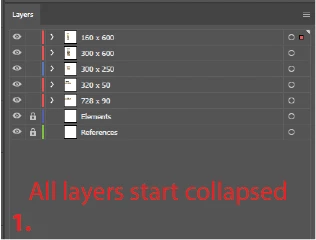
I use Illustrator a lot and really like to keep my work organized; therefore, I use a ton of layers, sub layers, sub-sub layers, and so on.  Whenever I'm working on a project that has multiple artboards, I use a top layer for each artboard (sometimes I use up to 10 artboards in a project.)

Randomly, when the uppermost layer is collapsed, and I expand or collapse any layer, or sub layer, below it, the uppermost layer will expand.  It is incredibly annoying and slows down my workflow.

I am running version 23.0.1 64 bit on a PC.

Does anyone have any idea why this would be happening, and how I could resolve it?

Here are some images of what I'm talking about:
This topic has been closed for replies.

1 reply

Srishti Bali
Legend
December 25, 2018

Hi there,

Sorry about the delay. I am hopeful that the issue was fixed. If not, could you please confirm if it is happening with a particular document or multiple documents?

In case it is happening with multiple documents please try resetting preferences for Illustrator: How to set preferences in Illustrator and let us know if this helps or if you need any further help.

Please note: Resetting preferences will remove all the custom settings and Illustrator will launch with default settings. You can also take a backup of the folder in case you want to. Location is mentioned in the article.

Regards,

Srishti