
Inspiring
July 24, 2024
Question

Illustrator Layers Palette

  • July 24, 2024
  • 2 replies
  • 488 views

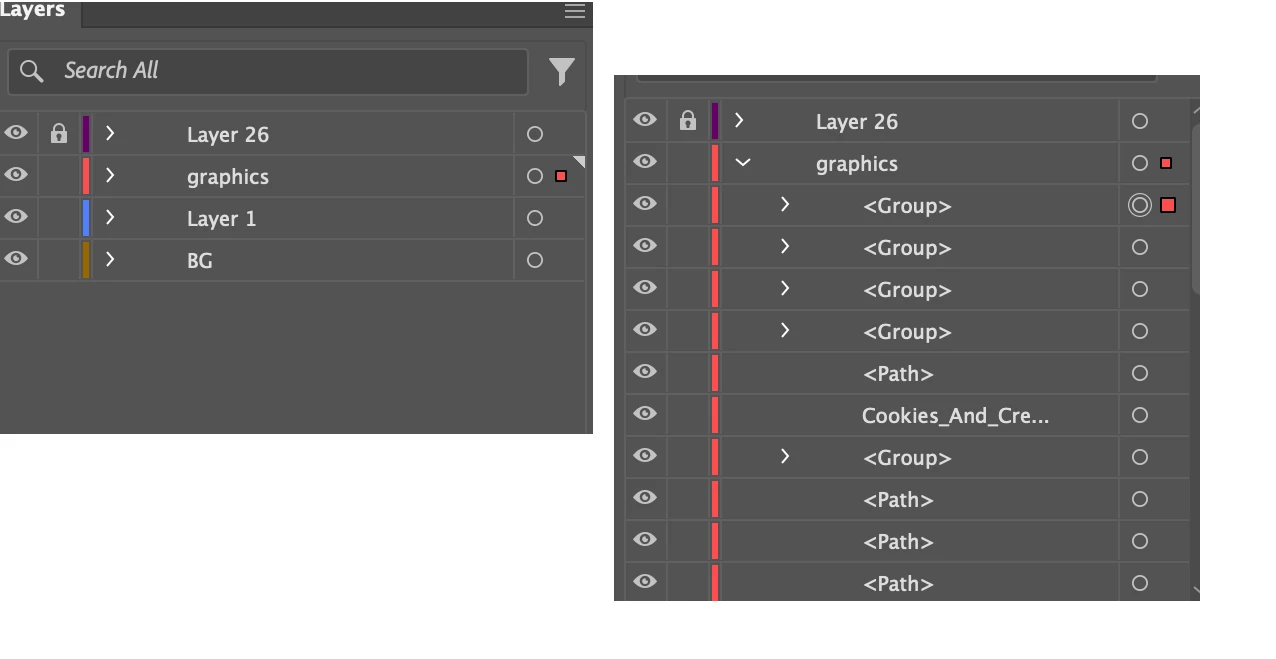
Can any tell me how I can stop Layers constantly opening up actions/sub layers everytime I cut, paste move, add, recolour etc do anything on that layer. Its so annoying as I have to keep closing it every time, and I think its effecting things like "Bring to Front" or "Send to Back" becasue its reading each sublayer as an individual layer. Below (left box) shows my layers closed (right box) shows what appears everysingle time I do anything, even after I close it)
This topic has been closed for replies.

2 replies

Monika Gause
Community Expert
Community Expert
July 24, 2024

So what's happening is:

- you select something

- copy

- paste in back/in front  


And that causes the layer to drop open and show its contents? Could you perhaps record a video of that, because that should normally not be happening.

meegeeAuthor
Inspiring
July 25, 2024

Thanks for responding. It must have been a glitch. What was happening was any command I made it would automatically open up all the sub-layers (like "Action" layers in Photoshop) in the Layer I was working on.

I updated my software but it still happened. But when I opened another document it didnt do it. And Ive been using it all day today and it didnt happen. So Im not sure. But I do know it has happened in the past – irrregularly. 

Monika Gause
Community Expert
Community Expert
July 25, 2024

That might point to file corruption.

So the next hing you could try is copy all the contents to a new file (Paste reme,bers layers) and then see if it's still happening.

Mohammad.Harb
Community Expert
Community Expert
July 24, 2024

from the Layers panel fly out menu, select Panel options...

from there turn ON " Show layers only "