
Participant
September 6, 2018
Answered

Illustrator linked images converted to black boxes

  • September 6, 2018
  • 2 replies
  • 9902 views

I recently upgraded. I have a newly generated .ai file (made in this new version) with multiple linked images. This .ai file has been working properly for two weeks, over multiple close/opens of the document, when this morning the document opens and some, but not all, linked images have been converted to black boxes.

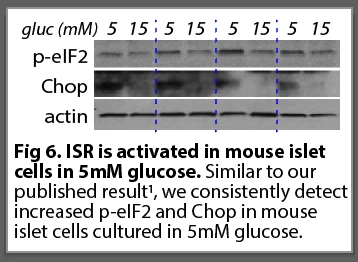
Some artboards are still correct:
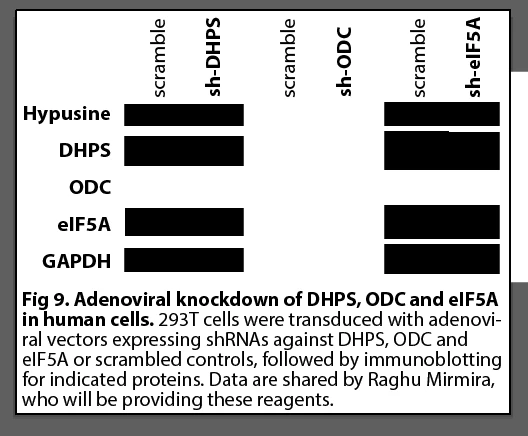
and others are completely messed up:
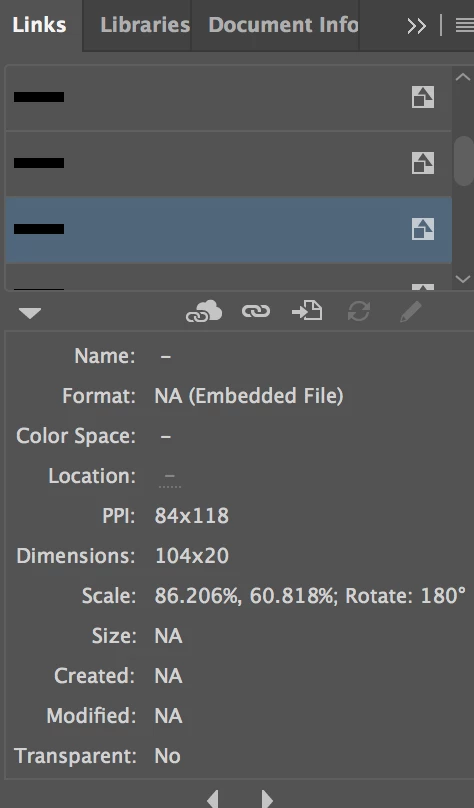
The links window seems to indicate that the images have been converted to embedded. I didn't embed them myself- I prefer to keep them as links.
The image files weren't moved, and even if they were moved I am always able to re-link.

help???!! this is an important time-sensitive issue that needs to be resolved asap

thanks,

Laura

    This topic has been closed for replies.
    Correct answer q3player

    Thank you both. I was unable to fix the problem, but I realize that in this case I imported images in a different way. Usually I work from my own source jpegs, and have no trouble restoring links when something disrupts them. In this case I used images supplied by collaborators, and they came from different file types: .pdf and .pptx. My own directly imported .jpgs remained fine in my .ai doc.

    One of the problem sets of images were component images pasted in from a .pdf, which were recognized and handled as individual images perfectly normally in .ai, but I am unable to restore the links to the component image from the original pdf doc.

    The other problem image set came from .pptx. Again, .ai handled the component images normally when imported, but is unable to relink, as it doesn't recognize .pptx as an image type (greyed out).

    I blame myself and will have to re-make these messed up bits. But perhaps this experience will help you troubleshoot future users w this problem.

    Thanks everyone who tried to help,

    Laura


    I would suggest to organize all files for a specific project very strict in folders and subfolders for .ai, images, files you received from customers, etc.

    Never use any image from external sources before checking it: Color space, ICC profile, resolution, file format, etc.

    2 replies

    ryan_edwards
    Inspiring
    September 6, 2018

    Few things going on.... I would re-check just how dropbox is keeping your files (make sure all the linked assets are downloading as well)

    Also the illustrator version update possibly steam-rolled your links (that's why they are embedded now... vs telling you 'hey I am a broken linked file')

    Participant
    September 6, 2018

    Thanks Ryan and Monika.

    I transferred the source files and .ai file to my drive, but this didn't fix the issue. I think since the links are gone it's not fixable without re-doing the figures.

    Is there a way to avoid updates 'steam-rolling' my links? I think I will embed from now on unless I can understand why this happened this time.

    sad and irritated

    Laura

    ryan_edwards
    Inspiring
    September 6, 2018

    I would just keep a 'SAFE' copy just in case.. but yeah a lot of times upgrading software and opening stuff up in it... things made in older versions -at times- get lost in translation.

    As long as you don't hit 'save' while its open in the newer app you should be okay (but even I forget sometimes, or even when I do a 'save as' and down-save I forget to walk it back to the right version.

    For now you can just re-click the embedded bits, the black rectangles and 'relink' them to your images... dimensions will m atch up so they should sit nicely back in there.

    Errors are always annoying! I feel our pain


    adobe keeps logging me out.. I would share a screenshot otherwise

    Monika Gause
    Community Expert
    Community Expert
    September 6, 2018

    Try and View > Preview on CPU

    If that doesn't help: is perhaps any of those files on a server?

    Participant
    September 6, 2018

    Thanks Monika. Preview on CPU didn't seem to change anything.

    Interesting question. I work from dropbox; the files are linked from there. I know dropbox downloads a copy to my drive, I'm not sure if the links are to the copy on my laptop or to the cloud. Could that make a difference?

    Monika Gause
    Community Expert
    Community Expert
    September 6, 2018

    A synchronized folder might make a difference. Illustrator doesn't always like that.

    Can you try and move all the files out of the synched folder to somewhere else and see if it works?