
Participating Frequently
June 11, 2023
Answered

Illustrator not saving artboards separately

  • June 11, 2023
  • 3 replies
  • 3712 views

Hi!


I'm trying to save my artboards as separate Ai files for importing into After Effects, but when I go through the process, it doesn't save each separate file as  "File Name-01.ai" rather than "File Name_Artboard 1.ai ". 


This isn't my first time saving for use in After Effects, nor is it my first time in the last few months(I exported for another project, and it brought it to After Effects with no problem). When I go to open the  "File Name-01.ai" file(s), the Illustrator icon by the Source Name is missing. 


I really need to figure out what's wrong as I'm trying to fix an important project. Any help will be greatly appreciated!
This topic has been closed for replies.
Correct answer Ton Frederiks

I agree with Rick that the file could have been prepared better. 

A single artboard with layers for each element would have made it much clearer.

Your current file can be imported with layers but each artboard has to be imported as a composition, making it much more complicated to work with.

And for the future use in After Effects try to base your document on a Video & Film preset, it will make animating layers that are partially off the artboard much better.

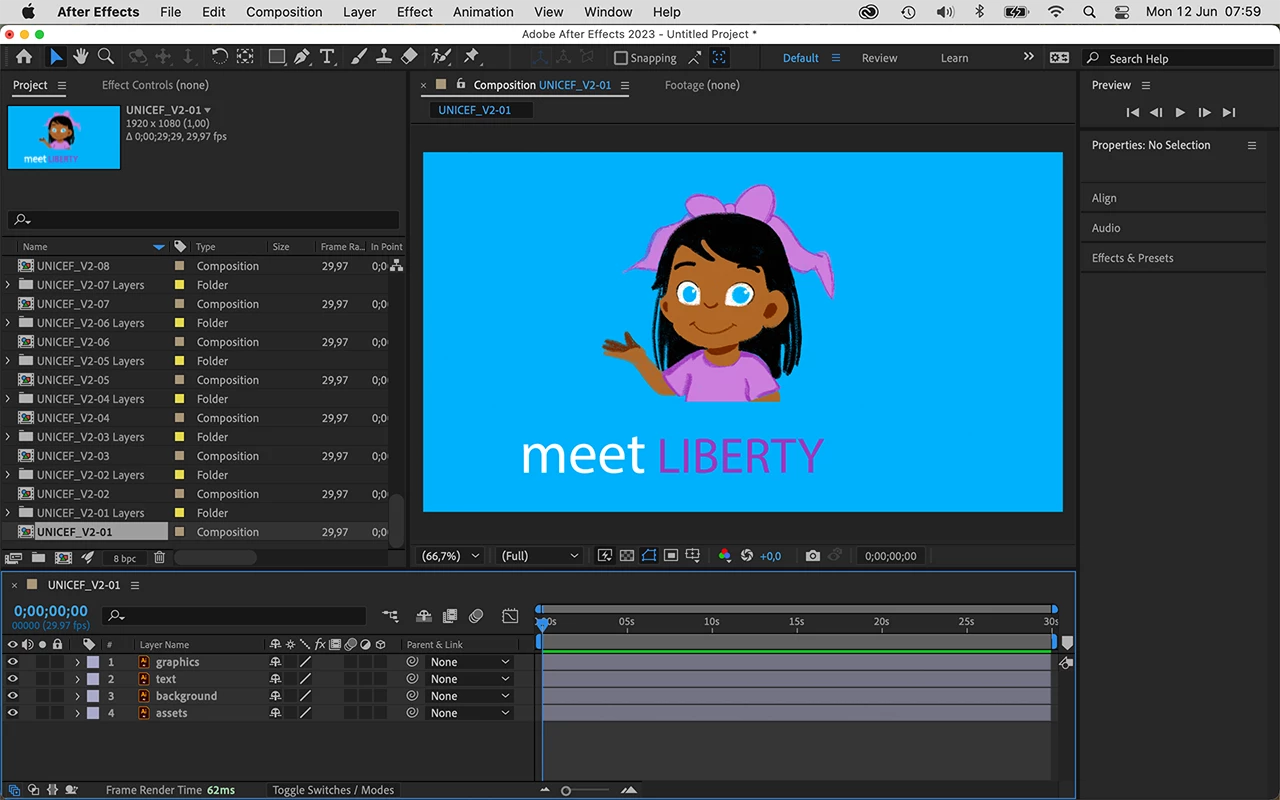
This is what I get currently, lots of compositions, but with layers that can be animated.

3 replies

Ton Frederiks
Community Expert
Ton FrederiksCommunity ExpertCorrect answer
Community Expert
June 12, 2023

I agree with Rick that the file could have been prepared better. 

A single artboard with layers for each element would have made it much clearer.

Your current file can be imported with layers but each artboard has to be imported as a composition, making it much more complicated to work with.

And for the future use in After Effects try to base your document on a Video & Film preset, it will make animating layers that are partially off the artboard much better.

This is what I get currently, lots of compositions, but with layers that can be animated.

Community Expert
June 12, 2023

The Illustrator file has not been properly prepared for video production. You have 36 Artboards, a bunch of artwork not on artboards, and only 4 layers. One of the layers contains all of the artwork that is not included in any of the Artboards. 


You could do a save as, select EPS, and choose Use Artboards/All. AE could open each EPS file as a composition, retaining layer size, and now you would have something to work with. 


If you need the elements separated further, you'll have to open each of the EPS files in Illustrator and start adding layers and moving the assets between layers. An EPS imported as a composition, retaining layer size should act the same as an AI file, but if there are problems with some of the EPS files, you could open the problem EPS in Illustrator, fix the problems, and then save it as an AI file to end up with a comp you can work with.


I hope this helps. 

Participating Frequently
June 12, 2023

Thanks for the advice but considering I also already tried a new file (without any assetts off of arboards) and it still not working the issue isn't the number of arrboards or my layers. 

Community Expert
June 12, 2023

If you want a new comp for each Artboard, save the file as an EPS with Artboards and all selected. I tried it and got a 4 layered AE comp from each of the EPS files. Did you try that?

Ton Frederiks
Community Expert
Community Expert
June 11, 2023

I suppose you save as .ai with the option "Save each artboard to a separate file" checked.

If so and it does not work, did you try restarting your machine, reset Preferences?

Participating Frequently
June 11, 2023

I do and I have reset my preferences on both Ilustrator and After Effects and restarted my computer. Still same issue. I'm attaching the file if maybe you want to take a look at it and try yourself. I'm really unsure what I could be doing wrong.


CC Link to File: https://assets.adobe.com/id/urn:aaid:sc:US:3ada4e5a-96f3-43b1-a33b-9cf80a25461b?view=published

Ton Frederiks
Community Expert
Community Expert
June 11, 2023

Unfortunately the file is only shared for review. Can you change the link asset settings?