
dv8kiwi
Inspiring
March 4, 2024
Question

Illustrator not showing in Task Manager

  • March 4, 2024
  • 1 reply
  • 547 views

When Illustrator is running it does not show as a running app in Windows Task Manager. Often not a problem but if there is a crash there is no way to close it. The only way to close the app is to restart Windows, so I would consider this a serious issue.
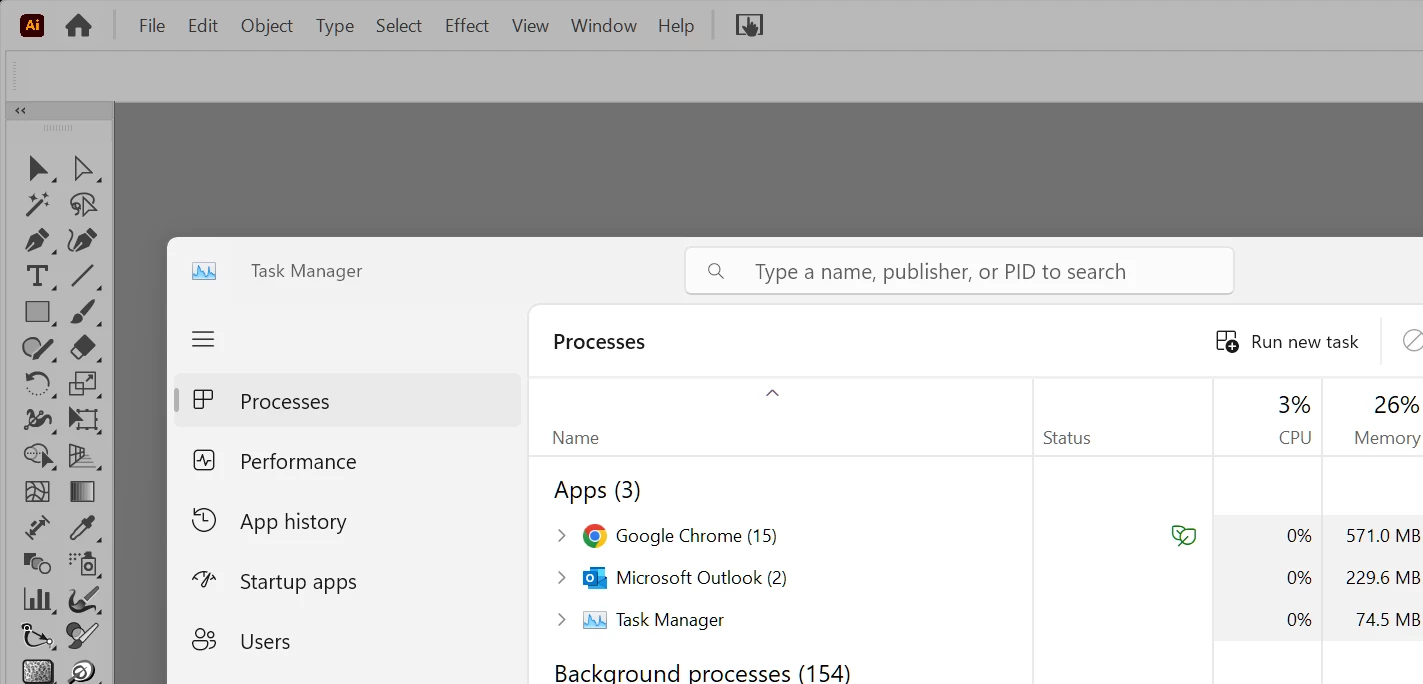
While opening it will show in TM while loading then disappear when it is running. This is not a consistent issue, occasionally it opens with AI showing in TM but not often. Sometimes it woill show as com.adobe.adobeSplashKit.GraphicWindowClass…
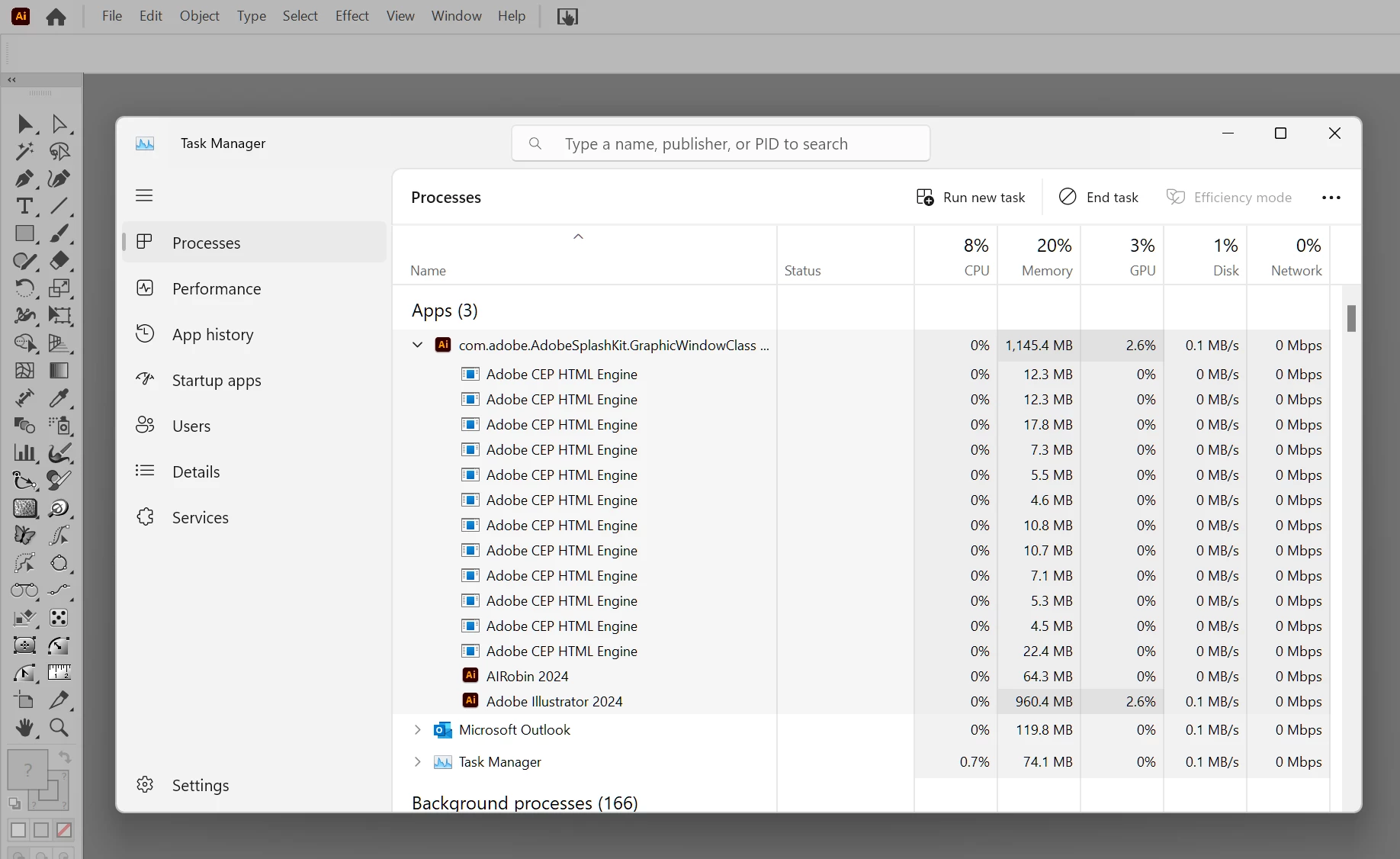
I have tried after disabling all plugins and it is still (inconsistently) a problem.


Illustrator 28.3

Microsoft Windows 11 Pro
Version 10.0.22631 Build 22631

AMD Ryzen 7 3700X 8-Core Processor, 3600 Mhz, 8 Core(s), 16 Logical Processor(s)

64 GB RAM

NVIDIA GeForce RTX 2060 Driver Version 31.0.15.4665


This topic has been closed for replies.

1 reply

Anubhav M
Community Manager
Community Manager
March 5, 2024

Hello @dv8kiwi,

We understand that encountering technical issues can be frustrating. I tried replicating this behavior on my end but was unable to do so. Would you mind trying to reinstall Illustrator to check if it helps? Also, try running Illustrator under a different administrator account (Windows / macOS) and share your observations.

Looking forward to hearing from you.

Thanks,
Anubhav

dv8kiwi
dv8kiwiAuthor
Inspiring
March 5, 2024

Thank you Anubhav, at this point I have done a reinstall. I haven't tried a different administrator accont. However I do have Illustrator installed on another machine, a Dell XPS 17 laptop, same software versions, and the same thing happens. Both have Astute Graphics and Extensis Connect Fonts plugins.