
Participant
March 17, 2024
Answered

illustrator objects not moving

  • March 17, 2024
  • 3 replies
  • 1263 views

my layers are not locked or hidden, and i have selected the arrow key, everything is fine. But i cant move it!! I can copy and paste things but it wont let me move the objects afterwards. I even tried closing the app and even made a new file, but same stuff happening. help
This topic has been closed for replies.
Correct answer Mike_Gondek10189183

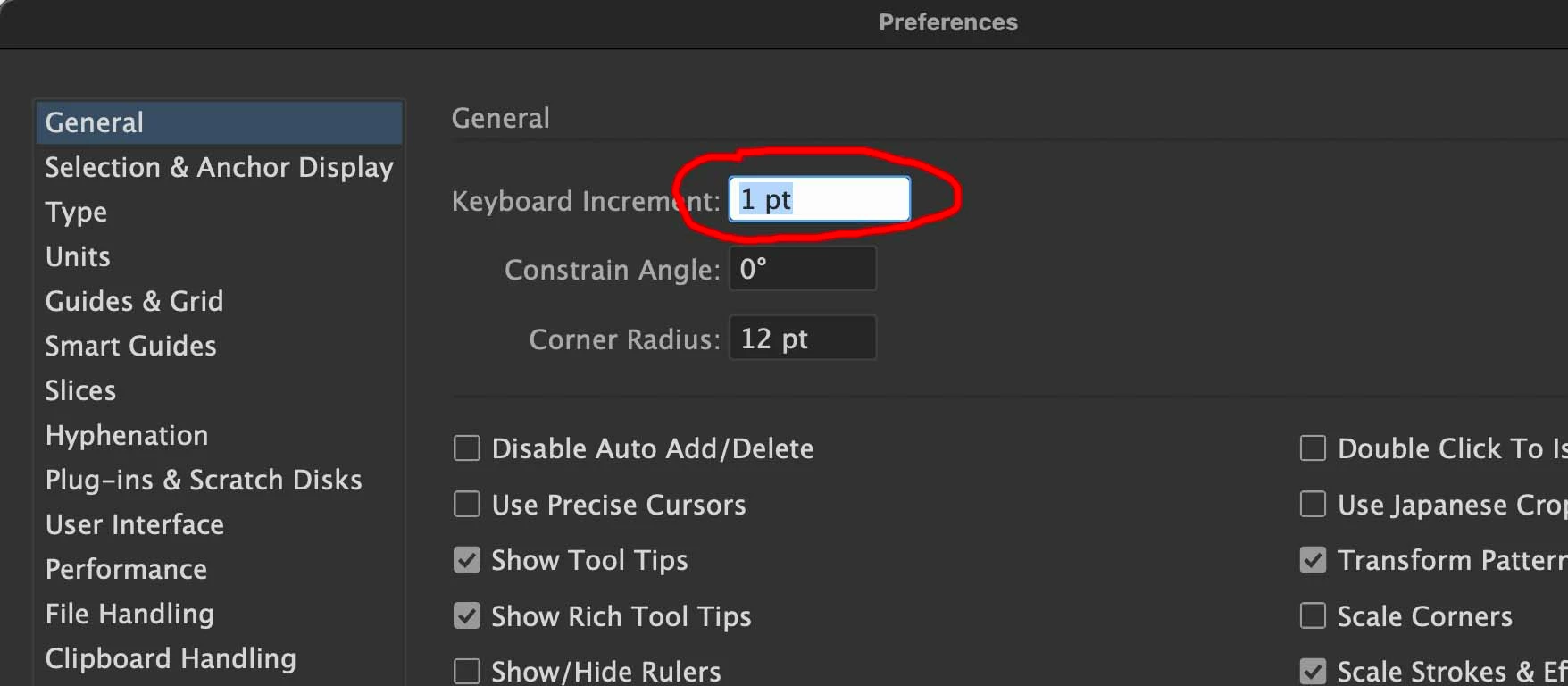
What is your keyboard distance set to? Do the X & Y values change in the transform panel. Does the layer panel change after you try and select? Does this happen on all files. What OS & AI version are you using.


IF you want us to help you better, post a screenshot showing your layers and elements selected.

3 replies

Participant
June 15, 2024

Hi! 


I'm experiencing a similar problem, which makes working very difficult. As soon as I select a more complex graphic (with many anchor points) (A+Command) to move it, the graphic freezes and after a few seconds returns to its original position. It only works when I group the graphic. But having to group something every time to move it is very tedious.

Btu then again, grouped complex graphic also doesn't move when I try to duplicate it horizontally with Option+Shift.


To me, this is a bug. Why should something move without any issues when it's grouped, but not when it's ungrouped? It doesn't really make sense.


All best!

Aleksandar

Monika Gause
Community Expert
Community Expert
June 15, 2024

How many anchor points are we talking about?


Please tell us about your system and hardware.

Does it get better when you disable the Realtime drawing in the preferences?

Participant
June 16, 2024

Hello Monika!

Thank you for the quick response. Disabling the Realtime drawing feature solved the problem. I have a Mac, Ventura 13.0.


Mike_Gondek10189183
Community Expert
Mike_Gondek10189183Community ExpertCorrect answer
Community Expert
March 17, 2024

What is your keyboard distance set to? Do the X & Y values change in the transform panel. Does the layer panel change after you try and select? Does this happen on all files. What OS & AI version are you using.


IF you want us to help you better, post a screenshot showing your layers and elements selected.

Ton Frederiks
Community Expert
Community Expert
March 17, 2024

Are you mentioning the Selection tools (A or V)?

Or are you talking about the keyboard arrow key(s)?