
Flawless_problem5CC3
Participant
March 20, 2023
Answered

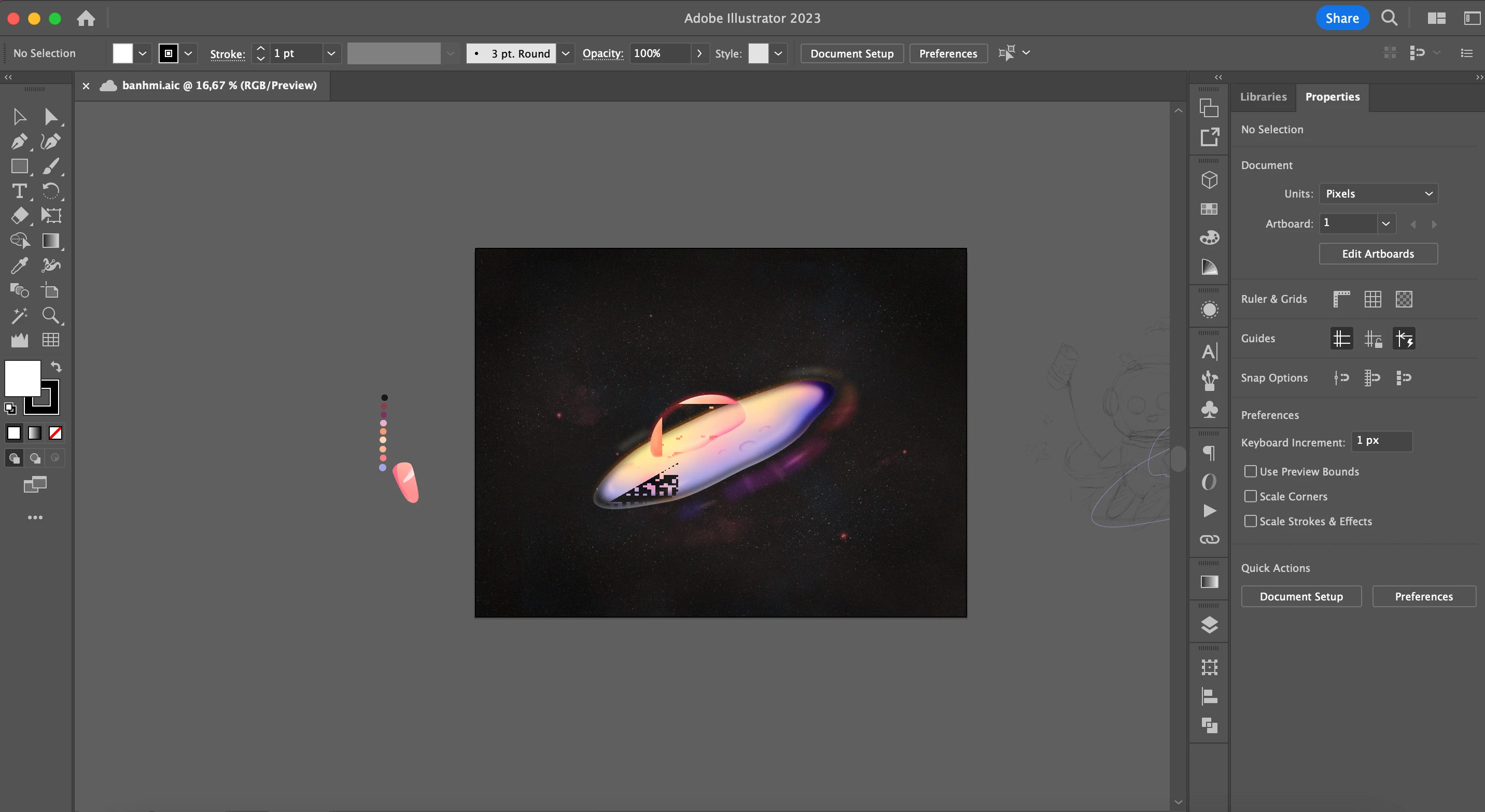
Illustrator pixel glitch when moving or zooming

  • March 20, 2023
  • 1 reply
  • 959 views

Hi everyone! I used Illustrator CC 2023 to create my artwork. It performed fine on my iMac M1, but when I opened the file on my Macbook pro, it glitched like this. Glitching happened when I moved or zoomed, but didn't affect the output image. I just feel uncomfortable when working with this glitching preview. Anyone can help me resolve this issue? Thanks a lot!
This topic has been closed for replies.
Correct answer Jacob Bugge

thaon,


Can you describe/point to the glitch, preferably showing it at a lager scale.


And just to make sure, will it make a difference if you hold Ctrl/Cmd and press E?


This toggles between GPU and CPU, the former sometimes causing grief; you can toggle back.

1 reply

Jacob Bugge
Community Expert
Jacob BuggeCommunity ExpertCorrect answer
Community Expert
March 20, 2023

thaon,


Can you describe/point to the glitch, preferably showing it at a lager scale.


And just to make sure, will it make a difference if you hold Ctrl/Cmd and press E?


This toggles between GPU and CPU, the former sometimes causing grief; you can toggle back.

Flawless_problem5CC3
Participant
March 21, 2023

Thanks Jacob a lot for your help,

Yes, when I switched between GPU and CPU, the glitch disappeared!

Jacob Bugge
Community Expert
Community Expert
March 21, 2023

You are welcome, thaon.