This topic has been closed for replies.

2 replies

Anubhav M
Community Manager
Community Manager
May 5, 2022

Hello @paola24310844v2gc,


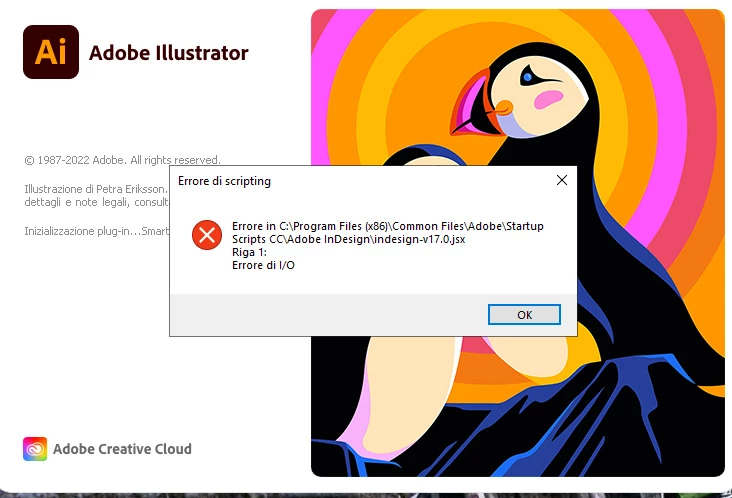
Sorry to hear about this experience. I would request you to share a few more details like:

  • The exact version of the OS and Illustrator
  • Since when are you facing this problem?
  • Have any recent changes been made to your computer (OS Update/ Antivirus/ Plug-Ins)?
  • Would it be possible for you to compress the Startup Scripts CC folder into a Zip file from the location mentioned in the error and share the download link to the file here or via DM?


Also, you may try processing any pending Windows Updates and share your observations with us.

Looking forward to hearing from you.


Thanks,
Anubhav

lambiloon
Community Expert
Community Expert
May 5, 2022

Hi i think you need to install fresh copies of all software and make sure all are same versions...regards

Ali Sajjad / Graphic Design Trainer / Freelancer / Adobe Certified Professional
Mike_Gondek10189183
Community Expert
Community Expert
May 5, 2022

Looks like the InDesign startup script is damaged. try reinstalling.


One of the language  preference files in here might be damaged


Use the Creative Cloud Cleaner to fully remove your InDesign & prefs then reinstall. After that try Illustrator if stil nto working.
