
johns15067426
Participating Frequently
July 16, 2019
Question

Illustrator Recovery-Mode has Turned all my Images Black

  • July 16, 2019
  • 5 replies
  • 6788 views

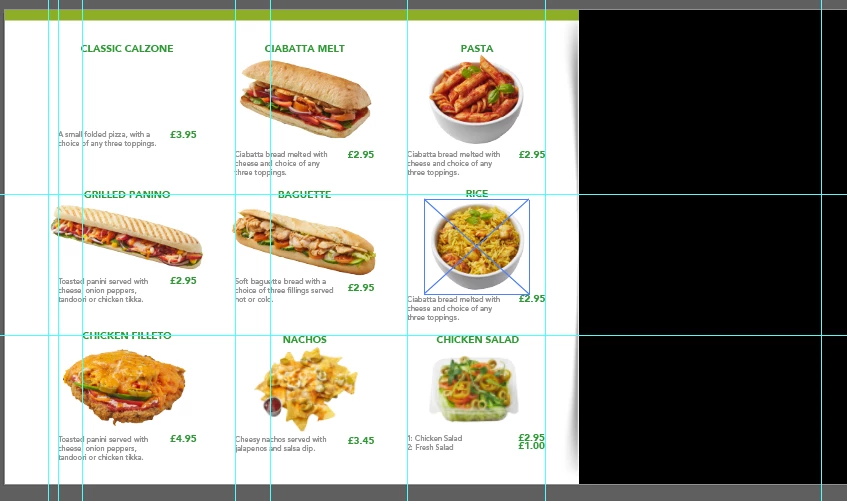
I was in the process of saving my original Illustrator file and it froze then crashed, I re-opened the software and it recovered the document but all my images have turned black.

And it's not a links problem, most images are embedded and I have a separate links folder containing the remaining linked images, as you can see there are no missing links.
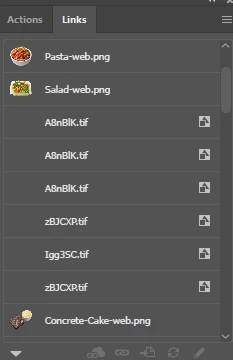
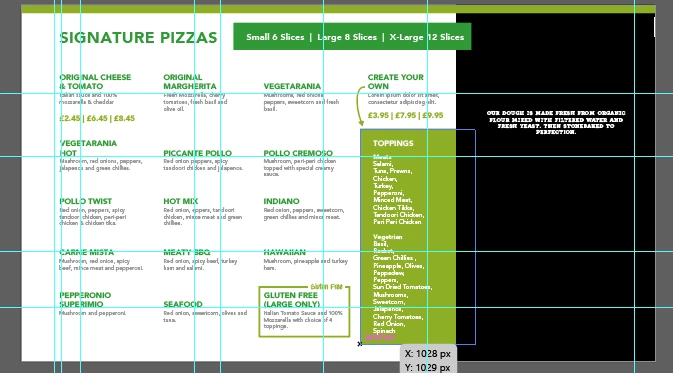
Why has this happened?
This topic has been closed for replies.

5 replies

Participant
April 23, 2021

I think I had the same problem and the reason was I drag and drop an image straight from PS and I didn't save the PSD file so when the image tried to load from the PS it didn't. Because all non-Photoshop images are okay.

JonathanArias
Legend
July 19, 2019

you really should be making this in indesign. you are working in the wrong program if you are using illustrator for layout.

Srishti Bali
Community Manager
Community Manager
July 18, 2019

Hi John,

Sorry to hear about that. That's not a typical behavior with Illustrator. Let us help you make this right. I would request if you can try the following steps and share your observations.

  • What happens if you unembed the image?
  • If you place this file into a new Illustrator file, do you see the actual images or they still look black?

Regards,

Srishti

Ares Hovhannesyan
Community Expert
Community Expert
July 17, 2019

As this looks like a bug please fill the bug here Adobe Illustrator Feedback  for quick feedback from engineer Team .Thank you

johns15067426
Participating Frequently
July 17, 2019

Is anyone going to reply or what?