
Illustrator Resampling HELP!
Ok, so a colleague of mine has been working with a client who had sent over some images for printing.
The files he sent were JPEG's but he had not added any bleed. My colleague opened the files in illustrator created a block colour for the bleed element exported as a PDF and didn't think much of it.
It was only when the client came to collect the images that he pointed out that this one was significantly larger than it was supposed to be
(we had asked him to check the sizes were ok on the invoice we had sent) which he paid the following day.
Upon his questioning we re opened the file in Illustrator and sure enough it was exactly the size we had printed, however... when we opened the same image within Photoshop its size was smaller and it had shrunk back down to the size of an A4, (It's intended size).
Please see image size information from photoshop and then Illustrator below;
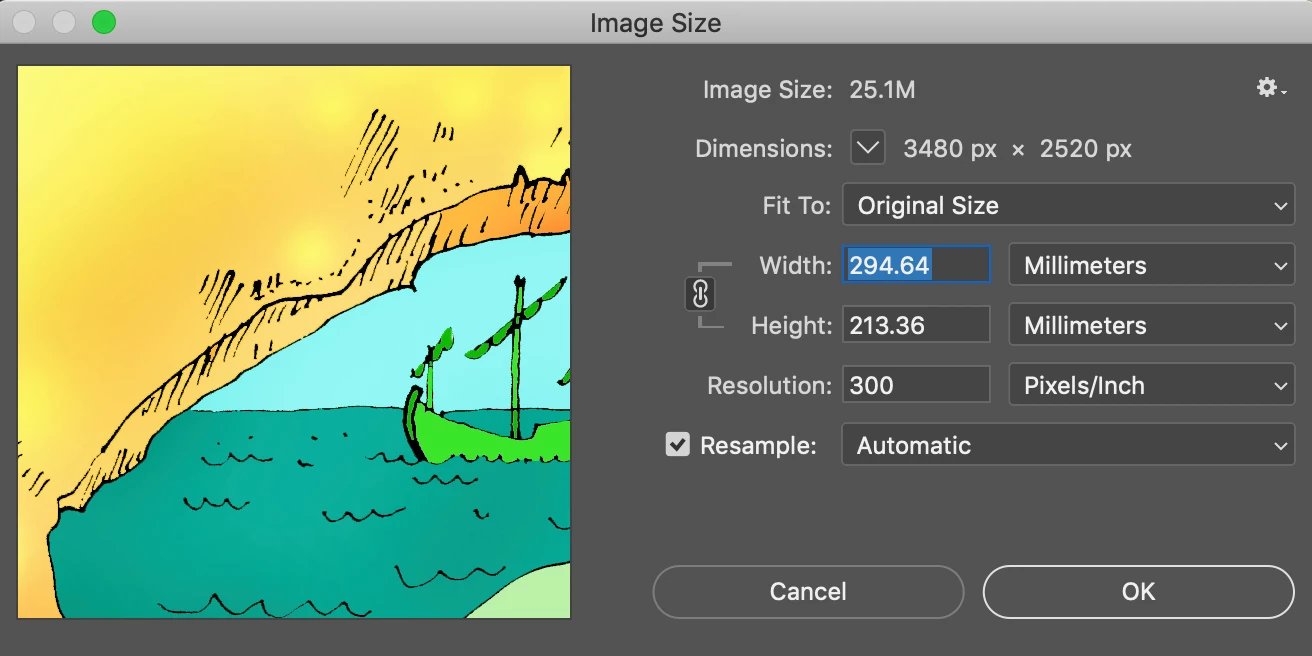
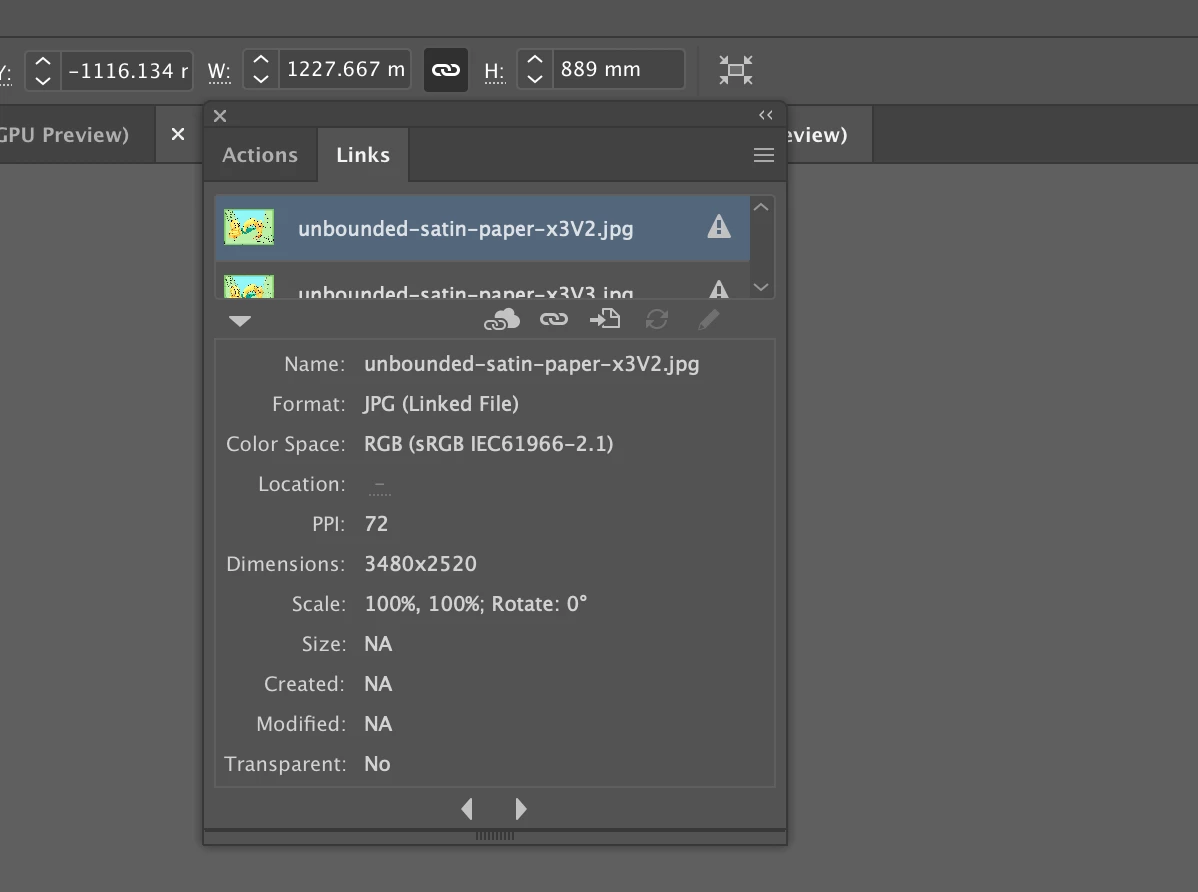
Now I am capable enough to realise that illustrator has imported the image at 72dpi thus affectively increasing the size of the image by 4x what I am confused about is why? I have been playing around with the file trying to decipher why Illustrator has done this and am at a loss for the answer.
I have tried to recreate the effect without success. Every time that I create an A4 document at 300dpi in Photoshop and save as a JPEG, upon opening in Illustrator it is still sized as A4 at 300dpi as I would expect... so why is this clients image different?
I told my colleague that perhaps it was some obscurity and that our client was using a much older version of photoshop and that for some reason when communicating with the more modern software it was causing this anomaly. However that was quickly found to be false as other files the client sent us in JPG format made for the same event at the same time, were not resampling when imported into Illustrator and had printed at the correct size.
Is anyone able to help me understand why this has happened and why it is only happening with this one image?
I have searched for the answer already and have found other discussions with people detailing similar problems but none of the answers seem to accurately explain why this is happening.
Any help you are able to provide will be much appreciated.
Best
Dan
 AdChoices