Participant
September 3, 2020
Answered

Illustrator showing incorrect H Value in dimensions

  • September 3, 2020
  • 5 replies
  • 2599 views

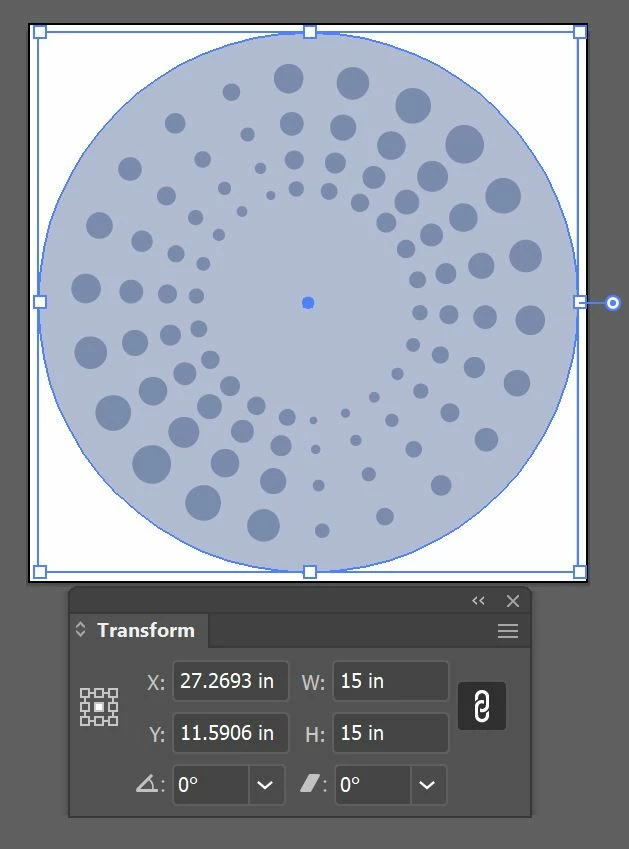
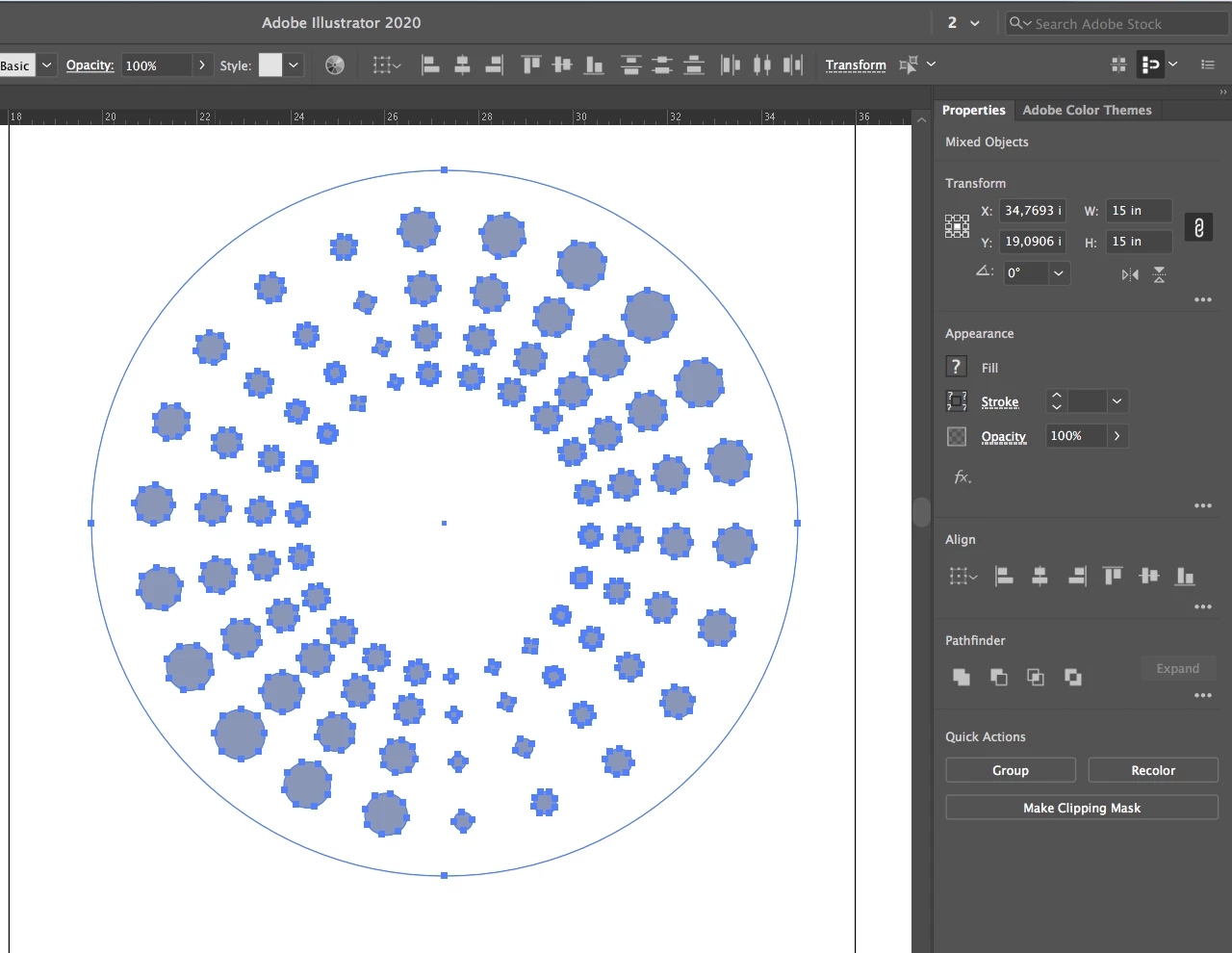
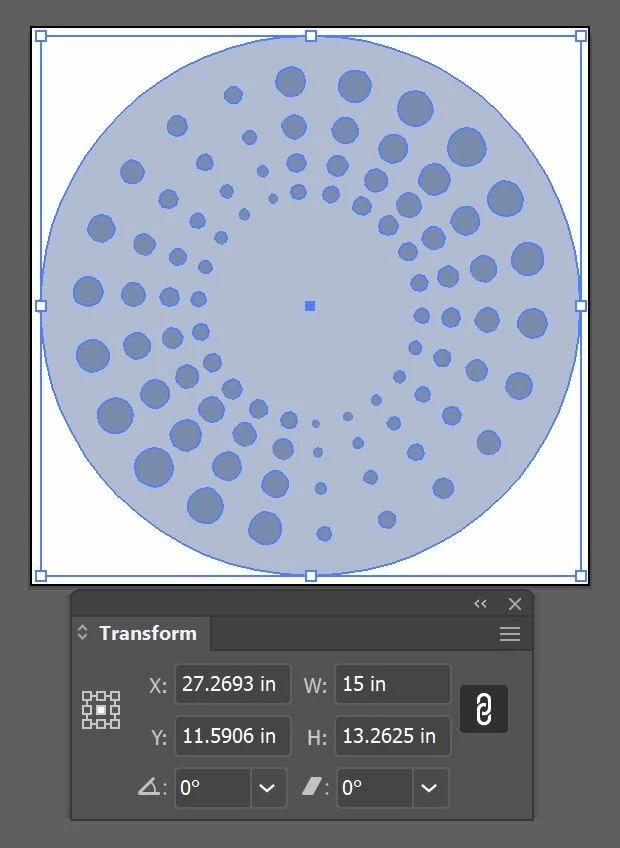
I have a 15"W x 15"H circle and a cluster of objects that occupy 13"x13" space that sits above the circle, centered.  When selecting just the circle, the size is listed as the correct 15"x15".  But when also selecting the objects above it (which do not extend past the outside of the circle) Illustrator is incorrectly showing a size now of 15"W x 13"H.  I uncheck the cluster and the size changes back to 15"x15".
 

This topic has been closed for replies.
Correct answer ceyhun_akgun

Give the outer CIRCLE the COMPOUND PATH command.
The problem will be resolved.

5 replies

Kurt Gold
Community Expert
Community Expert
September 11, 2020

Yes, Ceyhun, as already stated, one has to somehow change the current state of the (big) circle to get it right. Obviously there are many ways to do that.


The big circle has some "wrong" information in its soul. But it is possible to convert it.

Participant
September 24, 2021

More than one person is allowed to respond to these questions. I'm sure Ceyhun was just offering another suggestion in case the one you stated didn't work for those who are asking. No need to be back handed on an adobe forum. 

Met1
Legend
September 28, 2021

How is this in any way "back handed"?

Did you really go to all the trouble of creating a new profile just to say that?

ceyhun_akgun
ceyhun_akgunCorrect answer
Legend
September 11, 2020

Give the outer CIRCLE the COMPOUND PATH command.
The problem will be resolved.

Graphic Designer Educator / PrePress Consultant
Kurt Gold
Community Expert
Community Expert
September 11, 2020

In my view the big circle in the background suffers from some kind of unknown corruption.


Slightly increase or decrease its size and the issue goes away immediately.

Ton Frederiks
Community Expert
Community Expert
September 4, 2020

Can you share an Illustrator file with that problem?

CC file sharing, Dropbox, Google, WeTransfer...

Participant
September 11, 2020

Here is the piece of the file that is giving me the problem.


https://shared-assets.adobe.com/link/c10c0e49-313a-40cd-4436-68157f4ee04e 


I tried the Preview Bounds Selection toggle listed above and it did not affect the error for me.


Participant
September 11, 2020

Thanks for sharing.

I cannot figure out what is causing this.

If I select  the circle and choose Object > Shape > Expand Shape, the problem disappears.

If I make it a shape again, the problem appears.

If I create a new ellipse, the same size and replace the old one, no problem.

So it will be difficult to reproduce the problem in a new document.

Are you using the latest version?


yes, using latest updated version on CC.  I haven't encountered the problem since, (as far as I know) but obviously I'm worried about it happening later when I don't realize it's happening!  The original file where I encountered the error wasn't originally made by me, so I don't even know if they used a weird method of creating the objects or even imported from an outside program.  Guess I'll just have to keep an eye out for it popping up again and double check all my numbers.  Thanks!

ceyhun_akgun
Legend
September 4, 2020

One possibility is that by looking at the photo I shared, make sure that the option is not selected. If it is checked, uncheck it.


Graphic Designer Educator / PrePress Consultant