

Illustrator shows dull colors in RGB mode
Hello,
Illustrator is showing dull colors in RGB mode of imported images.
It doesn't matter if it's a screenshot that is pasted in Illustrator or an image that has been drag-and-dropped into illustrator (same happens with the Place option). The colors of the image always come out dull compared to the original that has been found online.
I didn't have this issue on my old laptop (Asus N551JX with Win 10). The colors have always been accurate. I got this issue only on my new laptop (Asus ROG Zephyrus G15 with Win 10).
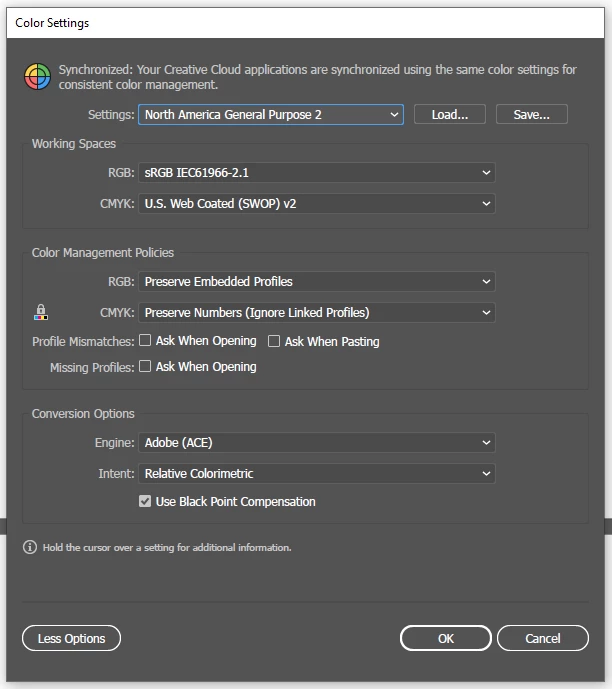
Unfortunately, this issue is also present in Photoshop. I'm using the same color settings as on my old laptop (shown below), but for some reason, the colors aren't managed in the same way.
Does anyone here have a clue on what could be causing this issue and how to solve it?
Thank you!
 AdChoices