
Illustrator Thumbnail Preview Not Showing Images
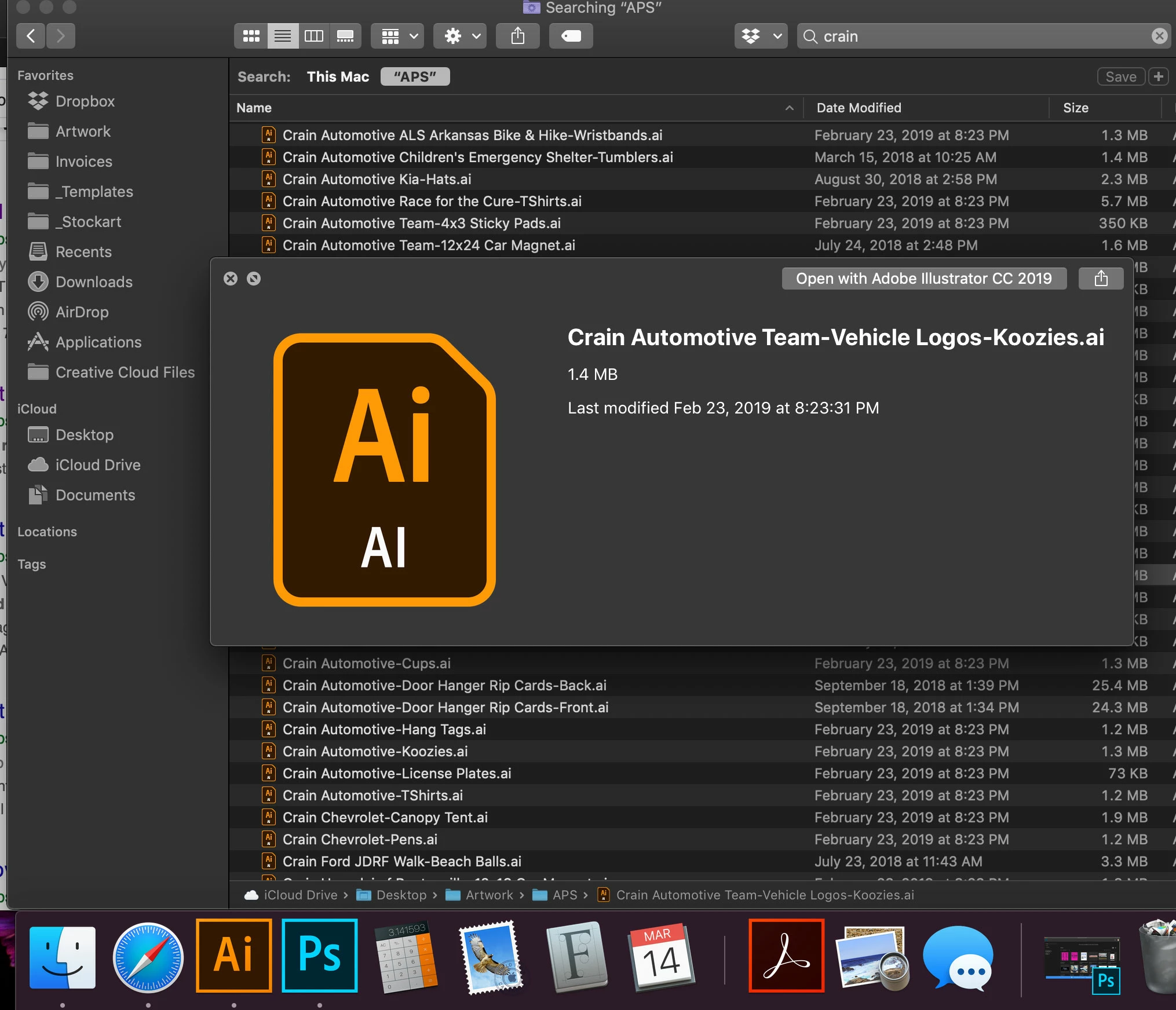 I REALLY need someone's help. I bought a new MacBook pro a couple of weeks ago and have had nothing but issues with my Illustrator since. I was running the 2019 version when I switched laptops but have had to downgrade back down to the 2018 version because the 2019 version was so laggy. I'm still having lag issues but it's not as bad. But now I have a new problem. If I search files, whether its in Illustrator or just a finder folder, I used to be able to highlight a file and hit the space bar to see a preview of my artwork, so I could then scroll through the files and open the one I want. Now, I can't see anything other than the Ai logo box. HOW DO I FIX THIS? This is literally costing me so much time as I often need to refer to other jobs for a logo or text.
Any suggestions would be much appreciated. [email removed]
 AdChoices