
Participant
June 27, 2017
Answered

Illustrator to Libraries - clipping masks not supported?

  • June 27, 2017
  • 1 reply
  • 1061 views

I'm trying to save a piece of art into Libraries so I can drag it around and use it as an asset elsewhere.
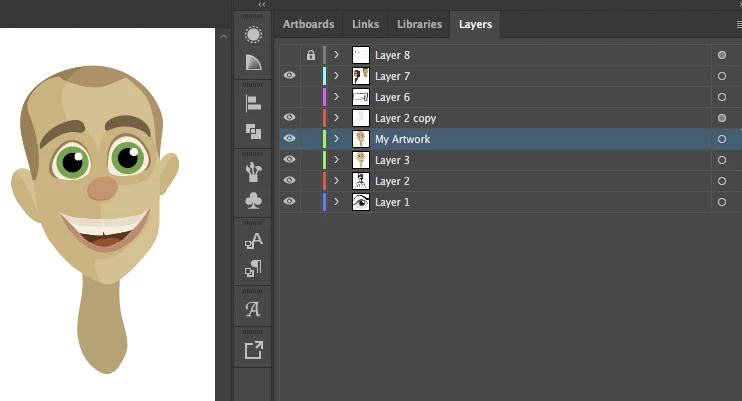
I select it and click add the add button:
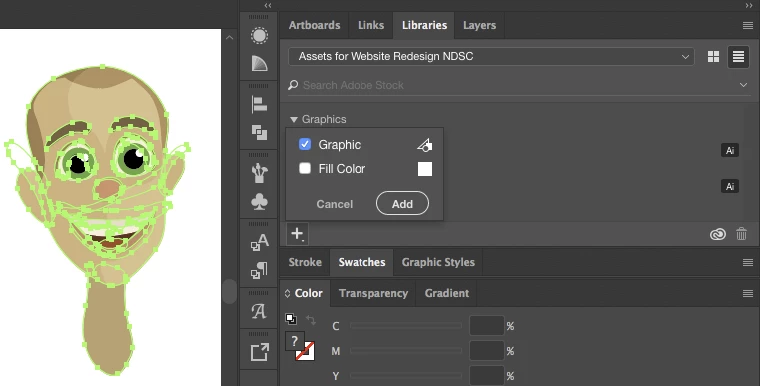
Then I get this mess back when I drag to the canvas
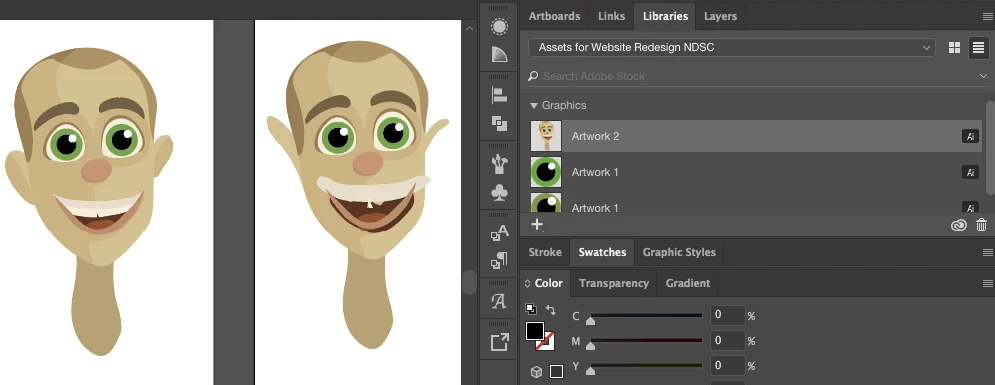
It looks to me like its ignored the clipping masks and lumped everything in as one. Bit of a problem when you're trying to work on art and build things up....

So is there something I Can do to work around this? Should clipping groups be supported?

This topic has been closed for replies.
Correct answer miriamgibbs29

Please describe step by step what you do and what exactly happens.

If you just drag the element from the CC library panel to your artboard, then the artwork will be linked inside your file. So you must have done something else.


Ohhh. Haha are you ready for this? Found the problem... Some of the layers were locked that were inside the clipping groups so on saving to Library Illustrator decided to ignore both those layers and the associated clipping masks!

Unlocking them fixed it all.

It also explains the weird looking selections I mentioned in my last post.

Talk about rookie mistakes..

1 reply

Monika Gause
Community Expert
Community Expert
June 27, 2017

1. What kind of clipping mask is this? Object based or layer based?

2. How exactly did you place it into your file?

Participant
June 27, 2017

1. I'm not sure- I didn't know there were multiple ways of doing it. I think it'd be object based:

2. Like I said, I click and drag it to the stage.

To update I've found if I select, using the Selection Tool, the layers with click and drag it seems to save to the Library fine. This is a problem that only happens when you select the top layer and then add to library or if you use the direct selection tool. The selection also looks different:

< - Using Selection Tool to click and drag and select the whole shape (not ideal!)

<- Select the layer in the Layers palette or using the direct selection tool.

miriamgibbs29AuthorCorrect answer
Participant
June 27, 2017

Please describe step by step what you do and what exactly happens.

If you just drag the element from the CC library panel to your artboard, then the artwork will be linked inside your file. So you must have done something else.


Ohhh. Haha are you ready for this? Found the problem... Some of the layers were locked that were inside the clipping groups so on saving to Library Illustrator decided to ignore both those layers and the associated clipping masks!

Unlocking them fixed it all.

It also explains the weird looking selections I mentioned in my last post.

Talk about rookie mistakes..