
drumea_v_
Participant
August 1, 2018
Answered

Illustrator UI error

  • August 1, 2018
  • 1 reply
  • 1351 views

Hi,

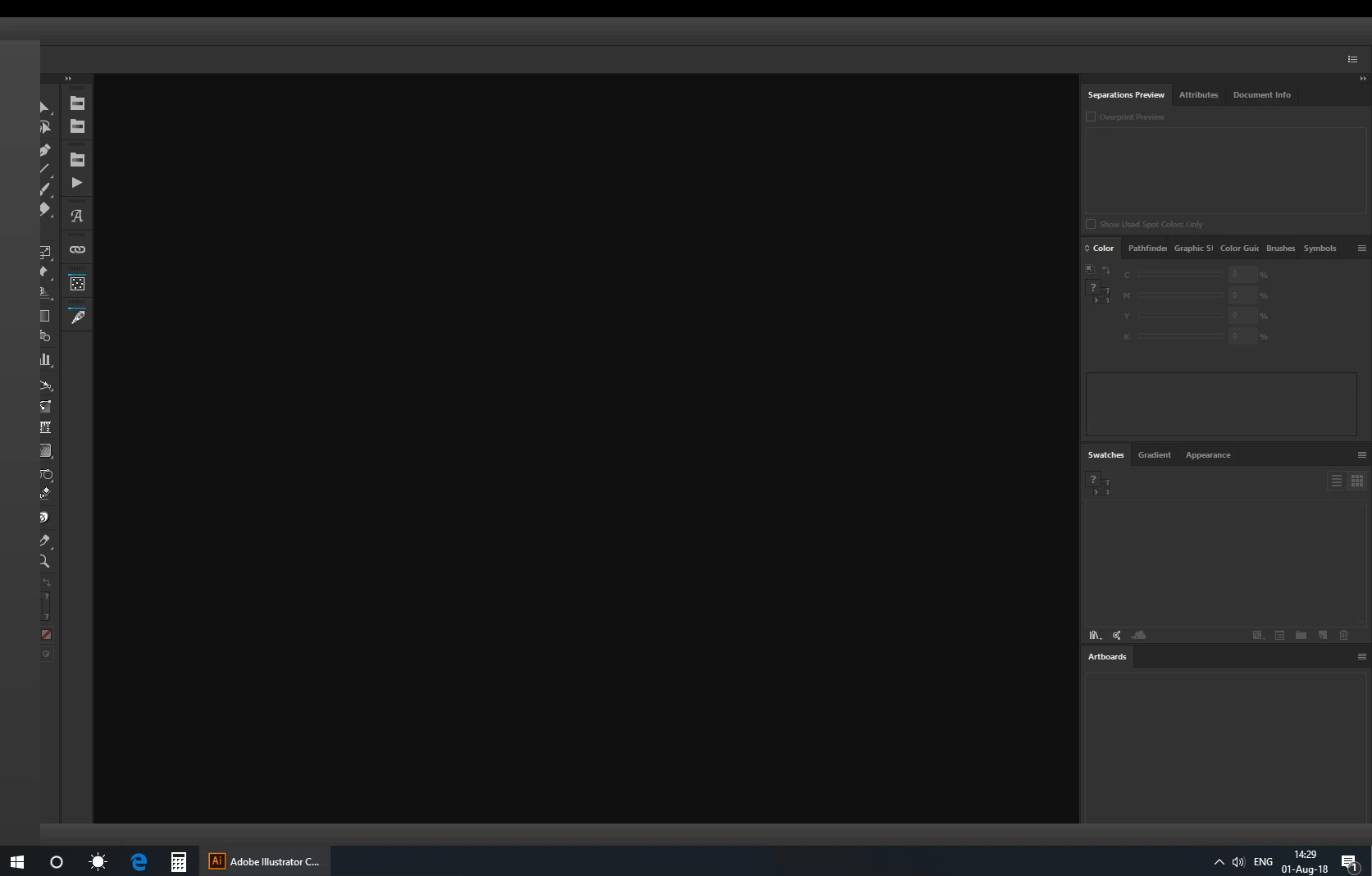
i work in a Graphic / DTP department and for a few weeks i have problem on Illustrator UI.

Missing/ Not showing  a part of tools from left, the 3 buttons from right ( minimize, maximize, close), workspace button, file menu, etc.

If i close and open again Illustrator everything works ok except the "Layer" pane not remain open.

I don't want to uninstal / reinstal Illustrator (many plugins, scripts to reload, personalized workspace), Creative Cloud app is up to date, Illustrator version is 22.1, no gpu enabled, Windows 10 PRO 64 bit.

Last program updated on my machine was Java required for internal software of my company.

Any idea what should i do?
    This topic has been closed for replies.
    Correct answer Bill Silbert

    You can try deleting the OOBE files. This can be helpful for interface problems.

    To do so:

    On Windows 7 and above these files are hidden. To find them go to the Control Panel and open Folder Options and then click the View tab. Then select “Show hidden files and folders” or “Show hidden files, folders or drive options” in Advanced Settings. Then delete (or rename) the folder at the end of this path: C:\Users\[User Name]\AppData\Local\Adobe\OOBE.\opm.db.

    After deleting this file you will have to sign in again to your Creative Cloud account.

    1 reply

    Bill Silbert
    Community Expert
    Bill SilbertCommunity ExpertCorrect answer
    Community Expert
    August 1, 2018

    You can try deleting the OOBE files. This can be helpful for interface problems.

    To do so:

    On Windows 7 and above these files are hidden. To find them go to the Control Panel and open Folder Options and then click the View tab. Then select “Show hidden files and folders” or “Show hidden files, folders or drive options” in Advanced Settings. Then delete (or rename) the folder at the end of this path: C:\Users\[User Name]\AppData\Local\Adobe\OOBE.\opm.db.

    After deleting this file you will have to sign in again to your Creative Cloud account.

    drumea_v_
    drumea_v_Author
    Participant
    August 1, 2018

      Finally, worked.

    Thanks.

    Renamed opm.db to opm.db_old then sign to CC account and bum... worked.

    Bill Silbert
    Community Expert
    Community Expert
    August 1, 2018

    Happy to help.