

Illustrator unable to launch due to missing .ddl file/ corrupted Visual C++ redistributable package
Hi,
Up until an hour ago, Illustrator was working fine. Now when I go to launch I get a System Error message:
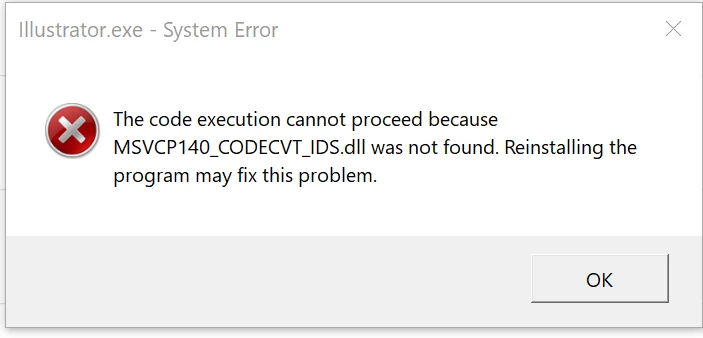
I have re-installed it several times, including the two previous versions, but no luck. I don't think it's a compatibility issue as all has been well up until this point.
Any help would be most appreciated.
Specs below.
I am running the latest version of Illustrator - v 25.3.1
Edition Windows 10 Home
Version 20H2
Installed on 10/23/2020
OS build 19042.1110
Serial number MP1EUU03
Experience Windows Feature Experience Pack 120.2212.3530.0
Lenovo Yoga 730-15IKB
Device name Laptop
Processor Intel(R) Core(TM) i7-8550U CPU @ 1.80GHz 2.00 GHz
Installed RAM 8.00 GB (7.82 GB usable)
System type 64-bit operating system, x64-based processor
Pen and touch Pen and touch support with 10 touch points
{Reanmed by MOD}
 AdChoices