


drumea_v_
Participant
February 14, 2019
Question

Illustrator Unusable, Interface Broken

  • February 14, 2019
  • 2 replies
  • 1218 views

Hi,

i work in a Graphic / DTP department and i have problem on Illustrator UI.

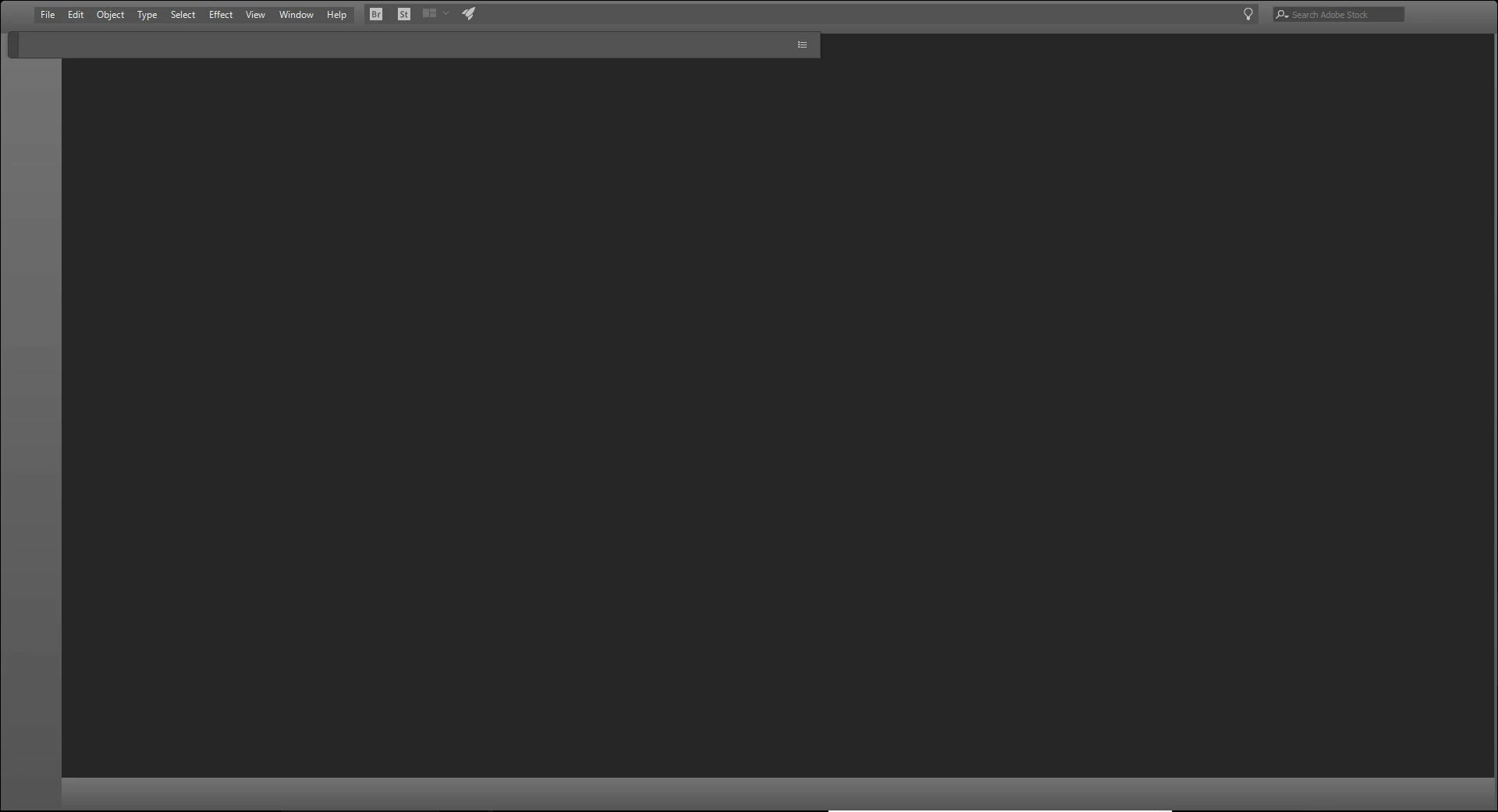
When I open Ai, the interface never load. If I pass the cursor over the top, that bottons appear.

I don't want to uninstal / reinstal Illustrator (many plugins, scripts to reload, personalized workspace), Creative Cloud app is up to date, Illustrator version is 23.0.2, no gpu enabled, Windows 10 PRO 64 bit.

That problem is on both 23.0.1 and 23.0.2 Illustrator versions, i tried to reset the Creative cloud app by deleting ''C:\Users\[User Name]\AppData\Local\Adobe\OOBE.\opm.db''

but has no influence.

Any ideas?
    This topic has been closed for replies.

    2 replies

    ceyhun_akgun
    Legend
    February 14, 2019

    How to set preferences in Illustrator

    The Preferences options have the magnification of the interface symbols. Can you try that? I think this update can cause a refresh when the interface changes.

    Before you remove Illustrator, PLUG-IN and other installations are out of the main terminus, remove Illustrator, reinstall.

    Open the program before inserting the plug-in and other plugins, check the interface.

    External plugins may have been caused.

    Graphic Designer Educator / PrePress Consultant
    drumea_v_
    drumea_v_Author
    Participant
    February 14, 2019

    Ok,

    after few search on the internet i find an info to delete the "Adobe Illustrator 23 Settings" folder located in "C:\Users\[User Name]\AppData\Roaming\Adobe\Adobe Illustrator 23 Settings". This thing not resolve the whole problem, if you don't want to uninstall/reinstall just delete the folder and recheck what settings/swatches/shortcuts/workspace/etc... from the begining.

    Its similar with reset Illustrator from keyboard shortcuts at initialization.

    However i made a zip back-up of that folder to see which files from the old folder is responsible for that error and it seems to be "Adobe Illustrator Prefs" file, i don't no what line to check inside for error.

    ceyhun_akgun
    Legend
    February 21, 2019

    I do not know which command line is.

    I prefer a method of elimination as long as a solution, but a diagnostic method.

    After receiving the replacement, update one by one, update. These experiments can work to find the defective location. As a general recommendation I wanted to share.

    Graphic Designer Educator / PrePress Consultant
    Monika Gause
    Community Expert
    Community Expert
    February 14, 2019

    Does it work when you disconnect from the internet?

    drumea_v_
    drumea_v_Author
    Participant
    February 14, 2019

    No, nothing change.