Participant
July 18, 2019
Answered

Illustrator - Views : export to PDF (Like photoshop layer comp.)

  • July 18, 2019
  • 4 replies
  • 1567 views

Hi everyone,

Basically I got a hundred business card to do with different names on it, and I was wondering how can I do that and export all in one click without creating a hundred of Artboards.

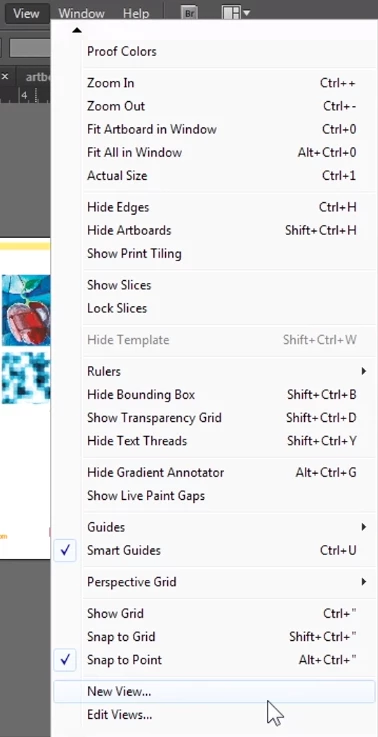
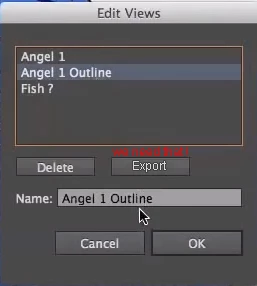
So I'm looking for a script or something that can run for example  "New view 1" (created in menu View > New view) and export it to PDF, then run "New view 2" and export to PDF again, like the save layer comp to file export in Photoshop all automatically. I think it's an useful  feature that is missing in Illustrator.

I did a little search on that to create a script but unfortunately I don't have time to learn how to script in Jvs. I was thinking about a script that execute shortcuts (that is assigned to all of my New views) and export artboards to PDF.

I've found nothing on this subject on the web except a topic on this forum from 2013 without any answer,

then If someone has an answer for that I'll be grateful, thanks

Correct answer Ton Frederiks

If you already have the layers,, maybe this explanation from Kurt Gold about layer visibilty will help.

Re: Organize layers, hide/show combination

4 replies

Participant
July 19, 2019

Thanks it works ! Now i've got a hundred PDF generated in few seconds, so thanks a lot for that.

Ton Frederiks
Community Expert
Community Expert
July 19, 2019

Good to hear that worked.

meganchi
Legend
July 18, 2019

Personally I would recommend saving and placing an Adobe Illustrator .eps file of your art into Adobe Indesign and add names using data merge.

Here is a tutorial if you have never done this method before.

https://www.thetigerparty.com/tigerblogs/2014/10/15/using-data-merge-function-in-indesign-to-create-business-card

Ton Frederiks
Community Expert
Community Expert
July 18, 2019

Why EPS? Last century file format, no transparency, no ICC color management.

InDesign has no problem with .ai files.

Participant
July 19, 2019

Thanks Ton, it works ! Now I have to find out how to export automatically all capture data set to pdf, maybe use Action Batch like you said

Lukas Engqvist
Community Expert
Community Expert
July 18, 2019

As Ton mentioned, in illustrator they are called data sets.
You may also want to check out Illustrator Variable Data - The EASY way! - YouTube  or Adobe Illustrator Variable Data Importer - YouTube     

schroef
Inspiring
August 9, 2025

It feels like a dinosaur, kinda undeveloped. Has quite some issues with data readings also when something is changed in the data set  

Ton Frederiks
Community Expert
Community Expert
July 18, 2019

You can Use Variables to generate the bussines cards and use Actions Batch to export them.

Merge data to create data-driven graphics through templates and variables in Illustrator

Participant
July 18, 2019

Hey Ton & Lukas,

thanks for this one, it's a great solution, the fact with that, is that we have to combine XML/text file, excel tab or something, with variables, I only want to show and hide layers automatically (each names & info have it own layer) and export without using external data. I saw a dynamic eye into the variables tab to show or hide some stuff, maybe I'll have to take a look at it...

Ton Frederiks
Community Expert
Ton FrederiksCommunity ExpertCorrect answer
Community Expert
July 18, 2019

If you already have the layers,, maybe this explanation from Kurt Gold about layer visibilty will help.

Re: Organize layers, hide/show combination