Sorry Larry! I'll try to be more clear.
Basically, when I create a new CMYK document in Illustrator I am having issues saving it as a cmyk pdf file even though I am using the using the Press Quality and PDFX-1a presets. Normally, those settings would create a CMYK pdf file but when I view the color modes in Acrobat and Photoshop those programs are telling me they are in RGB formats.
I have been viewing the color mode in Acrobat Pro by going to print>Advanced. Under the Color Management section on the right the color Profile reads Working RGB: Adobe RGB (1998). See screenshot below.
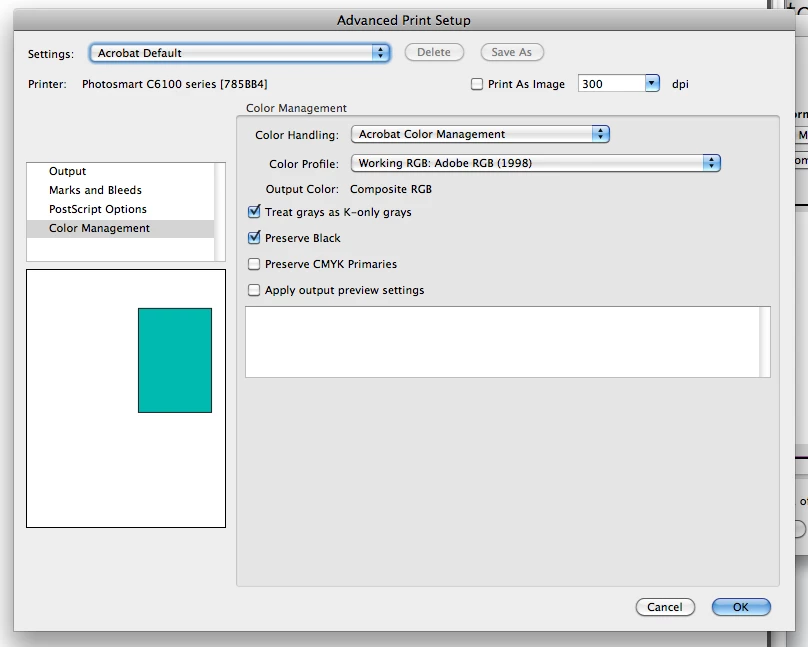
When I try to open the .pdf files in Photoshop to check the color mode, the mode is showing up as RGB as well. See screenshot below. 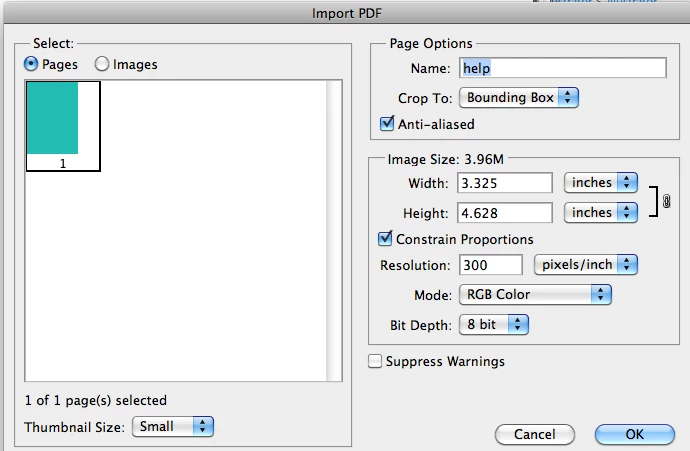
Hopefully that makes more sense. If you need any other information or clarification, just hollar! Thanks so much for taking the time to help!
jedesigns0 wrote: ....I have been viewing the color mode in Acrobat Pro by going to print>Advanced. Under the Color Management section on the right the color Profile reads Working RGB: Adobe RGB (1998).... |
This is not how you check the color space of your pdf. Instead from the main menu choose Advanced > Print Production > Output Preview. Also if you have included all color profiles you can check them by choosing from the main menu Advanced > Print Production > Convert Colors and in then click the plus sign under Document Colors on the right side.
When you choose Print in Acrobat it will convert to the appropriate color space of the selected printer. In you case as shown in your screen shot the printer is Photosmart C6100. If this printer is a composite RGB printer, then Acrobat is doing the right thing by choosing an appropriate color space.

 AdChoices