
Illustrator Windows Print Settings
Hello,
I have a question about Illustrator print settings. I have a Canon Pixma TS9550 printer and am using a Windows laptop (Microsoft Surface Laptop). When printing a file from Photoshop, I can choose "Printer Manages Colors" under Color Management like below.
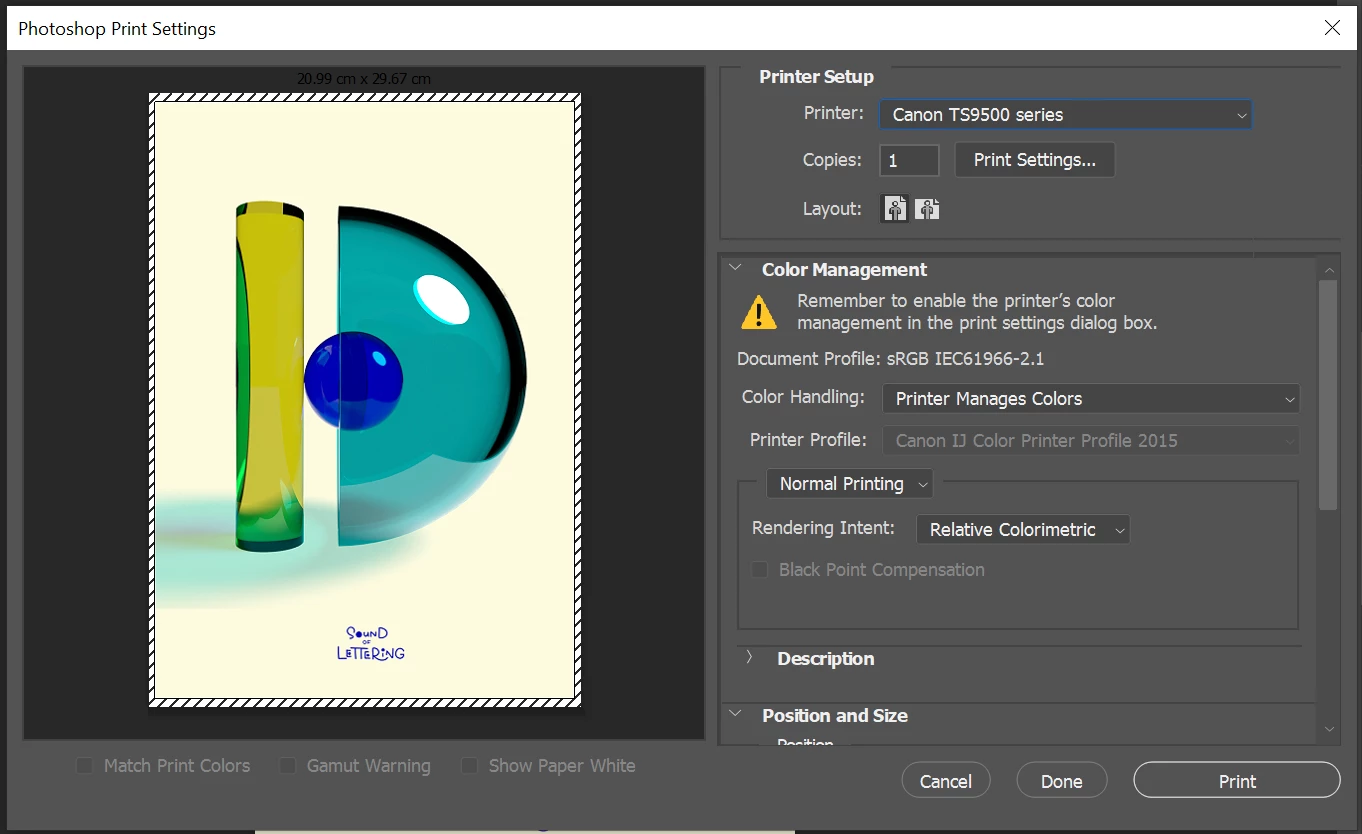
I've had great colour results with this setting, and would like to do the same or an equivalent in Illustrator too, but I'm struggling to make that work.
In Illustrator, there doesn't seem to be one simple setting like in Photoshop. Instead, there is "Let PostScript printer determine colors"as explained under "Let your printer manage colors when printing" here: https://helpx.adobe.com/illustrator/using/printing-color-management.html
So I installed a printer driver (Canon Generic Plus PS3) that is compatible with the printer. I'm using the following with the printer driver and a corresponding PPD file, but the printer won't print anything...
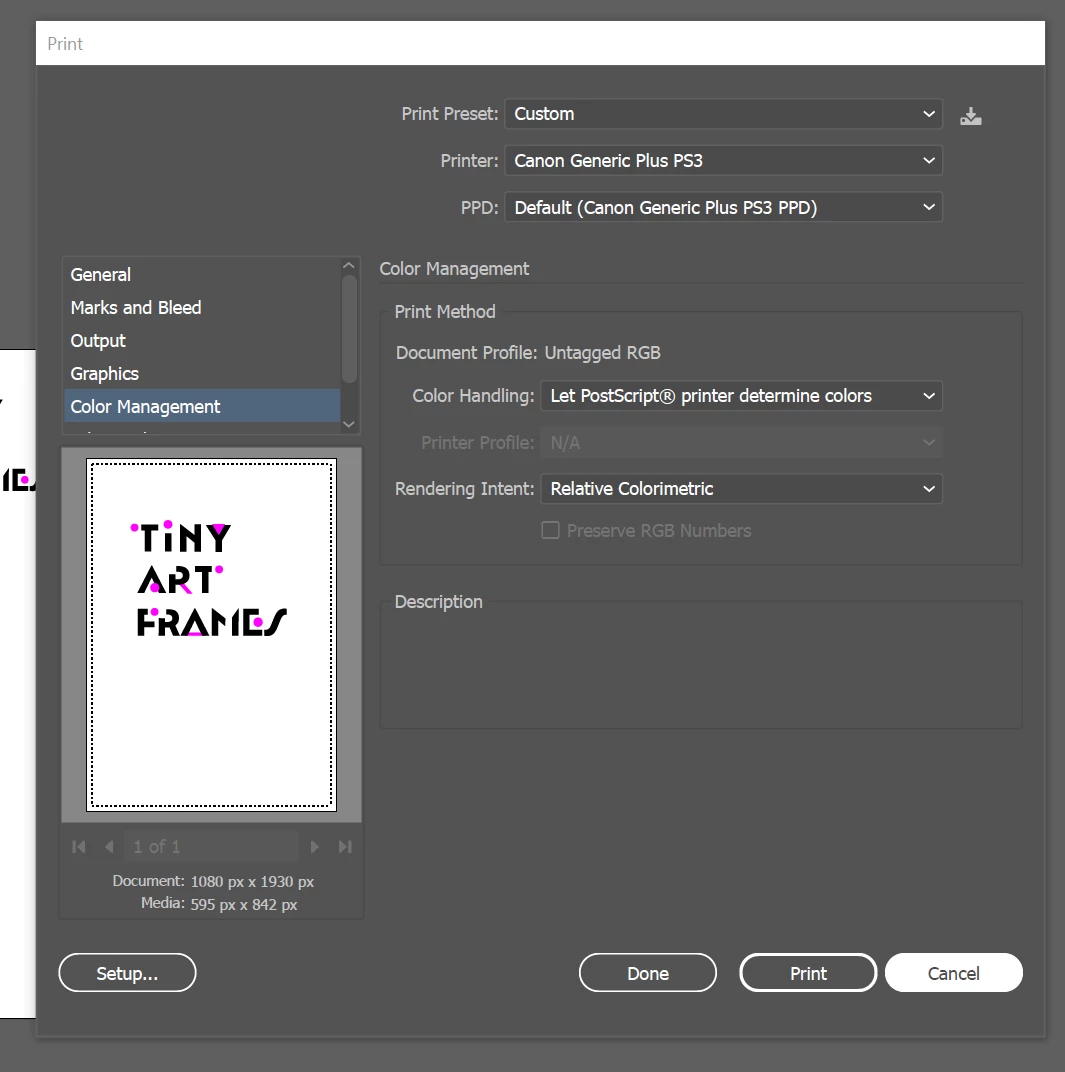
Does this printer setting seem right to you (as in, it might just be a printer issue) or is there something off in the settings I'm using? Are there any other ways to handle printing similar to Photoshop's "Printer Manages Colors" in Illustrator?
Thank you!
[Renamed by Mod]
 AdChoices