
Known Participant
January 23, 2020
Question

Illustrator won't align objects to coordinates in artboard.

  • January 23, 2020
  • 2 replies
  • 2347 views

Having an issue with coordiates. I opened a new doc, and pasted artwork in (no guides are includes)

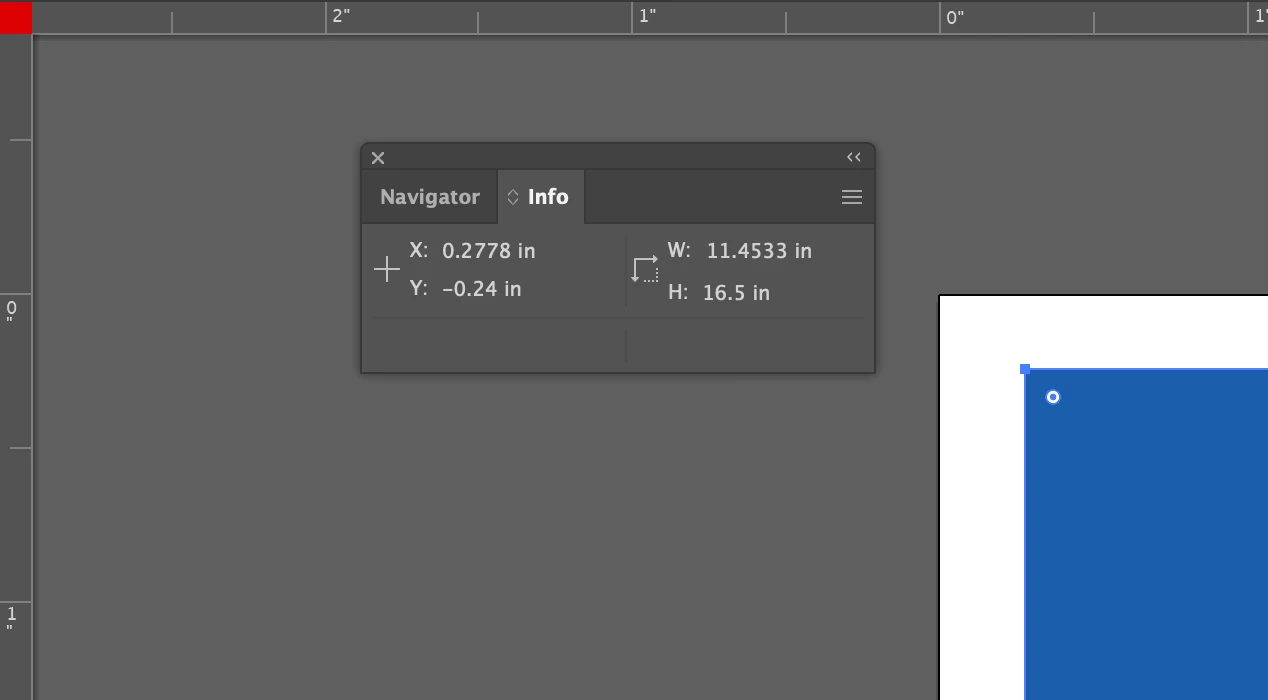
When I try to align the art at .25x .25y- it places it off the artboard. I remeber you used to be able to pull XY guides from the ruler to the corner of the artboard. I can't pull anything. 

Any ideas on how to fix the 0x0y to align corectly? You can see in the screen shot, my Y coord is reading negative. 
This topic has been closed for replies.

2 replies

Ton Frederiks
Community Expert
Community Expert
January 23, 2020

Don't drag the Ruler intersection, but double click it.

Known Participant
January 23, 2020

Thank you, Ton. 

Gave that a shot with no change. Restarted Illustrator and tried again wtih no change. 

Thanks 🙂


Known Participant
January 23, 2020

I reset my preferences and when I open the doc, the alignment is correct. 🙂


Eugenio.NYC
Participating Frequently
January 23, 2020

I think this is what you are talking about: double click on the ruler, or drag the ruler intersection to the point that you want

I can do it, maybe reset preferences

Known Participant
January 23, 2020

Thank you, I reset the prefs and can see the cross hairs, but dragging them to the corner of my art board is not resetting the corner to 0,0. 🙂

Eugenio.NYC
Participating Frequently
January 23, 2020

Hi, now go to the transform panel and double check the reference point of your object is the top right one