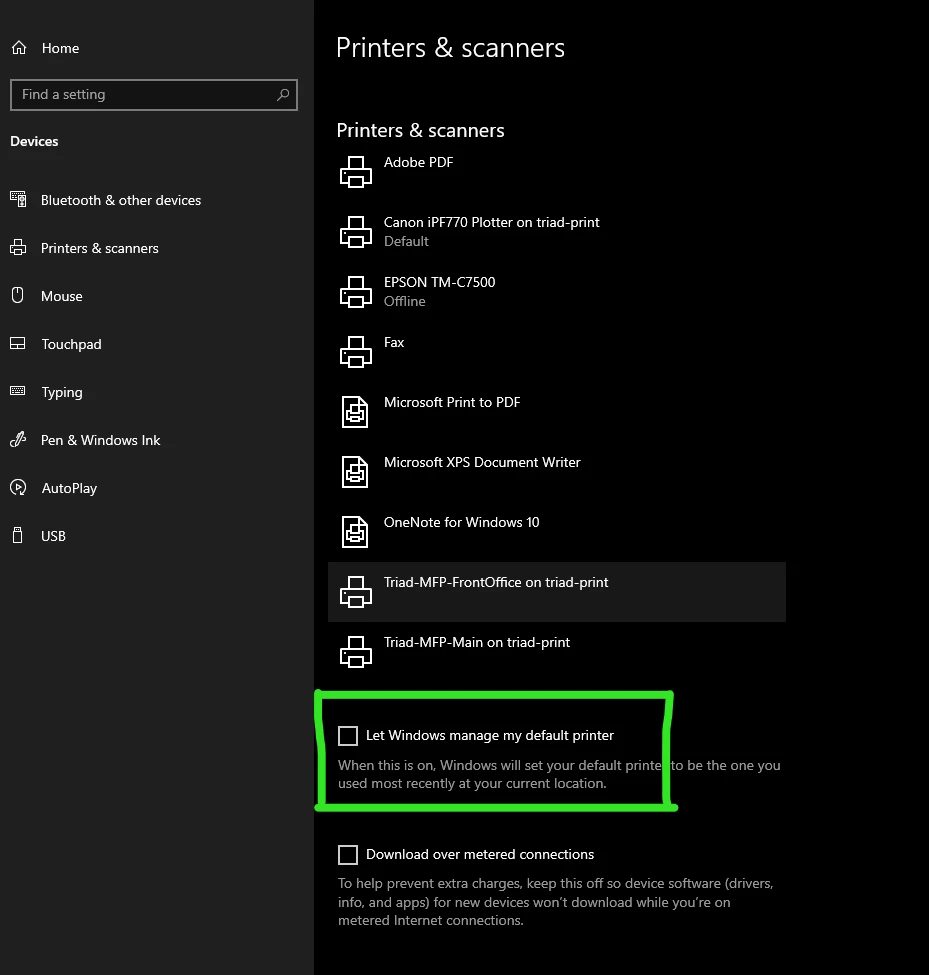
I know there are a million reasons why Illustrator won't open properly or won't open any files but I wanted to share my recent experience because it's so bananas I want to tell everyone. It has to do with printers. I run Windows and was at work yesterday and connected to a printer I rarely connect to so I could print something large. Later that night, at home, Illustrator wouldn't open ANYthing. I uninstalled, reinstalled, deleted preferences, etc. Nothing worked. Turns out that Windows, by default, will choose the most recent printer you've used as your default printer. If, after this, you go to start windows and it has an issue finding the printer, it will not start. I can't wrap my head around why, but when I unclicked, "Let WIndows Manage My Default Printer", Illustrator opened right up as if nothing had ever happened.

 AdChoices