Participant
March 4, 2018
Answered

Illustrator wont open

  • March 4, 2018
  • 3 replies
  • 1089 views

I have uninstalled and reinstalled, restarted my computer, updated everything, bu it still says this every time I try to open any of the apps.
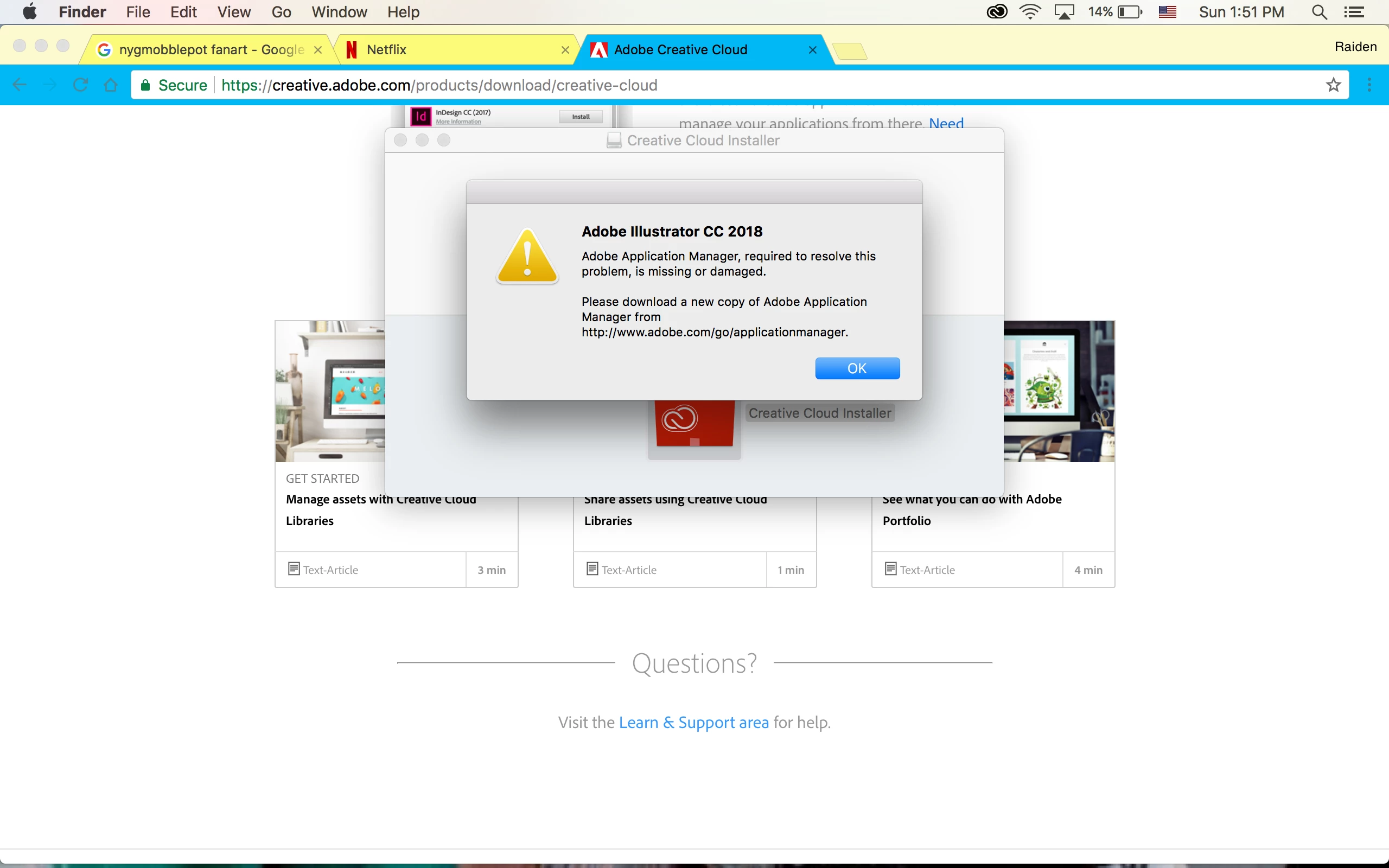

This topic has been closed for replies.
Correct answer Bill Silbert

I see that you are trying to install CC 2018 and it is asking for the Adobe Application Manager. However, the Application Manager has been replaced by the Creative Cloud Desktop app so depending on what Mac OS you are using the fact that the application manager has not updated to the desktop app might mean a number of things which may be addressed at this URL: Adobe Application Manager does not update to Creative Cloud desktop app . Bear in mind that CC 2018 can only be installed on a Mac that is running El Capitan or above which may figure in to why you're being asked for a utility which does not actually participate in its older form in installing CC 2018.

3 replies

Participant
August 1, 2023

I am using IOS17 since installing it adobe stopped working, it's been a month so far and it won't up at all. I am using IPad Pro. 

someone please help. 


Monika Gause
Community Expert
Community Expert
August 1, 2023

@blaque22035668fdst  schrieb:

I am using IOS17 since installing it adobe stopped working, it's been a month so far and it won't up at all. I am using IPad Pro. 

someone please help. 


iOS 17 is still in beta. You have to expect that apps do not work when you use a beta system.

Participant
April 10, 2023

prooğram açılmıyor


Monika Gause
Community Expert
Community Expert
April 10, 2023
quote

prooğram açılmıyor


By @metin29325571nj88


If you need help with something, please create a new thread in this forum and give us your information: which system and version of the application? WHich hardware you have?

Exactly what is happening. You can use your mother tongue.


If you have a Wacom tablet: please install an older driver.

Monika Gause
Community Expert
Community Expert
March 4, 2018

It says it needs Adobe Application Manager. Is it installed?

Bill Silbert
Community Expert
Bill SilbertCommunity ExpertCorrect answer
Community Expert
March 4, 2018

I see that you are trying to install CC 2018 and it is asking for the Adobe Application Manager. However, the Application Manager has been replaced by the Creative Cloud Desktop app so depending on what Mac OS you are using the fact that the application manager has not updated to the desktop app might mean a number of things which may be addressed at this URL: Adobe Application Manager does not update to Creative Cloud desktop app . Bear in mind that CC 2018 can only be installed on a Mac that is running El Capitan or above which may figure in to why you're being asked for a utility which does not actually participate in its older form in installing CC 2018.