
Participant
August 17, 2020
Question

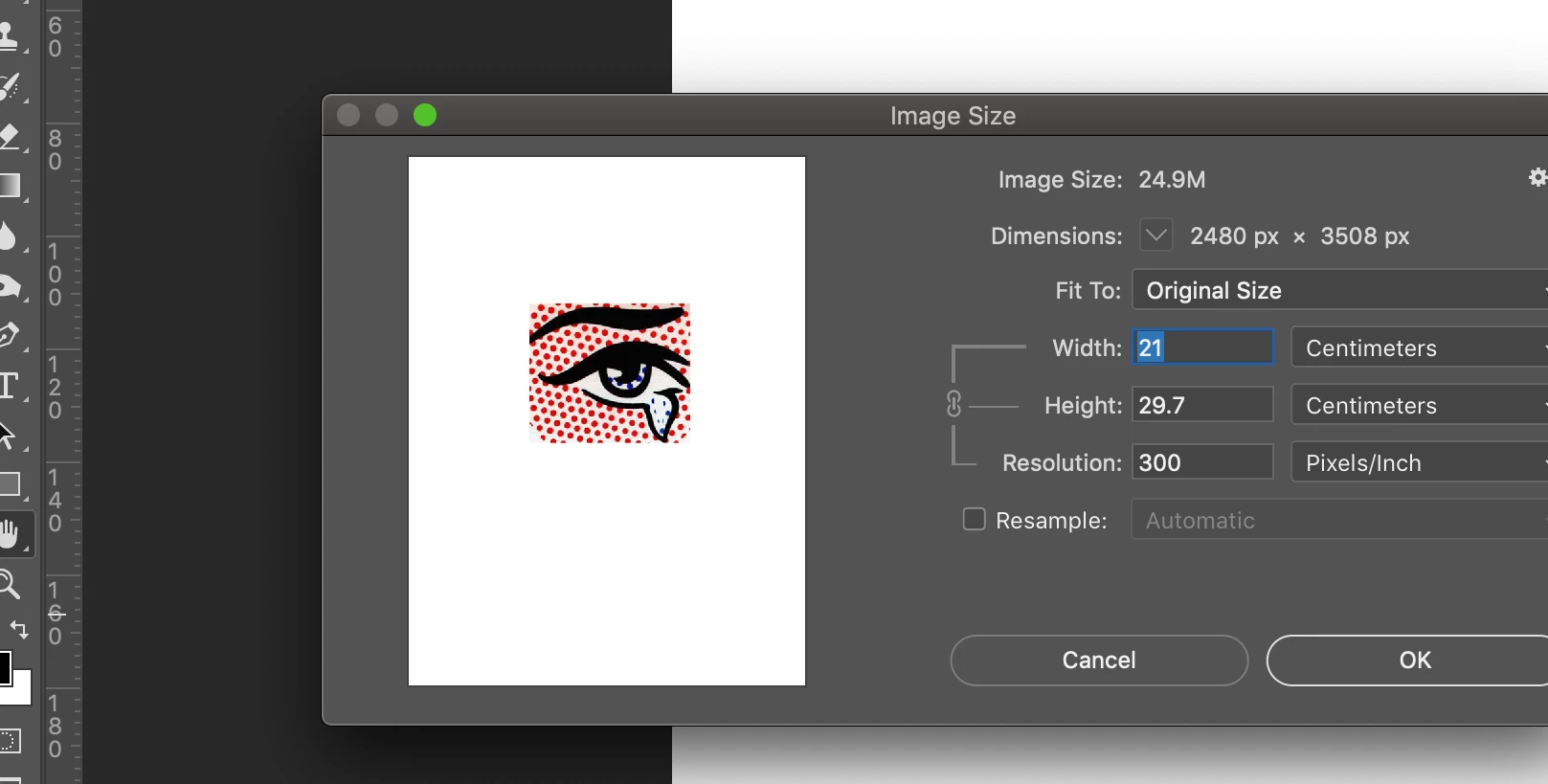
Image size is showing (always) document info and NOT the selected image info. How to change this?

  • August 17, 2020
  • 5 replies
  • 685 views

Need to check image resolution, dpi, so that it will print correctly. I use to see it in some dialogue box or at the top of the window but that has gone!!!!. When I click on image and then check Image Size it gives me the Whole Document size and resolution and NOT the individual image that I want. See screen shot. Any help would be greatful..... Arrrrrrrrrrrr!
This topic has been closed for replies.

5 replies

NB, colourmanagement
Community Expert
Community Expert
August 19, 2020

Hi, I moved your post to the Illustrator community 


I hope this helps


neil barstow, colourmanagement.net :: adobe forum volunteer

[please do not use the reply button on a message within the thread, only use the blue reply button at the top of the page, this maintains the original thread title and chronological order of posts]

Doug A Roberts
Community Expert
Community Expert
August 19, 2020

I'm not sure it will help, since every screenshot in this topic refers to Photoshop.

jane-e
Community Expert
Community Expert
August 17, 2020

"I have to double click for it to open in another window and then I can open image size"


Hi

You've shown us a small snippet of your screen. This sentence suggests that possibly the image is a Smart Object and the "window" you are opening is the psb, but it's hard to tell from what you've said. Can you show a screen shot of your Layers panel? Be sure it is sized tall enough and wide enough that we can see all the layers.

~ Jane

davescm
Community Expert
Community Expert
August 17, 2020

In Photoshop, the page is the image. So Image Size is working correctly.


Dave

michelew83603738
Community Expert
Community Expert
August 17, 2020

Are you seeking an Illustrator or Photoshop answer, it is rather confusing from your reply to JJMack. In Illustrator, if you select the image that you have brought in, the information will be available to you, not on the document information, but just above that, where you will see the tool options and the ability to embed or unembed the image. If you are in Photoshop, then as JJMack said, the Print Resolution is the place to look.

JJMack
Community Expert
Community Expert
August 17, 2020

If that screen capture is the dialog you get I see resample is not check which is good I also see the three  print  size settings you can change any one of them Photoshop will change the other two.  I see print resolution there you should be able to set it for its not grayed out.??? I also see the image preview in the dialog. The Screem capture does not reflect what you wrote?


Perhaps you want Layer transform instead of Image Size.


JJMack
ADarmaninAuthor
Participant
August 17, 2020

JJMack thanks for getign back......

The issue is..... I want to check if an image, when I resize it will print at 250dpi+. Am I gettign confused with a AI info box?


The above box give me the page overview and NOT the image..... I have to double click for it to open in another window and then I can open image size.... but I need to see the resized image... in place and see the dpi alter as I size it so I can get the image to the max size with out effecting image print resolution.


But like I said.... is this an AI info box?

Cheers


JJMack
Community Expert
Community Expert
August 17, 2020

OK I do not install AI this is a Photoshop Forum and what you posted looked like a normal Photoshop Images sized dialog.  Perhaps you should ask in the AI forum. 


However, Print Resolution is Print Pixels size you can print you image any size you want  by changing the Print Pixel size.  It like TV small a 4K TV have smaller  Pixel size then a wall size 4K TV.  both image are the same size image 3840px by 2160px.


Changing the Print rosilution  does not change the Picture at all that just changes the size the print will be not a single pixel is changed. 

JJMack