
Inspiring
April 13, 2018
Answered

Image sizes mysteriously reduced when placing

  • April 13, 2018
  • 3 replies
  • 4318 views

Hi!

Downloaded images are being reduced when placed in my Illustrator document.  I downloaded large images from a photo site to a local folder, and then placed one of those images into my Illustrator document.  The original image that was 1920 x 1280 was only 638 x 428 when placed in Illustrator (file > place..)  When I view the images in their folder, Windows tells me they are the original sizes.  I also opened the image in Photo Viewer and it also appears to be the large size, but when Cntrl-C to copy from Photo Viewer and then cntrl-v to paste in Illustrator, the same small image is placed.  

Images were downloaded from pixabay.com:  https://pixabay.com/en/fork-road-dirt-direction-path-two-2115485/

I was able to place other images from the same local folder (downloaded from different places, different times) and they placed in full size.

I'm on CS6.

Anybody have a clue what's going on?


Thanks!!
This topic has been closed for replies.
Correct answer Ton Frederiks

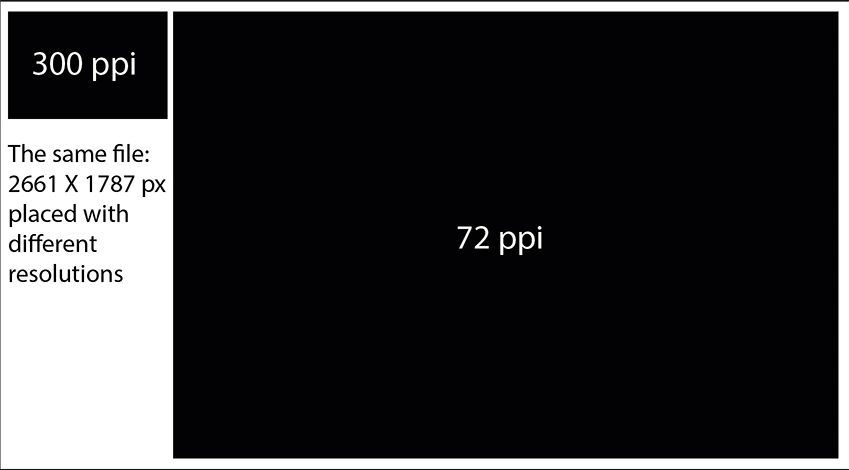
Your file is 2661 X 1787 px when placed with a resolution of 72 ppi you would see that as it’s dimensions.

At 300 ppi file would have 638,64 px X 428,88 px as dimensions. That’s what I see in your Illustrator screendump.

And because of the higher resolution it displays smaller.

3 replies

Theresa J
Community Expert
Community Expert
April 13, 2018

You can change the resolution of an image in Photoshop without actually resizing it. This changes the print dimension, but not the image size. A lower resolution will make a larger print.

300PPI is the standard resolution for offset print. Scaling up the image in Illustrator, or talking the resolution down in Photoshop will have the same net result. If your project is for something other than offset printing you can just scale up the image in Illustrator, and it should be fine.

I recorded this video to explain image size and resolution. You might find it helpful.

Photoshop Image Size and Resolution - YouTube

Ton Frederiks
Community Expert
Community Expert
April 13, 2018

If you select such an image and look at the Window > Links panel, are the dimensions as expected?

What does the PPI show, anything else than 72?

In that case the resolution could explain the placed size.

P BAuthor
Inspiring
April 13, 2018

Hi Ton,

Thanks for your theory.  I'm not positive this is the information you're looking for but I think it may be:

This is a screenshot of the bottom of the screen when I Edit the image through Window > Links.  If I'm understanding, it seems to confirm the large size, and indeed the image appears very large in the editing window.

I could not see PPI through that route but if I'm reading this correctly, PPI is 300. 

What else ya got?

Ton Frederiks
Community Expert
Ton FrederiksCommunity ExpertCorrect answer
Community Expert
April 13, 2018

Your file is 2661 X 1787 px when placed with a resolution of 72 ppi you would see that as it’s dimensions.

At 300 ppi file would have 638,64 px X 428,88 px as dimensions. That’s what I see in your Illustrator screendump.

And because of the higher resolution it displays smaller.

Theresa J
Community Expert
Community Expert
April 13, 2018

What happens when you do a File>Place instead of copy and paste?

tromboniator
Community Expert
Community Expert
April 13, 2018

Theresa, OP stated that File > Place was tried first.