
ririh58675820
Participant
April 16, 2018
Answered

Image Trace dialog --> Anchors

  • April 16, 2018
  • 1 reply
  • 1334 views

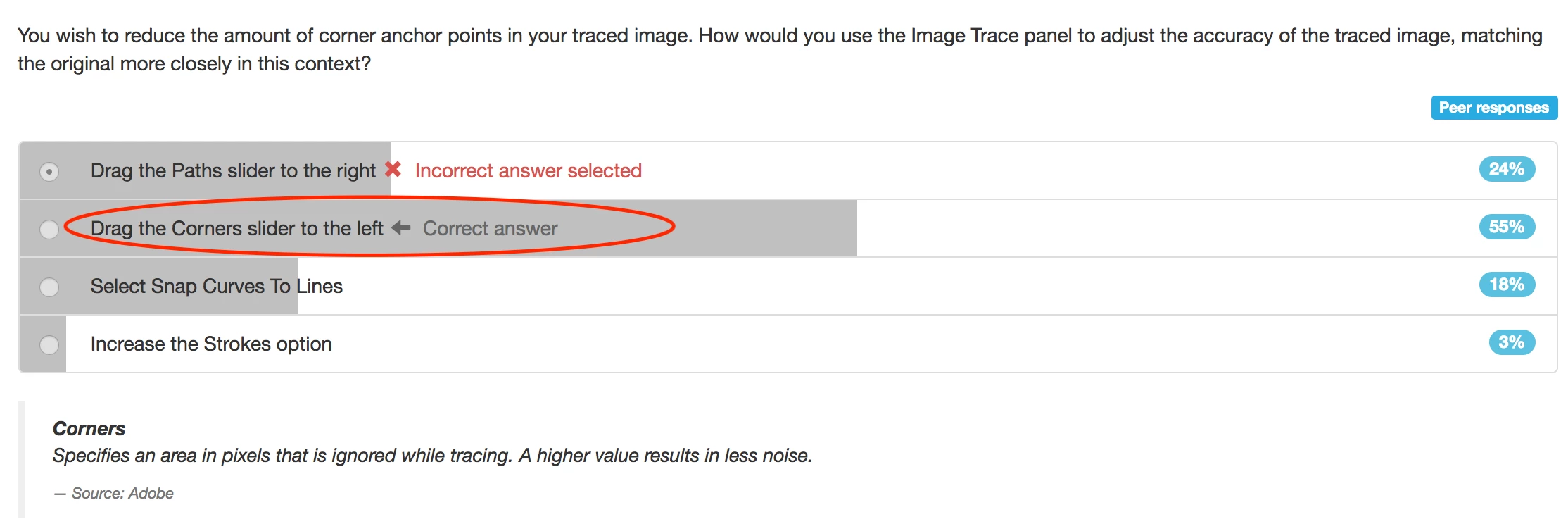
Hello every adobe illustrator expert, now I'm doing the mock test of illustrator cc, the question is as below:
I've experimented it in real illustrator cc, the first@ image is when corners being set to 100%, second is when being set to 0%:
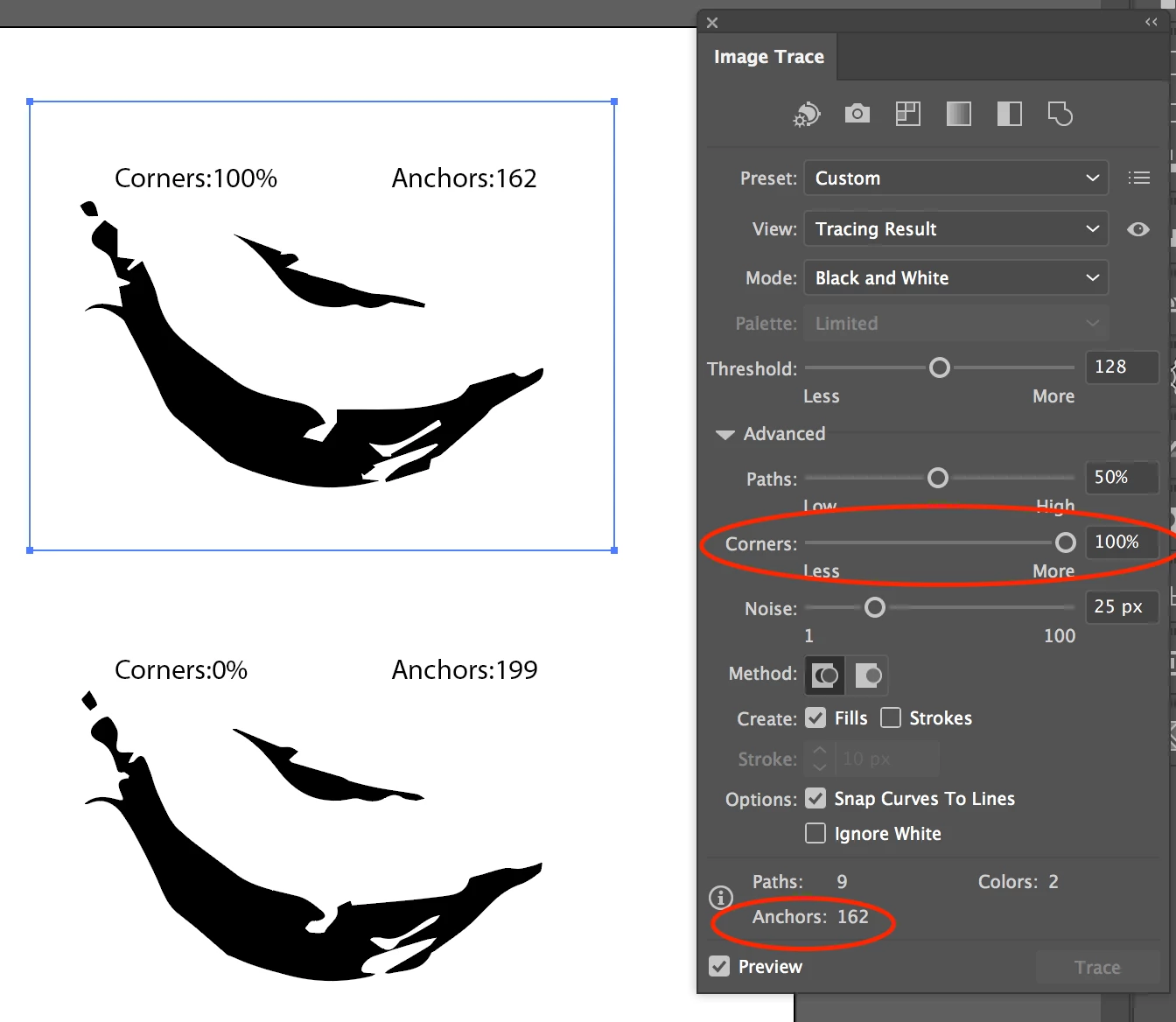
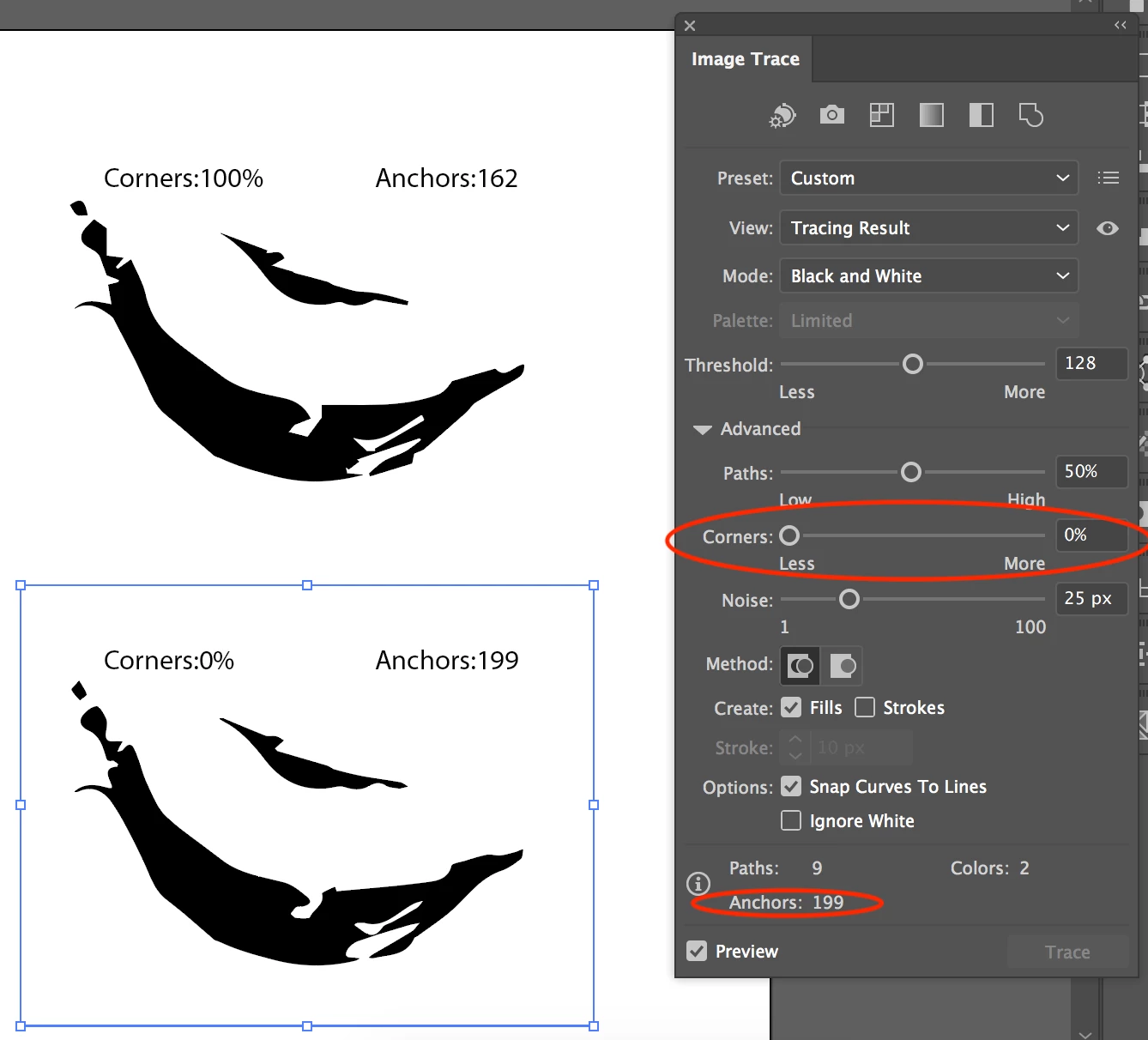
As you can see, the second Anchors is higher than the first, which is the opposite of the answer -- Drag the Corners slider to the left can reduce the amount of corner anchor points. Does this mean Anchors is different from corner anchor points? Are they different two things?

This topic has been closed for replies.
Correct answer Doug A Roberts

anchor points come in two flavours: corner or curve. conventionally you switch between these using the convert anchor point tool.

if there are less corner points in the trace, it just means there are more curved points, not less anchors in general.

1 reply

Doug A Roberts
Community Expert
Doug A RobertsCommunity ExpertCorrect answer
Community Expert
April 16, 2018

anchor points come in two flavours: corner or curve. conventionally you switch between these using the convert anchor point tool.

if there are less corner points in the trace, it just means there are more curved points, not less anchors in general.

ririh58675820
Participant
April 16, 2018

I see. So anchor point(corner) has nothing to do with "Anchor" showed in Image Trace dialog, just simply check the image, see if there are more or fewer corners on it by dragging the corners slider?