
pagem4
Participant
December 28, 2021
Question

Image trace doesn't use the correct colors from swatches

  • December 28, 2021
  • 2 replies
  • 306 views

I'm trying to use image trace to limit an image to a certain set of colors. I've selected that folder of swatches in the image trace menu but the resulting artwork has completely different colors. I've attached an image to show this. Could someone help me figure out how to get this to use the colors from the swatches?
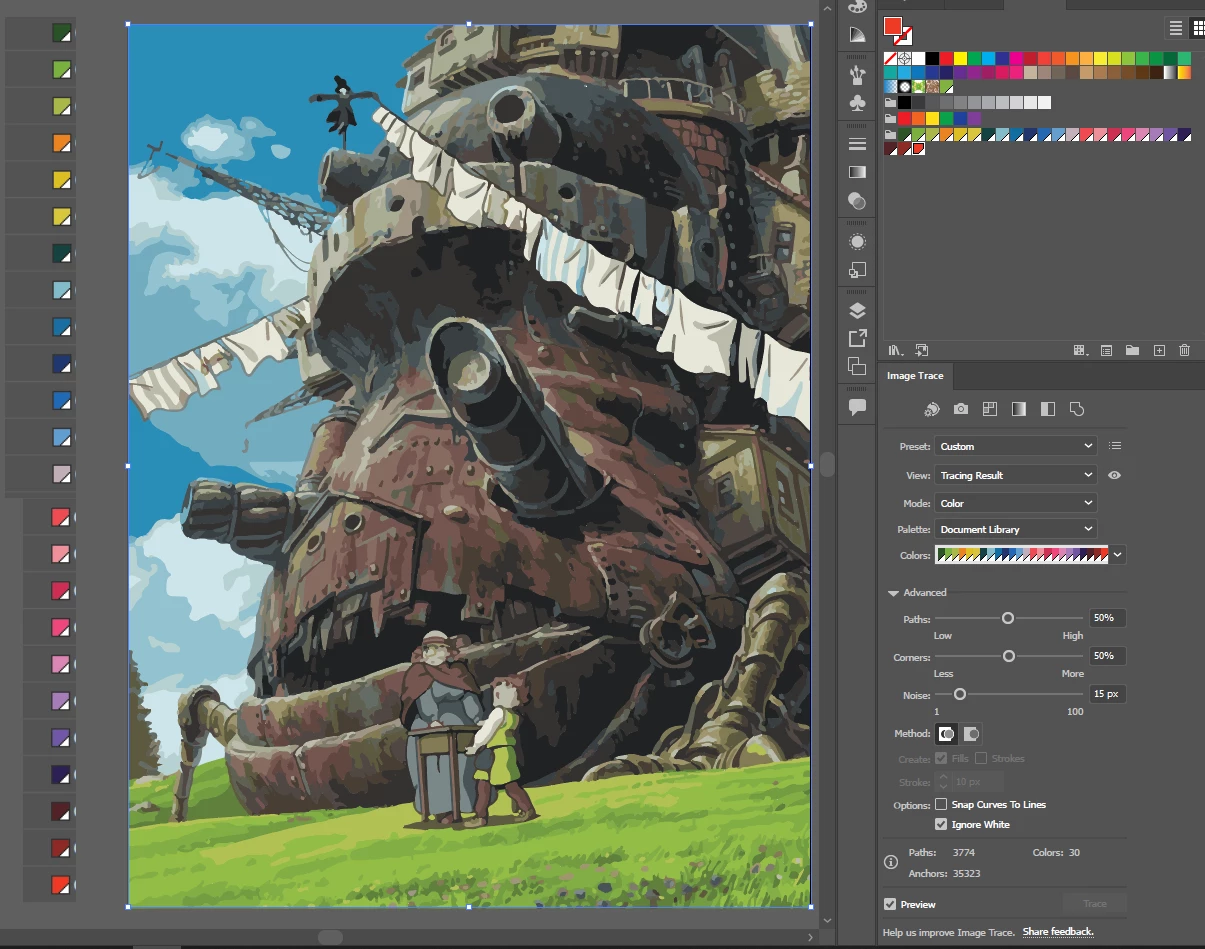
swatches are on the left. artwork is in the middle. image trace options are on the right.

This topic has been closed for replies.

2 replies

Doug A Roberts
Community Expert
Community Expert
January 27, 2022

There has been a bug in the last several versions preventing the use of document library colours as a tracing palette:


https://illustrator.uservoice.com/forums/601447-illustrator-desktop-bugs/suggestions/41357896-can-t-image-trace-using-specific-swatches


You can get around it by saving your document swatches as a swatch library, loading that, then using it as the trace palette.

Kevin Stohlmeyer
Community Expert
Community Expert
January 27, 2022

Remove all the other colors in your panel except the colors your want to use for image trace.