
Image Trace very different in the newest version of Ai
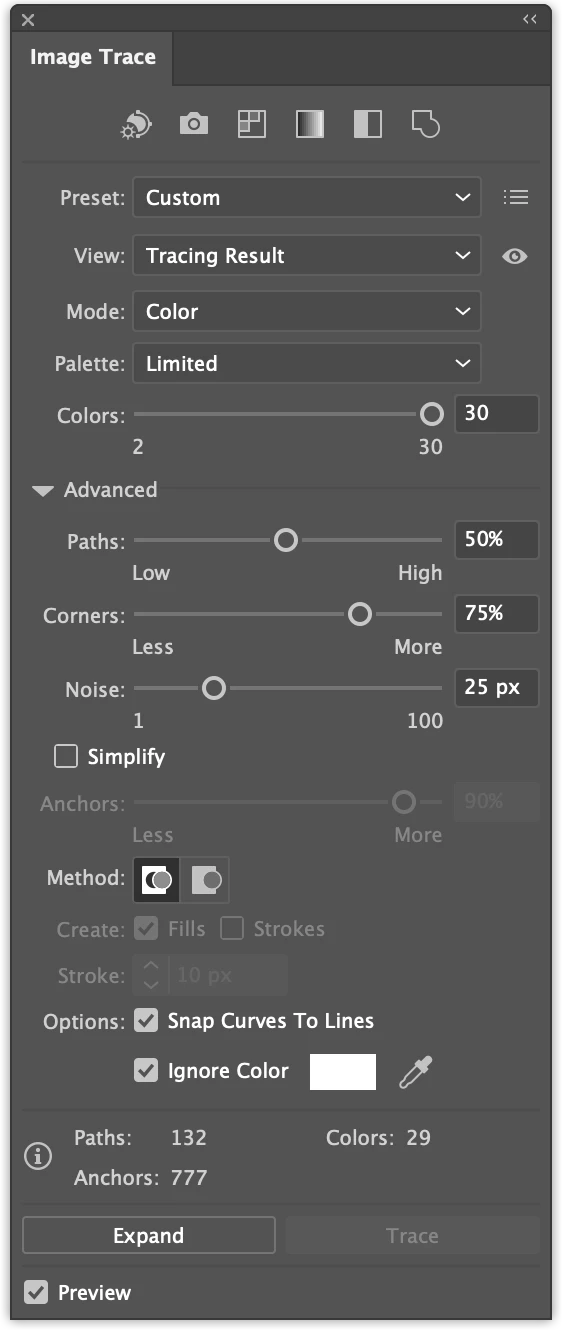
Just got back after 5 weeks away and there were updates from CC. So I updated Ai, PS, Bridge and Camera Raw to the newest version. When opening Illustrator now my own workspace has gone and Image Trace is totally different. Although the symbol is there to the right where I always have it, it does nog work. It is now under the top menu and I don't have advanced option such as ignoring white.
I tried to go back to older versions but don't know the version I had this morning when everything was still working as it normally does. How can I find out which version I had?
But also I presume updates give me more possibilities not less? So what is the best thing to do? I went back to older versions one at a time. 5 times! Image trace is back in 28.1 but my workspace is gone. Any ideas, help?
 AdChoices