
Question
Images Desaturated When Imported to Illustrator
Hi there,
I hope someone can give me a hand with this.
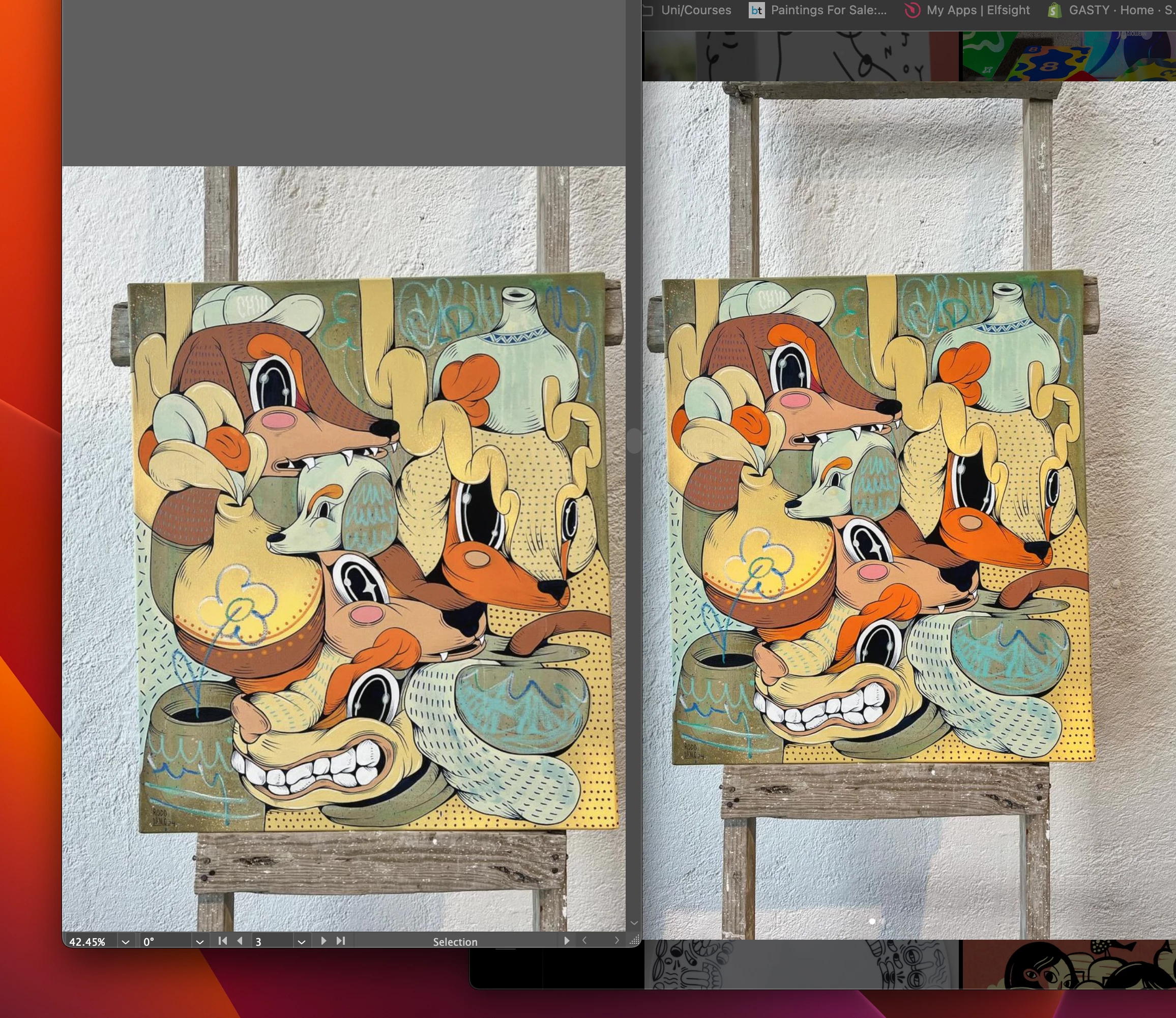
I'm using Illustrator, and when importing images, whether they are screenshots from my MacBook or JPEGs from Procreate, they always look desaturated in comparison with the original.
- Illustrator file is set to RGB
- Preserve Embedded Color Profile is enabled
- sRGB working color profile is selected
- Images are either screenshots on Mac (RGB) or Procreate JPEGs (RGB)
- There’s no CMYK involved (clarifying this because it seems like an RGB to CMYK issue, but it’s not)
Screenshot attached, left is illustrator, right is Chrome browser window.
 AdChoices