Participant
November 6, 2023
Question

Importing a PDF file generated by R into Adobe Illustrator

  • November 6, 2023
  • 3 replies
  • 1519 views

Hi, I need help !!!!

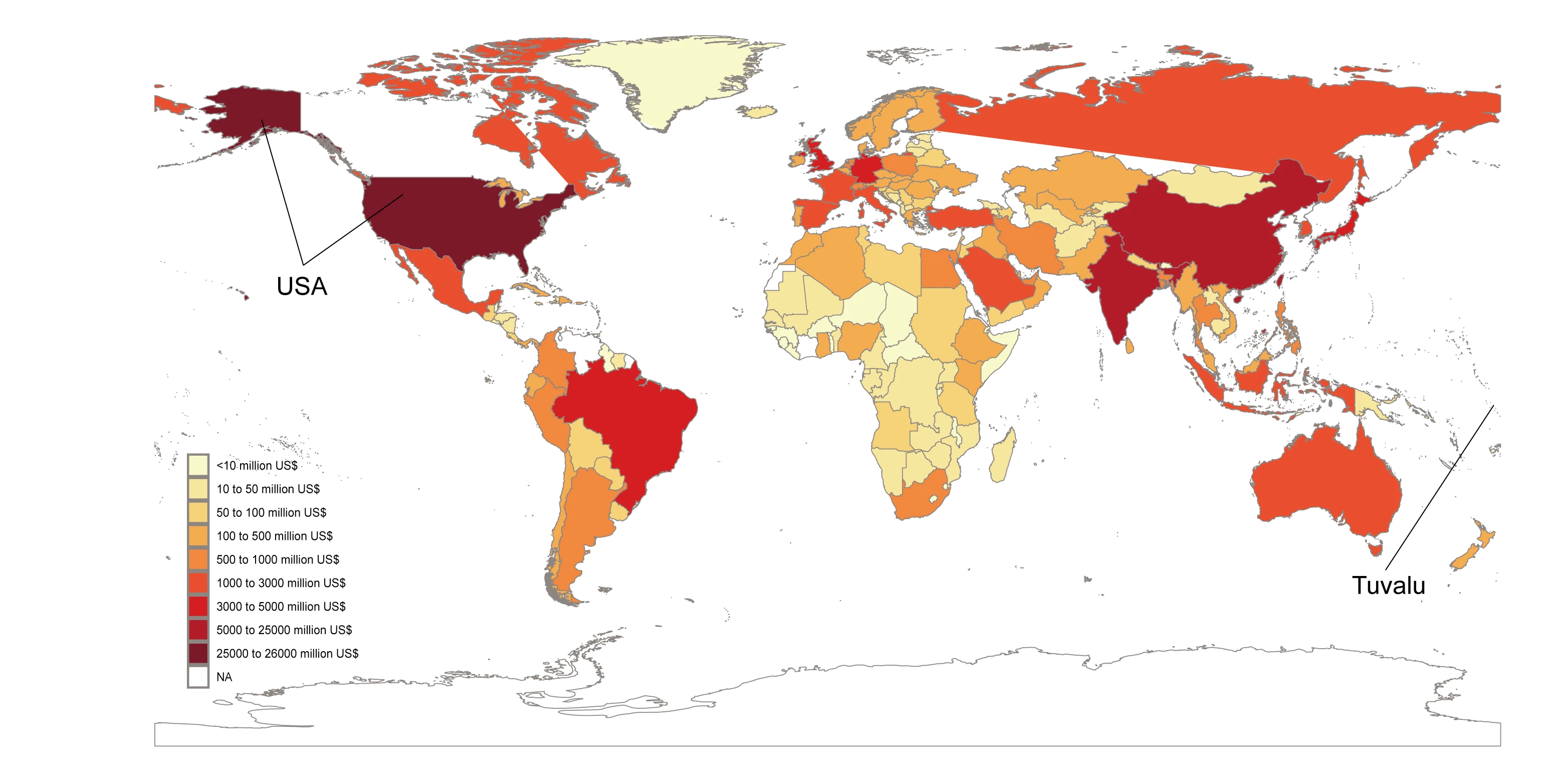
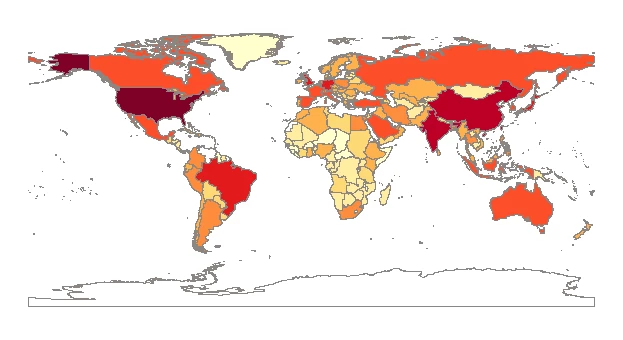
I created a map using R and wanted to edit it in Adobe Illustrator. However, I found that some countries' colors were missing when I imported the generated PDF file into Illustrator. (The first image is the one I generated in R, and the second image is after editing in AI. As you can see, the color blocks for Canada are missing.


I've tried a few methods, such as changing the view mode and rendering in RGB mode in R, but none of these solutions have resolved my issue.


What should I do? Thank you all for your help.
    This topic has been closed for replies.

    3 replies

    Community Expert
    November 6, 2023

    I know very little about R. Is it possible to export maps created using R in another file format, such as SVG or EPS? If so, it's possible you might have better luck with the shapes holding their fills when the artwork is imported into Illustrator.


    The most likely thing that happened the PDF file of your map is some of the vector shapes of countries were broken into open paths or even broken apart into multiple open paths. That's a common problem. The shape representing Canada has to be repaired back into a closed shape for the fill to work. The same goes for Russia, Venezuela and any other nation shapes whose fills are missing.

    Most applications that can generate PDF files will employ all kinds of short cuts to make file sizes smaller and/or make the document easier to output on any printer. The penalty of that is the PDF file ends up being something that is not friendly at all to import into a graphics application such as Adobe Illustrator for further editing. An Illustrator plugin such as Vector First Aid can automatically fix a lot of problems with imported PDF artwork, like getting rid of unnecessary clipping masks or clipping groups, repairing some barely broken open paths, etc. But Vector First Aid won't fix everything in artwork from an imported PDF file. Much of the time it's just better to export the artwork in a file format other than PDF (if possible).

    Participant
    November 8, 2023

    Thank you very much for your advice, Bobby! Actually, I have already tried exporting the map in SVG format, but it still didn't work. What I ended up doing was directly dragging the PDF file into Adobe Illustrator and editing the image as a hyperlink,  'skipping' the issue (as shown in the following picture)


    Brad @ Roaring Mouse
    Community Expert
    Community Expert
    November 8, 2023

    After you place the PDF, you could Flatten it (Object > Flatten Transparency) if you want to directly edit it.  Try that and see what happens with Canada in that approach

    Monika Gause
    Community Expert
    Community Expert
    November 6, 2023

    WIthout seeing the actual PDF it's impossible to help you. Most probably it's caused by clipping masks not working as intended.

    Participant
    November 8, 2023

    Thank you Gause

     
    jane-e
    Community Expert
    Community Expert
    November 6, 2023
    quote

    I created a map using R

    By @Jiajun33412686h3s1


    I've moved your post from Using the Community (for questions about the forums) to Adobe Illustrator for you.


    What is "R"?


    Jane

    Participant
    November 8, 2023

    Thanks, Jane. R is a language and environment for statistical computing and graphics.