
Olivander12
Known Participant
February 1, 2018
Answered

InDesign and Illustrator UI too small

  • February 1, 2018
  • 13 replies
  • 92016 views

Hi guys,

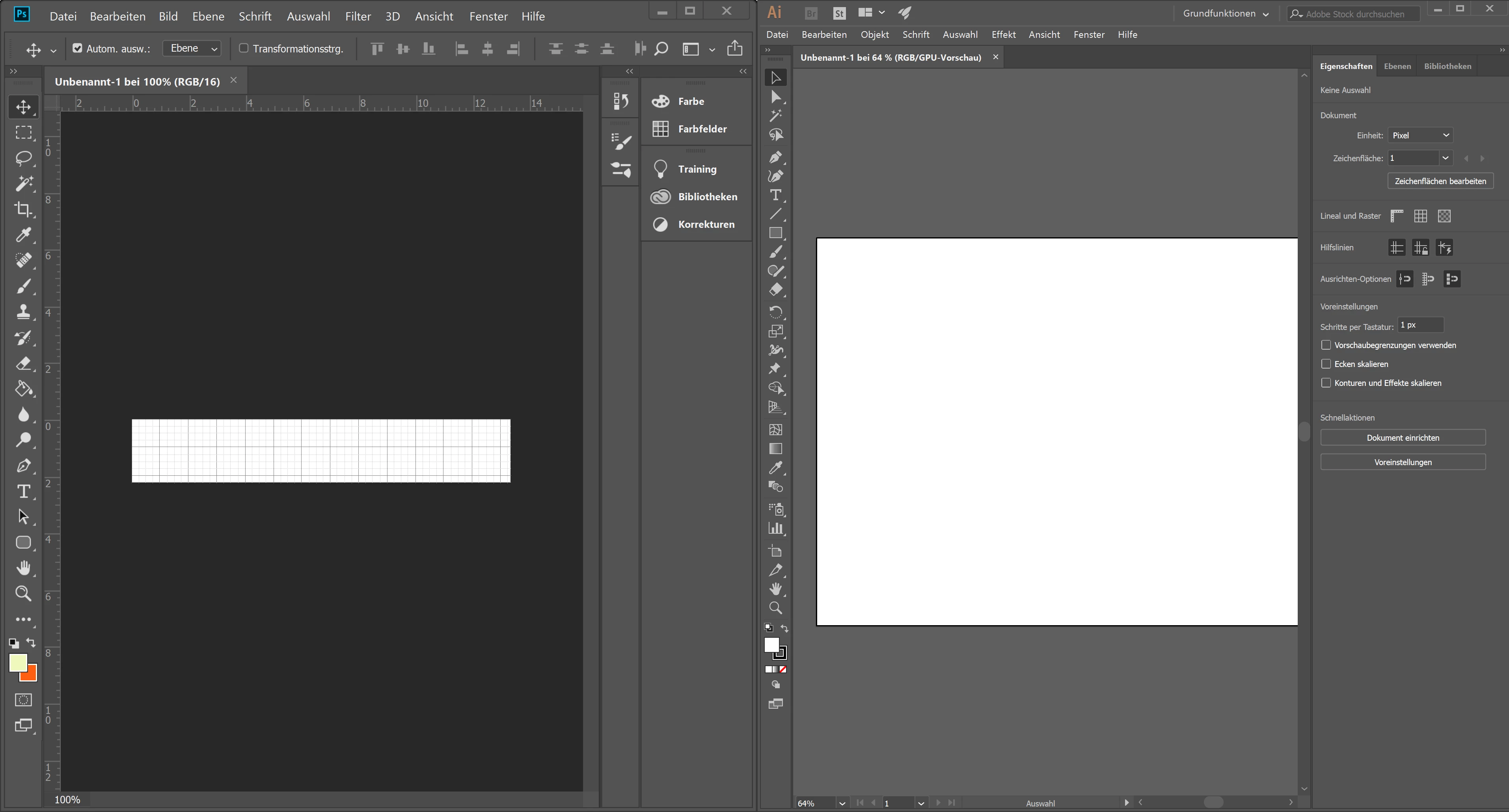
I have the problem that the UI of Illustrator and InDesign is too small. Photoshop and Muse scale the UI just fine, whereas InDesign's and Illustrator's interface is not usable. In the settings, the scaling is already set to the highest value, so I do not understand why the UI is still small. It is a very frustrating issue, since it is a real pain to work with these small icons.

I am on a Thinkpad T570 with a 4K-Panel, Windows 10 scaling is set to 250%. I added a screenshot where you can see the difference between the UI of PS and ID.
Thanks in advance for your help!
Correct answer Srishti Bali

No


Hi there,

We are glad to inform you that this has been addressed in our latest update released today. Please install and let us know if that helps

1) Do one of the following:

  • (Windows) Choose Edit > Preferences > User Interface.
  • (macOS) Choose Illustrator > Preferences > User Interface.

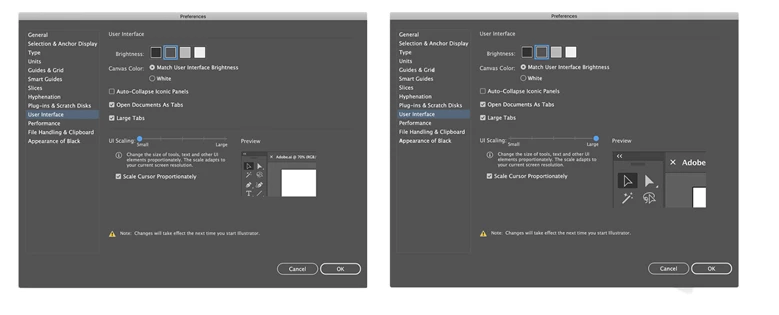
2) Adjust the UI Scaling slider. A preview of the scaled UI is displayed in the Preferences dialog box.

3) Select the Scale Cursor Proportionately option to scale the cursor icons in proportion to the UI.

4) To apply this setting, relaunch Illustrator. If you do not relaunch Illustrator, the changes will take effect the next time you launch Illustrator.

Here a few more features introduced in Illustrator 23.0: Introducing Illustrator CC 2019 | Adobe Blog

Regards,

Srishti

13 replies

Om Nath Jha
Legend
April 19, 2018

Hi all,

Please share your feedback or feature request regarding the adjustable UI using these links and upvote:

Illustrator: Adobe Illustrator Feedback

InDesign: Adobe InDesign Feedback

Regards,

Om

Participant
April 20, 2018

Hi Om,

Actually I have already done so and the link to my feedback is here:

UI scaling in Illustrator is unusably TINY – Adobe Illustrator Feedback

To be honest, I know there are a lot of tasks you guys need to complete but seriously this is a BUG rather than a feature request problem. And this bug has been around like forever, jumping around from app to app, from Photoshop to Illustrator in the case of this 2018 update. So yeah, hopefully you guys can give this problem higher priority. If you guys are going to base their fix priority only on the voting, I think we 4k Windows laptop users are doomed because there are far far fewer 4k Windows laptop users than 1080p Windows user or even Macbook user around the world, and macOS seems to be even more dominant in Adobe's community.

Thank you for your reply anyway and hope to receive some fix about this soon, like before 2019?

Best,

Xucong

Om Nath Jha
Legend
April 24, 2018

Hi Xucong,

Thanks for sharing the UserVoice link. I'll forward it to the product team. I'd also request you and others to upvote it so that we have a significant number of votes for this feature request.

Regards,

Om

Srishti Bali
Community Manager
Community Manager
February 8, 2018

Hi Olivander12,

Please make sure "Large Tabs" option is checked under Ai preferences (Edit > Preferences > User Interface).

Regards,

Srishti

Olivander12
Known Participant
February 9, 2018

Thanks for your help, but this option is already checked.

Also, the scaling of the fx-Window does not work at all. If I, for example, click on artistic effects, I get a completely unscaled window, where I can barely read a thing. This window is even way to small compared to the already tiny UI. It looks like this.

This renders the effects options useless, unless I wanted to sit 10cm in front of my screen.

Participant
September 20, 2018

Have you figured a fix for this?

kglad
Community Expert
Community Expert
February 1, 2018